We are pleased to announce that Router Firmware 8.6.0 RC 5 is now available.
The Direct Access Mode support for the SF Connect App is currently available through beta testing. Please join the test and share your feedback.
We are pleased to announce that Router Firmware 8.6.0 RC 5 is now available.
The Direct Access Mode support for the SF Connect App is currently available through beta testing. Please join the test and share your feedback.
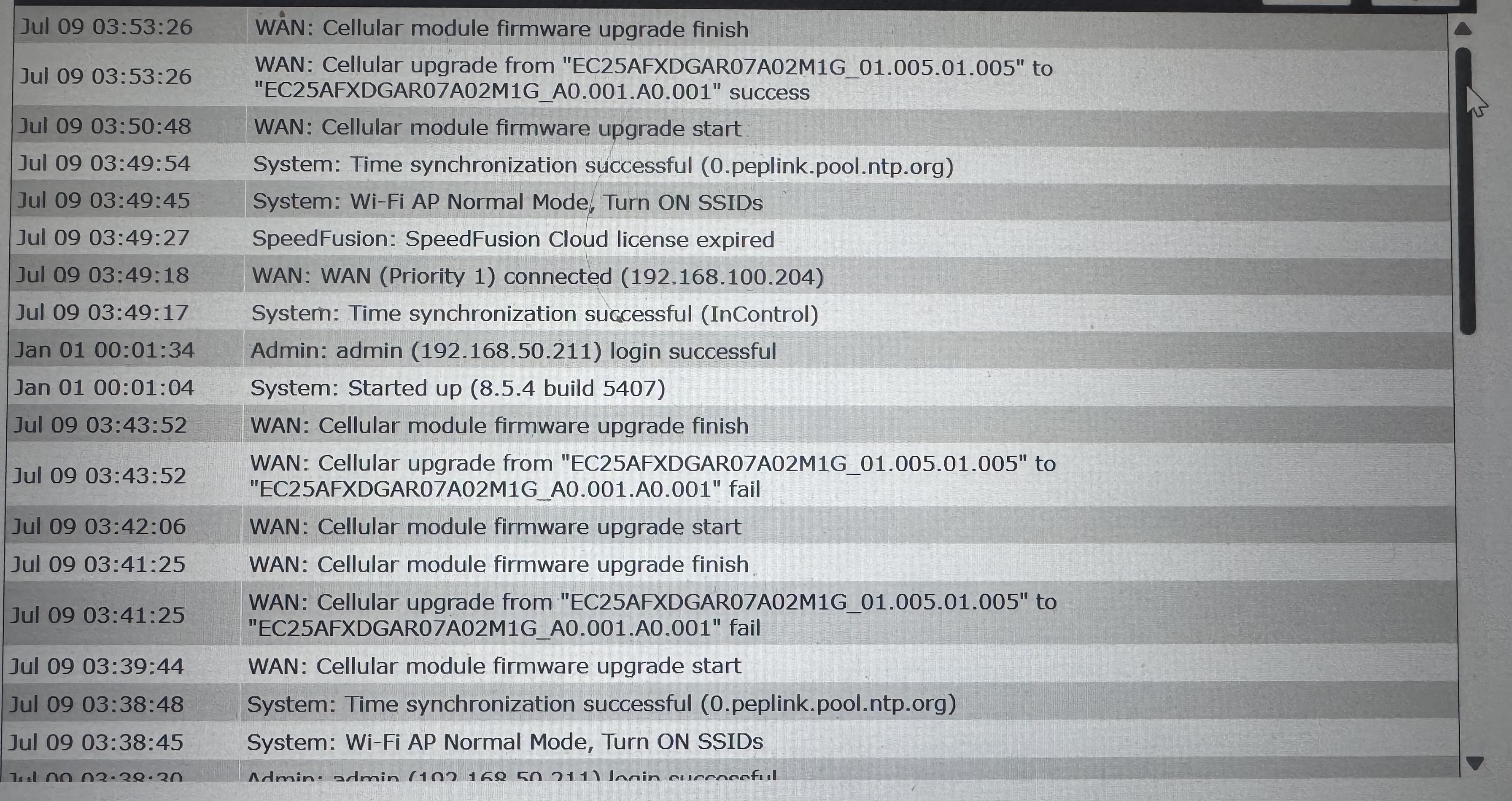
Br1 mini lte HW4 update modem firmware 2 times was failed.
After downgrade to 8.5.4 done from 1st try.
@andy.manager may I know if this happened to all of your BR1 Mini? If so, can you help to open a ticket with the device that is failing to do cellular firmware upgrade for us to check? Thanks.
I have only 1BR mini HW4 with quectell modem. But i saved diagnostic report if this help.
Sure, please send us the Diagnostic Report through a ticket. We will reproduce it with our device.
Installing this WIPED THE CONFIG OF MY BR2 PRO!! WTF. Reset it to factory default. Ridiculous
Absolutely horrible release. 1-star
Seriously upset. Where is the quality control ?? @Lai @TK_Liew @sitloongs
That’s bizarre and sorry to hear that. I’ve installed on multiple devices including our BR2 Pro (HW4) without any issues. We always follow standard process of config backup, upgrade, new config backup as a new baseline.
Good luck.
i was able to recover after figuring out that Configuration Backups are in inControl. it cost me 40min of a busy sunday.
Found the created ticket : 26070445. Support team will followup with you via ticket.
We have performed upgrade testing in our lab and, so far, have been unable to reproduce the issue. This suggests that it may be triggered only under certain conditions or could be an isolated case. Having access to the device diagnostics and RA will greatly assist us in identifying the root cause and determining why this behavior occurred.
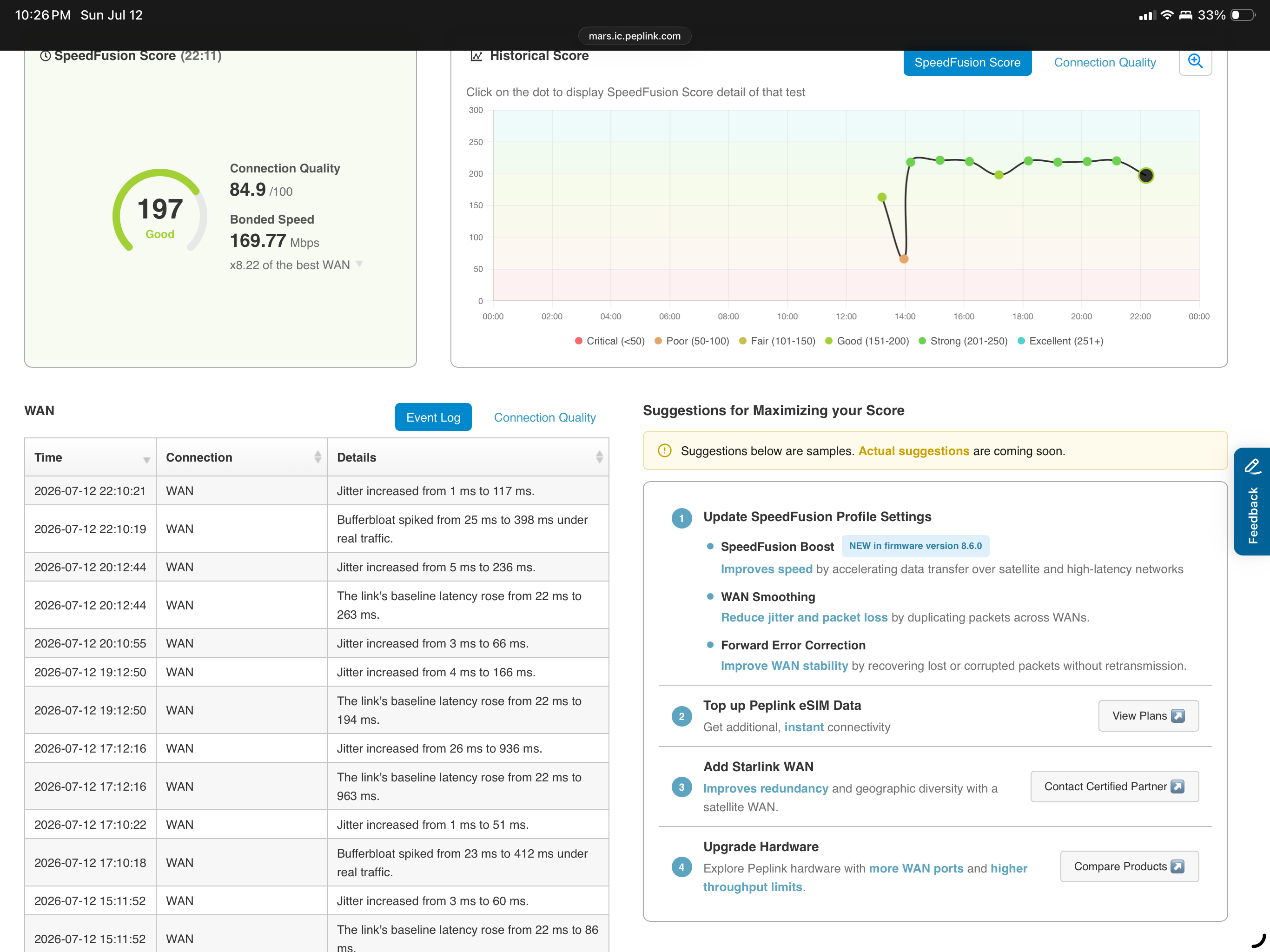
I’ve noticed that the SpeedFusion Score references WAN and only lists WAN in the “Connection” column. I would have expected it to show WAN 1, WAN 2, etc for multi-WAN devices. Is this a bug? If not, I suggest an improvement as it makes trouble shooting the score very difficult if you can’t identify the affected WAN.
Tested RC4&RC5 on two BR2. Worked but GPS location was not in Incontrol. It was there in the router dashboard and forwarded correctly. Reverted to 8.5.4 and GPS was back in Incontrol.
In support.cgi, cellular firmware status is not available in this version for ML620 module.
It probably needs a matching update to incontrol2 which will launch before the GA code, I know they’ve mentioned that with several features that require incontrol integration.
Why is Peplink adding features to the firmware after its hardened into a release candidate? Basically still in development.
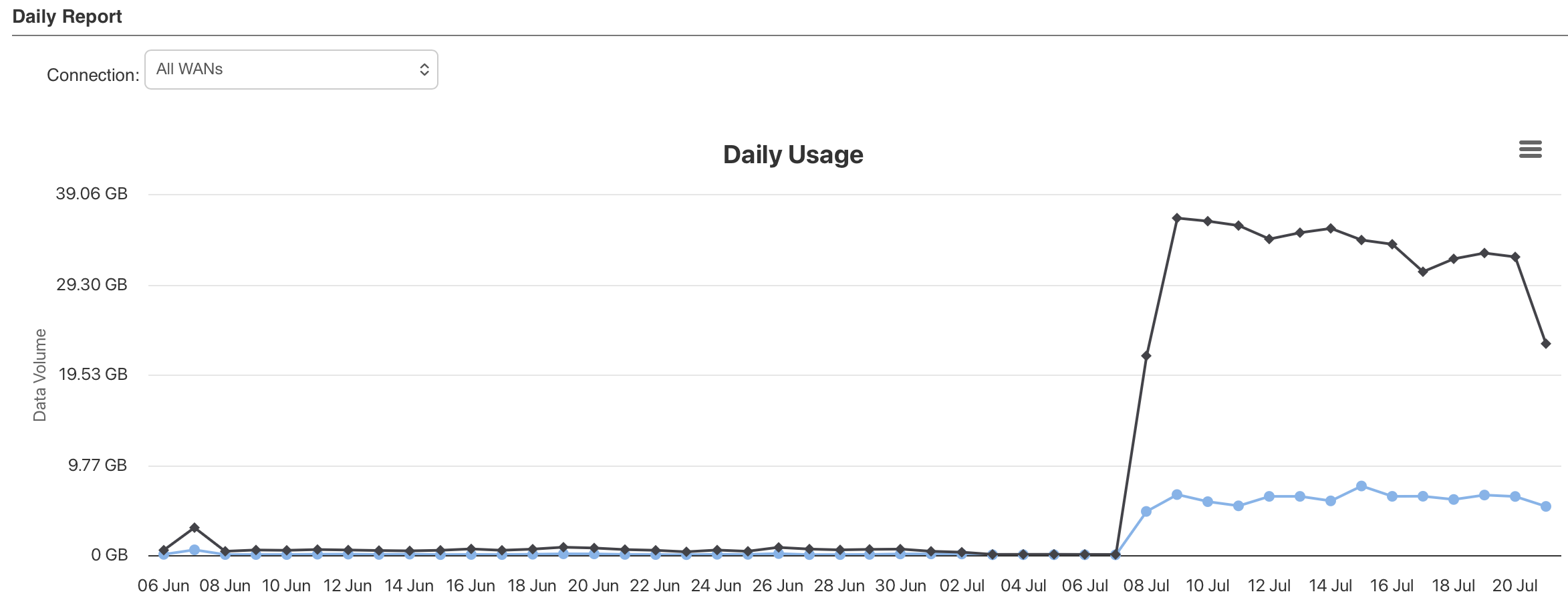
I’ve seen significant increases in data consumption by Speedfusion Connect that should be largely idle. I have raised ticket 26070792. This coincided with change from RC4 to RC5 and is on all upgraded devices.
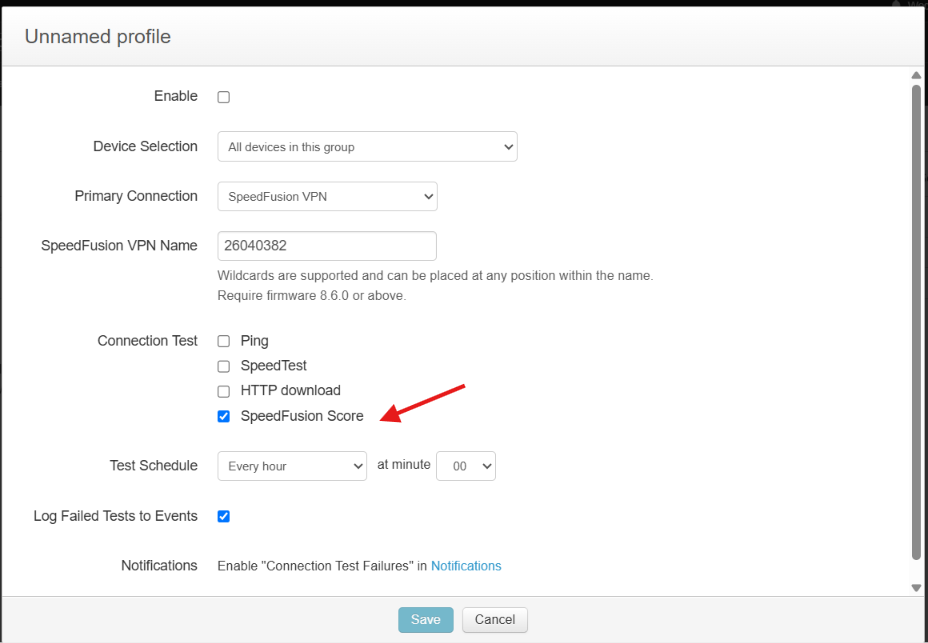
We saw this too and blew past several SIM quotas. Check your SpeedFusion Score checking and make sure it’s disabled, that’s what did it for us.
Thanks. Clearly a bug in RC5 then as RC4 was OK. I’ll try disabling the check.
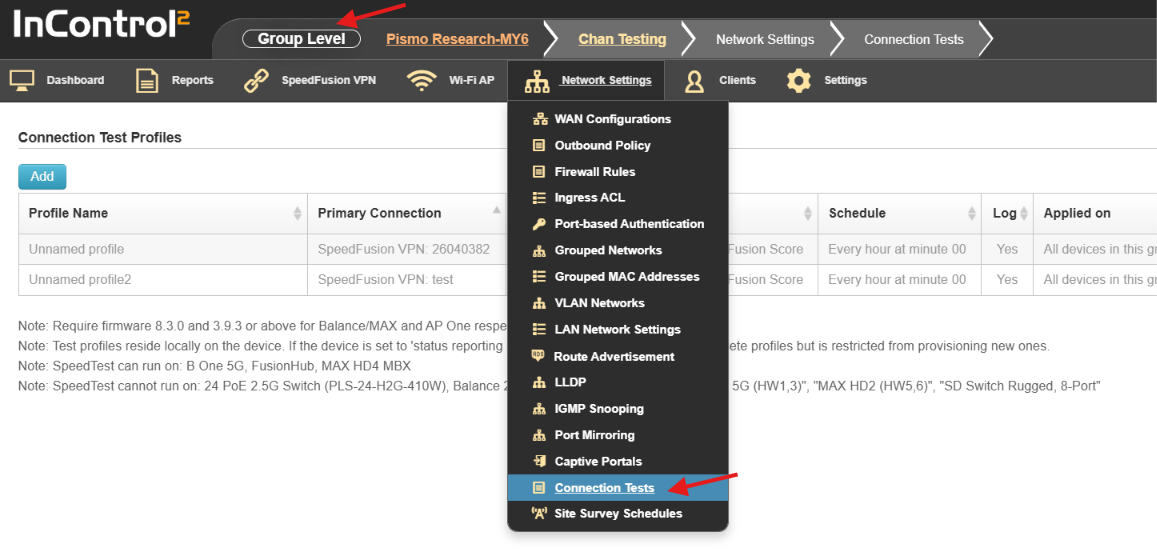
@ChristopherSpitler - please let me know how to disable the score checking. I haven’t found an option to disable it.
Thank you!