We are pleased to announce that Router Firmware 8.6.0 RC 4 is now available.
The Direct Access Mode support for the SF Connect App is currently available through beta testing. Please join the test and share your feedback.
We are pleased to announce that Router Firmware 8.6.0 RC 4 is now available.
The Direct Access Mode support for the SF Connect App is currently available through beta testing. Please join the test and share your feedback.
Great news and so many fixes! Highly appreciated 
I noticed the new IPv6 SLAAC/DHCPv6 WAN configuration in RC4. Does this update also add a stateful IPv6 firewall (default deny for inbound traffic), or does the B One still simply route globally routable IPv6 addresses to LAN clients without inbound filtering?
Does the B One fully support DHCPv6 Prefix Delegation (PD) together with SLAAC, including proper prefix delegation to multiple VLANs?
The software stack is still – for all practical purposes – oblivious to IPv6.
The key difference appears to be that you can use SLAAC/DHCPv6 instead of raw IPv6 passthrough for one-and-only-one WAN. And you still cannot assign this traffic to a VLAN.
Baby steps I guess!  But progress is progress.
I’d still be the most happy if they’d just support IPv6 on the WAN side so SpeedFusion (etc) could easily negotiate more point-to-point links by avoiding CGNAT.
Yes you are right. But be aware, that as soon as you activate IPVv6 on WAN settings, you expose all your clients behind the Peplink router to the WAN. So better have a e.g. a Fritz!Box with IPv6 firewall (at least deny all inbound rule) before the router.
See: Post
Has this behavior changed in firmware 8.6.0 RC4? Does the B One now provide a stateful IPv6 firewall for routed traffic, or does it still rely entirely on the upstream router’s IPv6 firewall?
For me it would be helpful, if the PL router could create a /62 or /64 IPv6 network for every VLAN based on a /56 IPv6 network received by Prefix Delegation from the provider router.
I believe there is a bug related to FIPS mode with a Max BR1Pro 5G. When FIPS mode is enabled I’m unable to connect using Remote Web Admin from IC2. Turning on Remote Assistance on the device resolves the problem. Returning to 8.5.4 or disabling FIPS mode resolves the issue as does turning on Remote Assistance. I’ve raised ticket 26070041 as this issue might be masked for most people as RA is normally activated when using beta firmware.
@dnavany you can test the coming 8.6.0 RC 5, which fixes the issue. 
Yes. Please let me have a link via my open ticket.
@DaveZ Our baby steps are definitely walking towards on SpeedFusion. Stay tune for post 8.6.0… 
@ckirch We shall work on create /64 from a /56 prefix delegation. For current SLAAC/DHCPv6 method, we do have inbound firewall by default so all clients aren’t open to the world. In other words, we would also need to work on the firewall which is expected to come.
Balance 310 5G HW3 can not find beta firmware.
This firmware available?
The firmware has been added. Please check the latest RC 5.
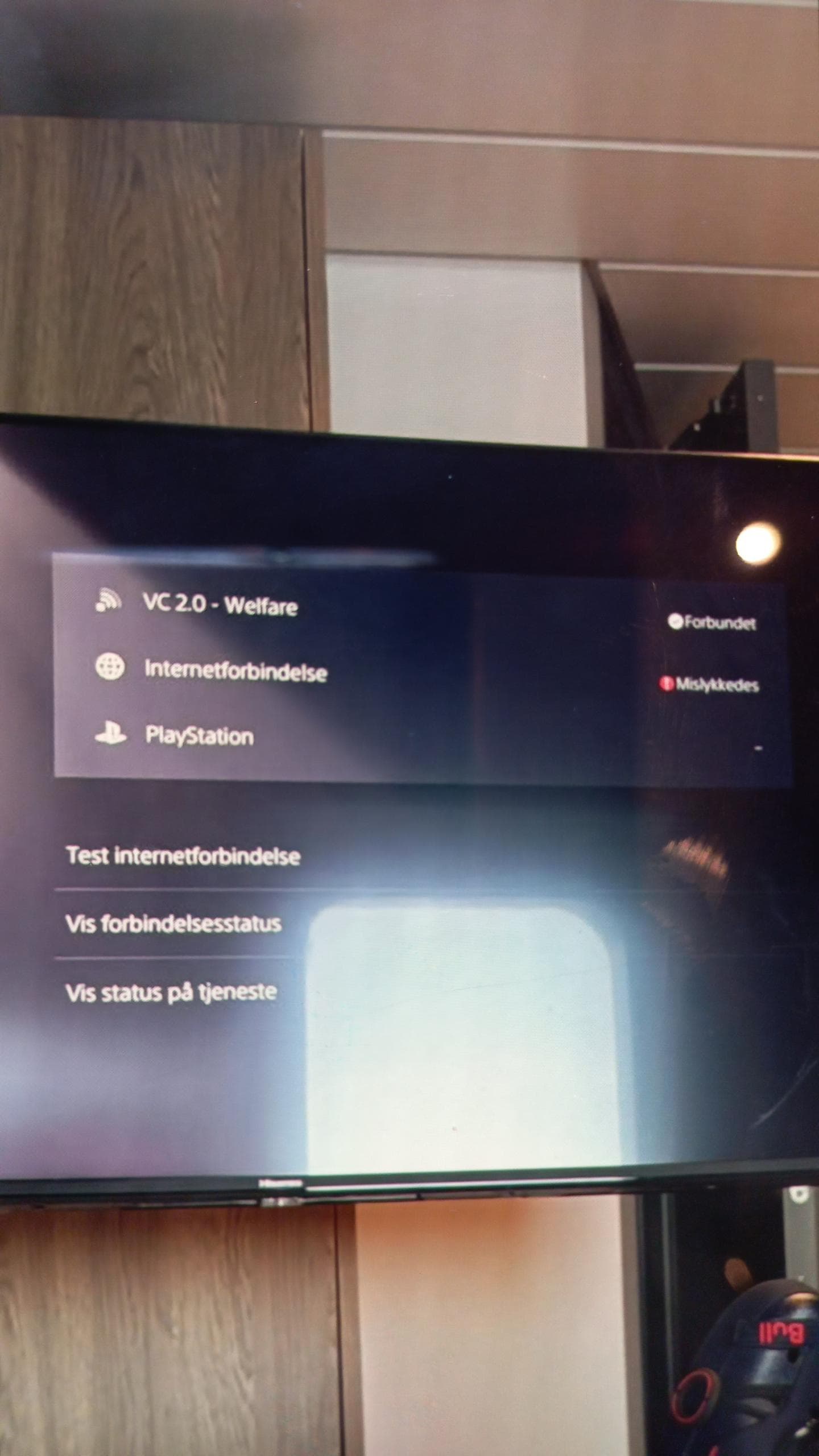
I enabled SpeedFusion Boost in one of my SF sub-tunnels, but after enabling this feature, PlayStation 5 would no longer connect to the PlayStation Network. I disabled the SpeedFusion Boost feature on the sub-tunnel, and the PlayStation would connect again.
Thanks for the clarification, @Eddy_Yeung.
Just to make sure I understood correctly:
Does the current SLAAC/DHCPv6 implementation already include a basic stateful inbound IPv6 firewall (blocking unsolicited inbound traffic by default), so LAN clients are protected without relying solely on the upstream router?
When you say “we would also need to work on the firewall”, do you mean that the current release already includes a basic default inbound firewall, but a more advanced, user-configurable IPv6 firewall is still under development?
@ckirch Your understanding is correct; that are yes on both 1. and 2.
Could you please create a ticket for the issue to allow support team to check on that ?
Desr Team, since RC4 the Backblaze Cloud Sync of our QNAP NAS is again not working anymore (see previous ticket #26050058). Did you modify malware webfilter again to block them?
After some diagnosis I found that Web Blocking > Malware blocked the domain “backblazeb2.com”. So I added the domain to Exempted Domains from Web Blocking and then it worked.
Hello @sitloongs, can you maybe also have a look on ticket # 26050058 as the Web-Blocking feature seems to ignore Exempted Subnets from 8.6.0. RC4.