We are pleased to announce that Router Firmware 8.6.0 RC 3 is now available.
The Direct Access Mode support for the SF Connect App is currently available through beta testing. Please join the test and share your feedback.
We are pleased to announce that Router Firmware 8.6.0 RC 3 is now available.
The Direct Access Mode support for the SF Connect App is currently available through beta testing. Please join the test and share your feedback.
FYI release notes still don’t include reference 36812.
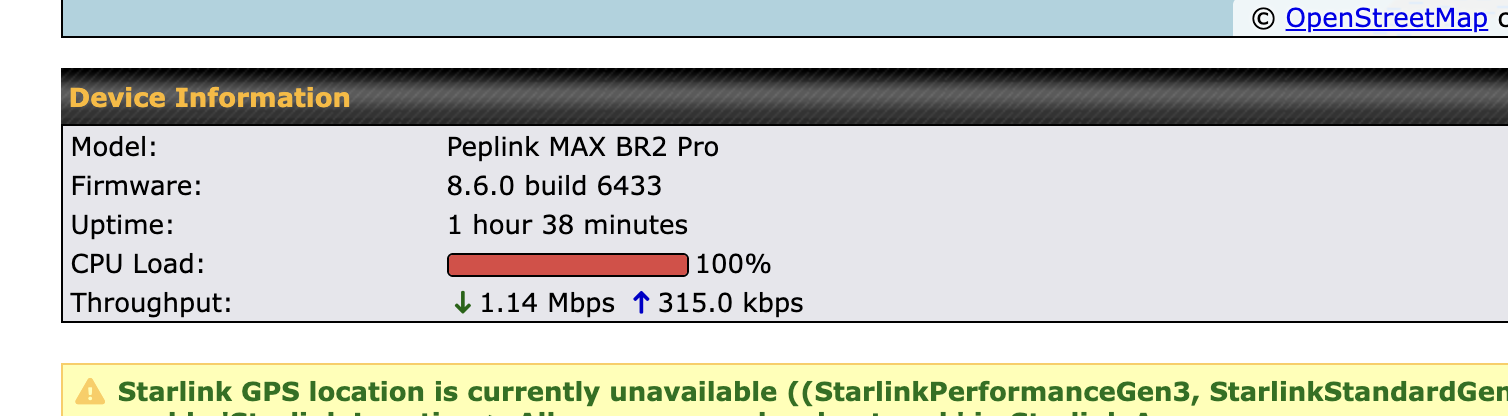
I’m seeing 100% CPU utilization on a MAX BR2 Pro HW4 to the point where I had to roll back to 8.5.4. In the hour I had RC 3 running, it became unresponsive at least 10 times. This included not being able to connect to the device via the web interface, and it would not process or pass traffic during those times as well.
I did catch several times where the CPU was at 100% during this issue. Happy to provide more details, and can open a case if needed.
If you have captured the diagnostic files, please submit them with a case. @Lai our team will follow up with you.
This item has been added into the release notes
I’ve recovered 2-3 LTEA-US modems now with the new method. Something I’ve noticed is Wi-fi as WAN connections stop reporting while module is in recovery. Nothing is logged in the events. I will try to get the next one up with a video to show this.
If possible to review the internal code to fix any bugs, recovery should not mess with InControl2 reporting or other WAN connections.
Adding again to the CPU 100% issue - this was reported starting with 8.6.0 beta 2, and continues yet through RC3; testing has been done on both the B One 5G, and the B One models. If a window opens where the CPU is not pegged, I can try to capture a diagnostic log, however, when at 100% the device is unresponsive.
Reverting back to 8.5.x resolves the issue.
Ticket 26060813 created!
Thanks, I’ve let the team know
please post the ticket #!!
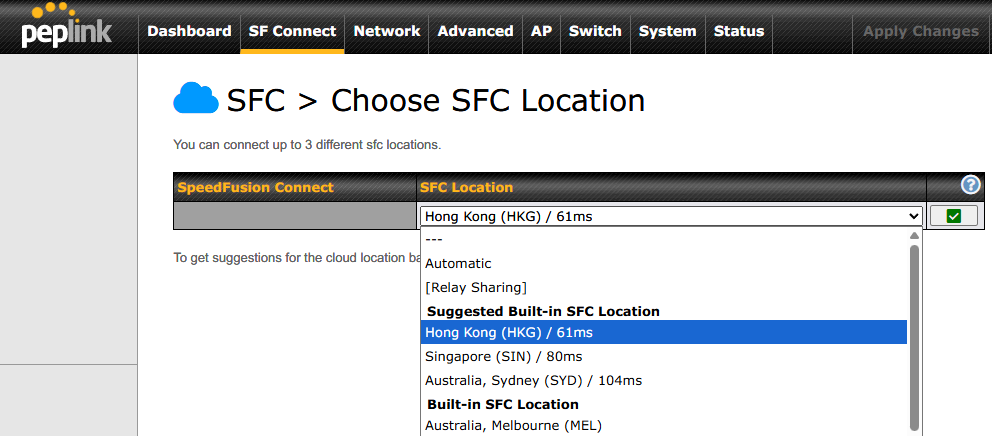
When setting up an SFC on the B One 5G and using the “To get suggestions for the cloud location based on your latency, click here” feature, other countries are displayed for some reason even though I’m in Japan.
Do users in other countries see their own country displayed?
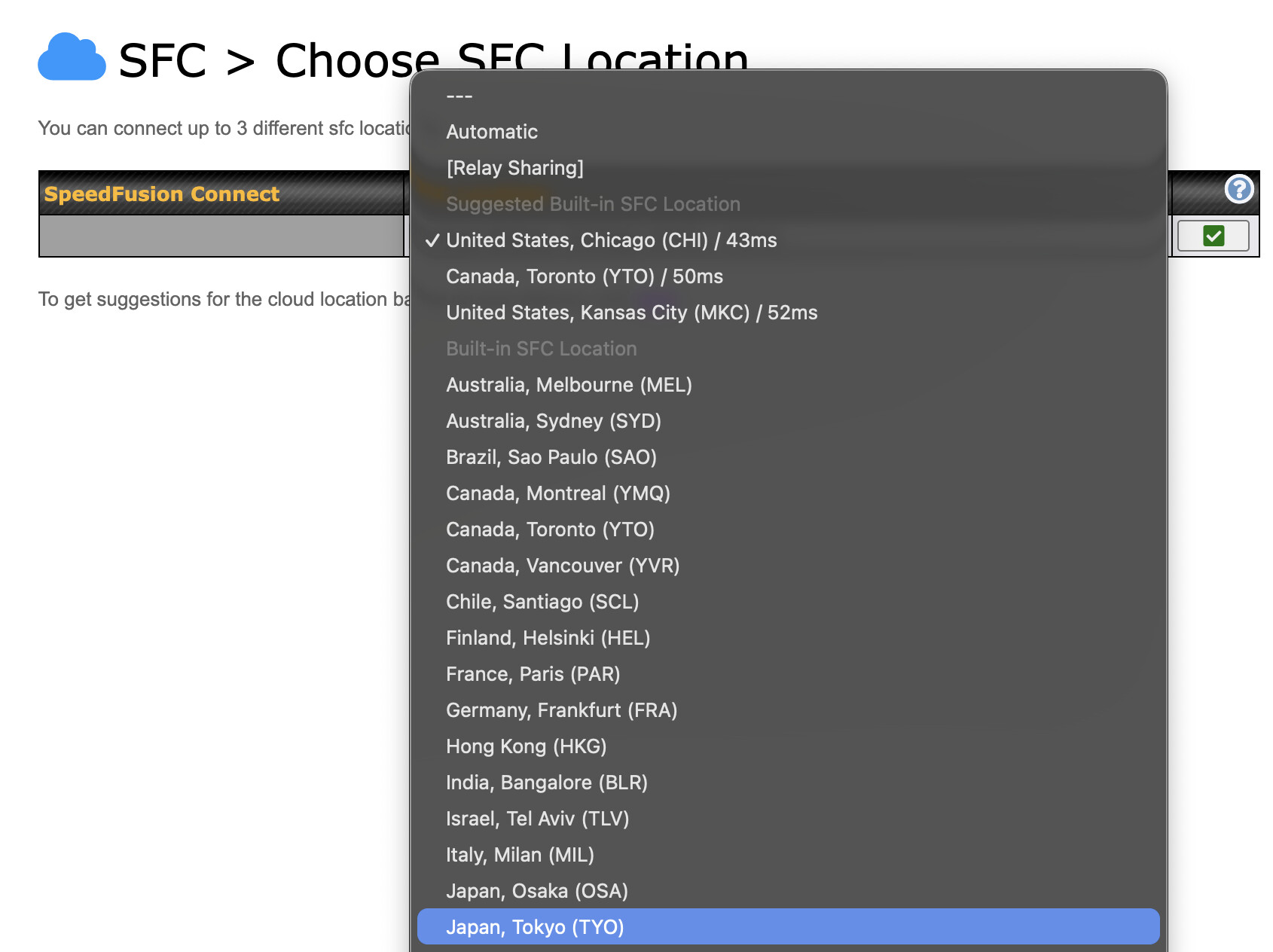
@CASO.Corp , are you updated to 8.5.4 or 8.6.0? Osaka was released a few weeks ago (not sure if the updated firmware is required to show, but just curious).
The suggested locations are determined based on latency test between your Peplink and the locations. However, I would expect Osaka to be on the suggested list, if not at the top of the list.
I see options for both Osaka and Tokyo on my list, though I’m in the US, so no latency estimates for those locations. My list is quite accurate and includes two US and one Canada node. I am running 8.6.0 RC 3
The SFC locations near Japan were not reporting latency values properly. This has now been fixed on the cloud side, and the Japanese locations are listed as suggested, so please check.
Please note that this behavior is not related to version 8.6.0.