Hello,
I have the issue that some connections are very slow over speedfusion. Here is the issue:
scp testfile.dat foo@testbed-1:/dev/null
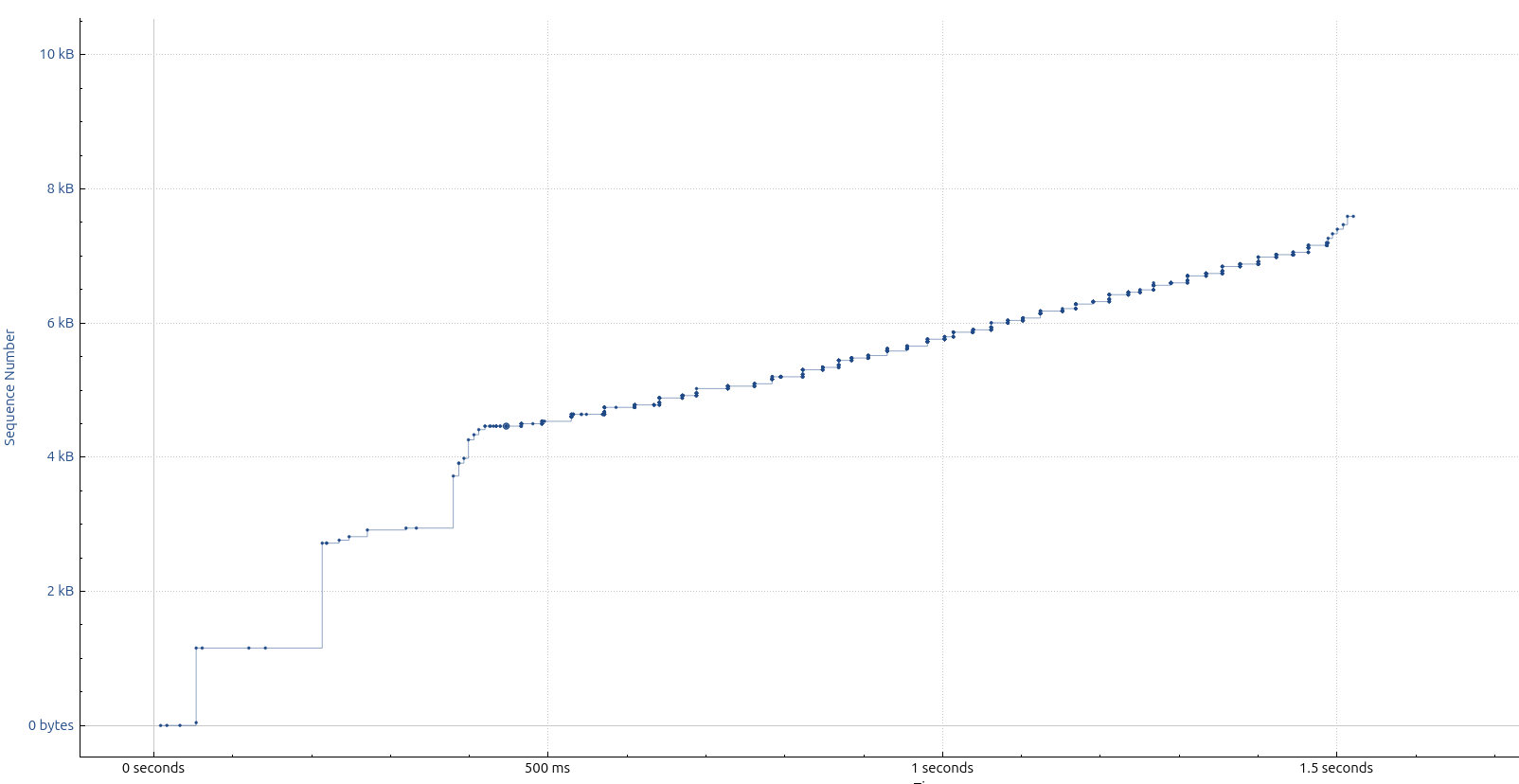
testfile.dat                                       10%  105MB   4.6MB/s   03:20 ETA^
However, on that device, I have reasonable (albeit still very slow) speed with iperf3:
$ iperf3 -c speedtest.init7.net
Connecting to host speedtest.init7.net, port 5201
[  5] local ... port 60130 connected to ... port 5201
[ ID] Interval           Transfer     Bitrate         Retr  Cwnd
[  5]   0.00-1.00   sec  8.57 MBytes  71.9 Mbits/sec    0    511 KBytes
[  5]   1.00-2.00   sec  9.06 MBytes  76.0 Mbits/sec   28    326 KBytes
[  5]   2.00-3.00   sec  7.39 MBytes  62.0 Mbits/sec    0    351 KBytes
[  5]   3.00-4.00   sec  7.45 MBytes  62.5 Mbits/sec   23    187 KBytes
[  5]   4.00-5.00   sec  8.93 MBytes  74.9 Mbits/sec    0    214 KBytes
[  5]   5.00-6.00   sec  8.87 MBytes  74.4 Mbits/sec    9    178 KBytes
[  5]   6.00-7.00   sec  8.87 MBytes  74.4 Mbits/sec    0    208 KBytes
[  5]   7.00-8.00   sec  9.61 MBytes  80.6 Mbits/sec    0    237 KBytes
[  5]   8.00-9.00   sec  8.87 MBytes  74.4 Mbits/sec    0    262 KBytes
[  5]   9.00-10.00  sec  9.61 MBytes  80.6 Mbits/sec    0    285 KBytes
- - - - - - - - - - - - - - - - - - - - - - - - -
[ ID] Interval           Transfer     Bitrate         Retr
[  5]   0.00-10.00  sec  87.2 MBytes  73.2 Mbits/sec   60             sender
[  5]   0.00-10.01  sec  85.3 MBytes  71.5 Mbits/sec                  receiver
What I’d expect it something closer to this:
backes@bk-loki:~/dev/tmp$ iperf3 -c speedtest.init7.net
Connecting to host speedtest.init7.net, port 5201
[  5] local ... port 35788 connected to ... port 5201
[ ID] Interval           Transfer     Bitrate         Retr  Cwnd
[  5]   0.00-1.00   sec  90.4 MBytes   758 Mbits/sec    0   3.07 MBytes
[  5]   1.00-2.00   sec   103 MBytes   864 Mbits/sec    0   3.07 MBytes
[  5]   2.00-3.00   sec   112 MBytes   943 Mbits/sec    0   3.07 MBytes
[  5]   3.00-4.00   sec   109 MBytes   915 Mbits/sec    0   3.07 MBytes
[  5]   4.00-5.00   sec   110 MBytes   926 Mbits/sec    0   3.07 MBytes
[  5]   5.00-6.00   sec   103 MBytes   867 Mbits/sec    0   3.07 MBytes
[  5]   6.00-7.00   sec   107 MBytes   898 Mbits/sec    0   3.07 MBytes
[  5]   7.00-8.00   sec   108 MBytes   908 Mbits/sec    0   3.07 MBytes
[  5]   8.00-9.00   sec   110 MBytes   924 Mbits/sec    0   3.07 MBytes
[  5]   9.00-10.00  sec   104 MBytes   871 Mbits/sec   10   2.35 MBytes
- - - - - - - - - - - - - - - - - - - - - - - - -
[ ID] Interval           Transfer     Bitrate         Retr
[  5]   0.00-10.00  sec  1.03 GBytes   887 Mbits/sec   10             sender
[  5]   0.00-10.01  sec  1.03 GBytes   885 Mbits/sec                  receiver

iperf Done.
This is done in the same WiFi network than what the peplink connects to.
I have a Peplink MAX BR1 Mini 5G. It is connect via speedfusion to a fusionhub located at the office in a hub-and-spoke setup. I have a NAT that maps the local network 192.168.68.0/24 to some other subnet 10.0.0.0/24. I tested many different VPN settings and all of them fail. These results above were achieved with:
- No Encryption
- No Forward Error Correction
- No Smoothing
- Bonding mode
I do not have other settings on the peplink. (No QoS or other traffic shaping, no port forwarding, no firewall, etc.). The outbound policy simply routes everything through the VPN.
I tried this with different outbound connections. Cellular only, WiFi only, combinations of WiFi and Cellular. All give me the same result.
In the office. I have a static route to route the traffic of 10.0.0.0/16 to the fusionhub server.
I suspected MTU issues and changed these (on the WiFi profiles) but to no avail. The MTU looks fine:
$ ping -M do -s 1472 ...
PING ... (...) 1472(1500) bytes of data.
1480 bytes from ...: icmp_seq=1 ttl=62 time=27.1 ms
1480 bytes from ...: icmp_seq=2 ttl=62 time=38.0 ms
1480 bytes from ...: icmp_seq=3 ttl=62 time=36.2 ms
1480 bytes from ...: icmp_seq=4 ttl=62 time=33.2 ms
I tested the speeds from the gateway router and the server where I host the fusionhub on, and both don’t show any bandwidth issues.
# iperf3 -c speedtest.init7.net
Connecting to host speedtest.init7.net, port 5201
[  5] local  ... port 35724 connected to ... port 5201
[ ID] Interval           Transfer     Bitrate         Retr  Cwnd
[  5]   0.00-1.00   sec  1006 MBytes  8.43 Gbits/sec   32   1.58 MBytes
[  5]   1.00-2.00   sec  1.07 GBytes  9.21 Gbits/sec    0   1.58 MBytes
[  5]   2.00-3.00   sec  1.07 GBytes  9.23 Gbits/sec    0   1.59 MBytes
^C[  5]   3.00-3.15   sec   171 MBytes  9.43 Gbits/sec    0   1.59 MBytes
$ iperf3 -c speedtest.init7.net
Connecting to host speedtest.init7.net, port 5201
[  5] local ... port 50826 connected to ... port 5201
[ ID] Interval           Transfer     Bitrate         Retr  Cwnd
[  5]   0.00-1.00   sec   114 MBytes   956 Mbits/sec    0    865 KBytes
[  5]   1.00-2.00   sec   111 MBytes   928 Mbits/sec    0    967 KBytes
[  5]   2.00-3.00   sec   112 MBytes   935 Mbits/sec    0    967 KBytes
[  5]   3.00-4.00   sec   113 MBytes   945 Mbits/sec    0    967 KBytes
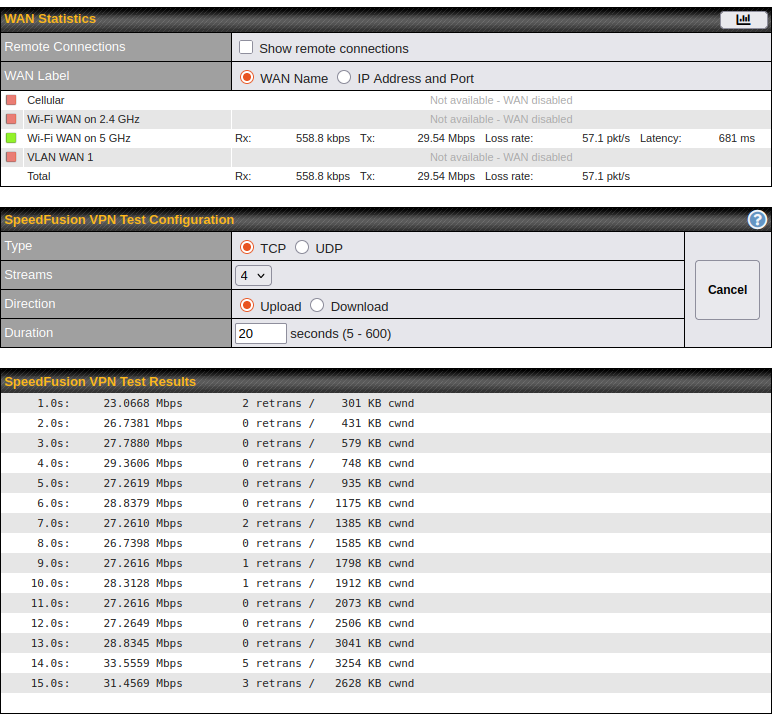
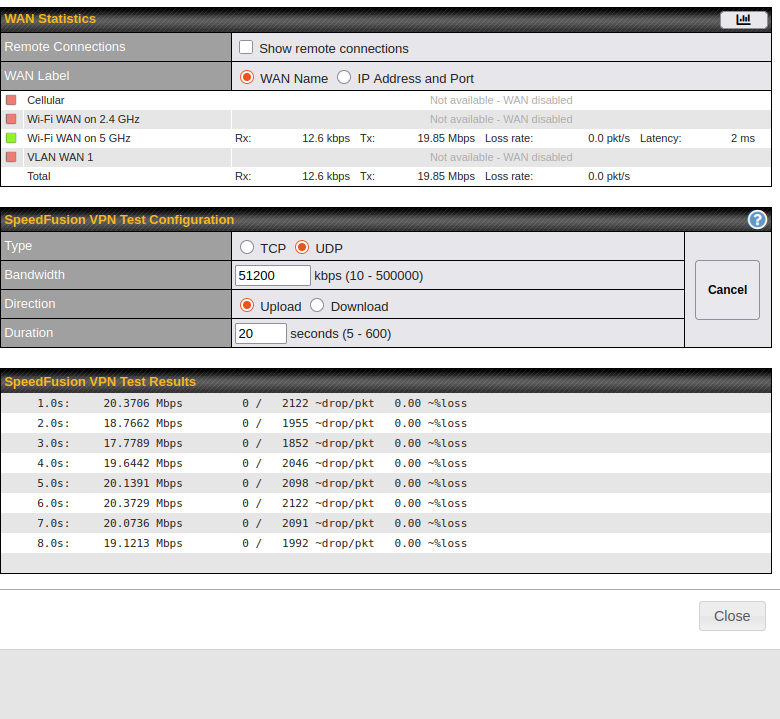
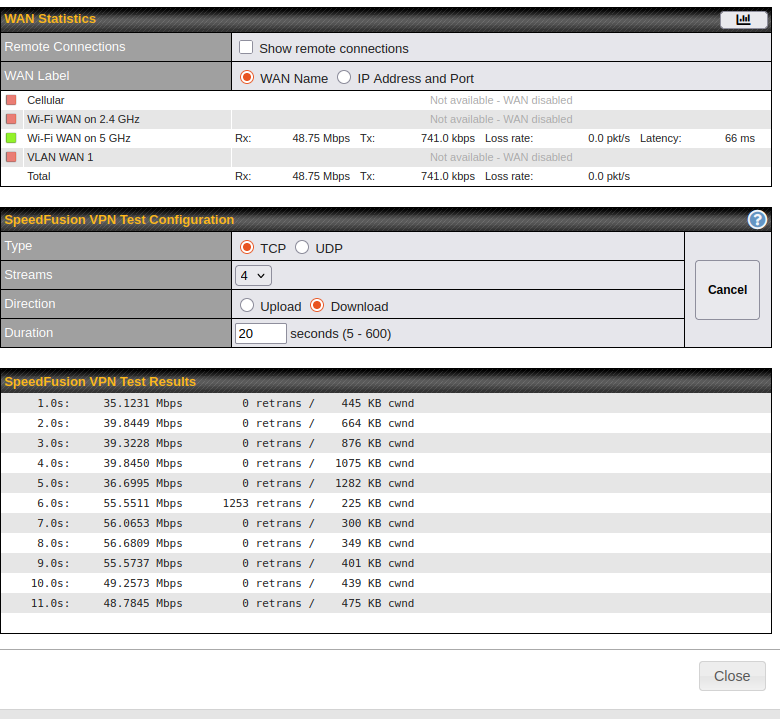
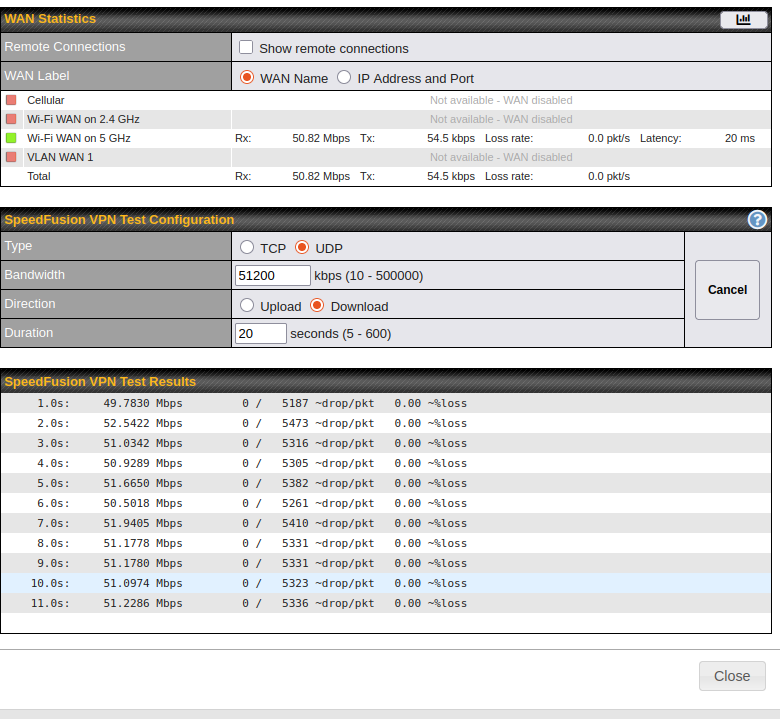
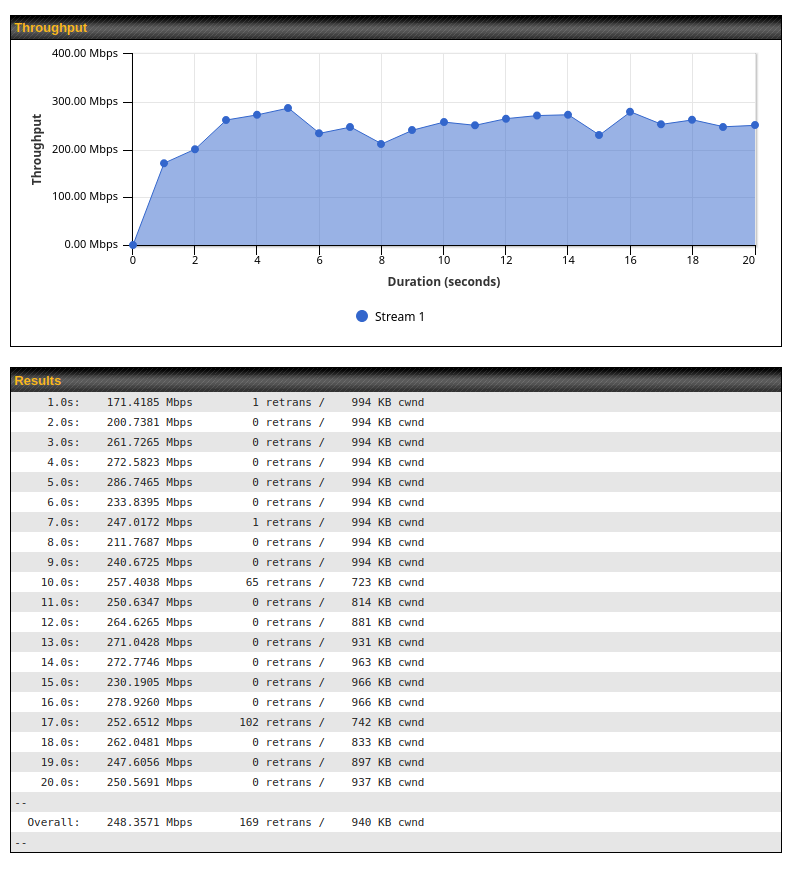
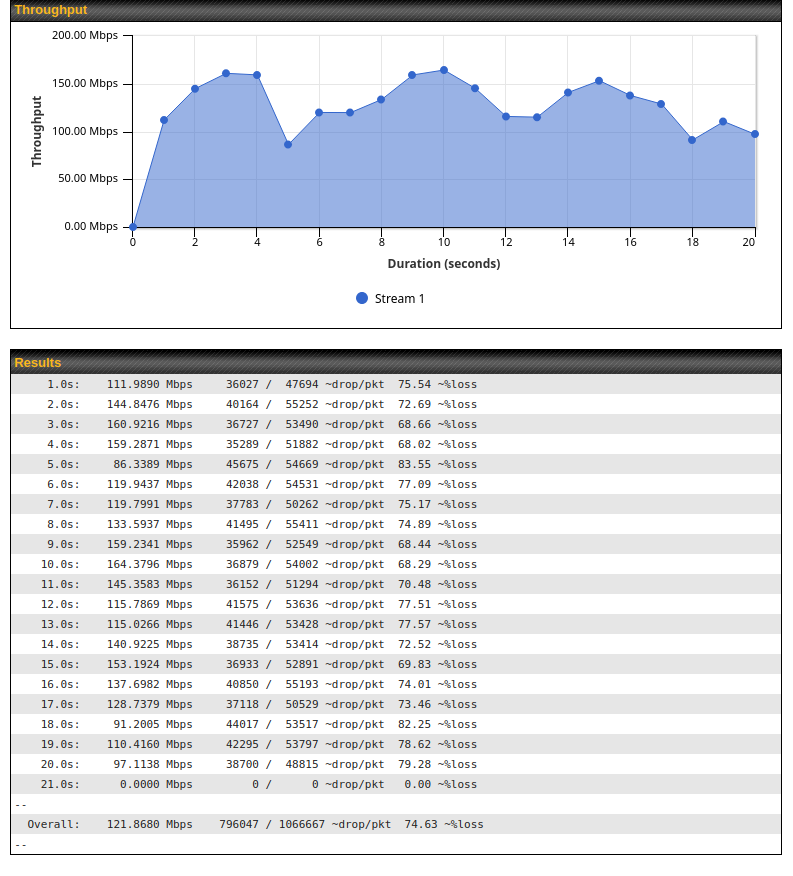
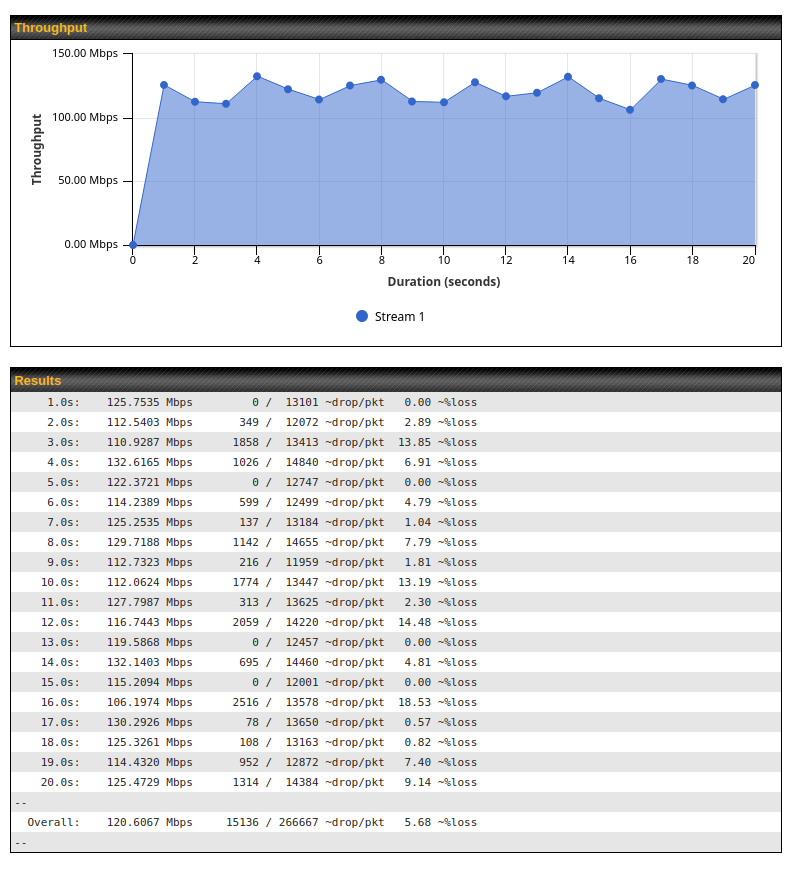
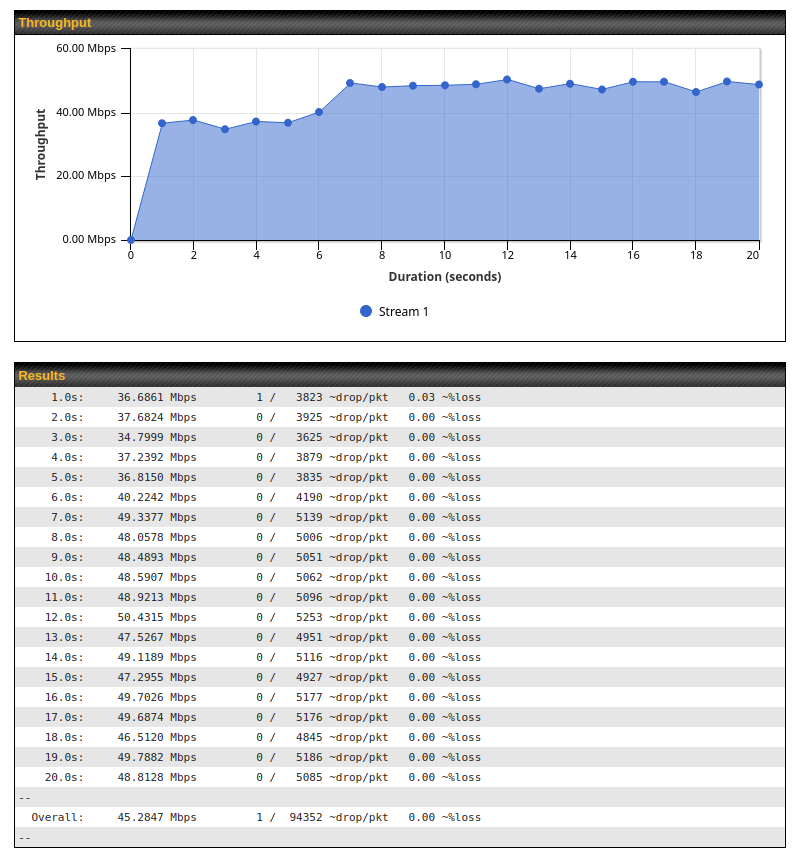
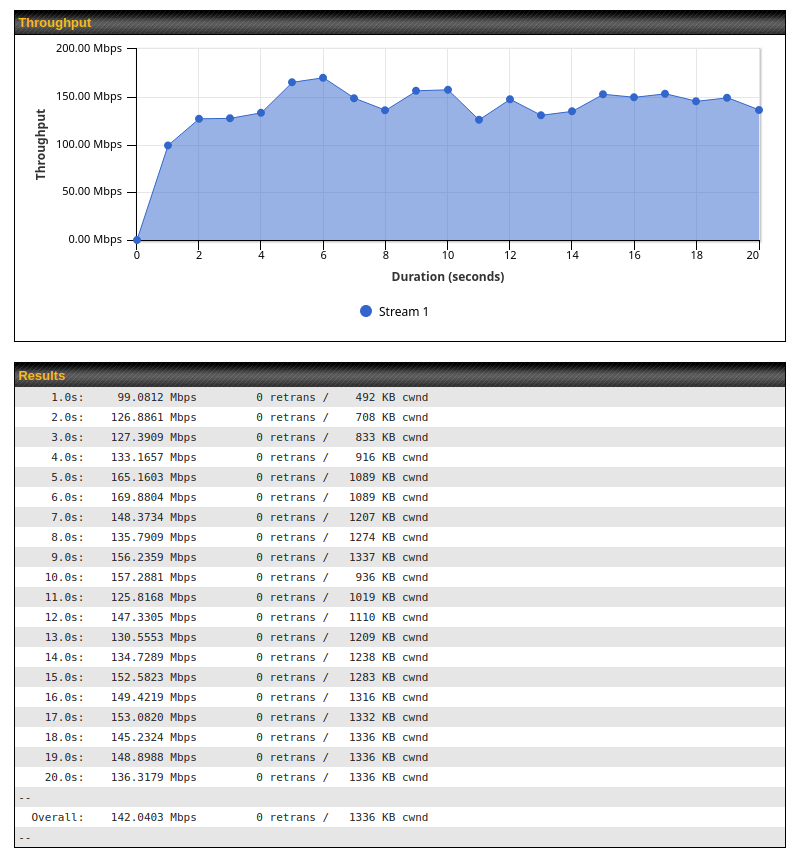
I also did a WAN Analysis as a client with the fusionhub as server:
Overall: 165.4738 Mbps 0 retrans / 1688 KB cwnd
and the reverse:
Overall: 273.0982 Mbps 1 retrans / 1031 KB cwnd
At this point, I am pretty confident that it is a configuration issue (the same happens on other peplinks), but I can’t figure out what the problem is. I found a similar issue where they experience the same 6Mb/s limit: Slow/throttled Speedfusion connection
Does anyone know how to either resolve this or further debug it?