It’s fascinating, I saw your article and thought, oh I wrote an article just like this, and then remembered it was for ovirt/rhev FusionHub for RHEV / Ovirt
Two important edits for your instructions @Jonathan_Pitts
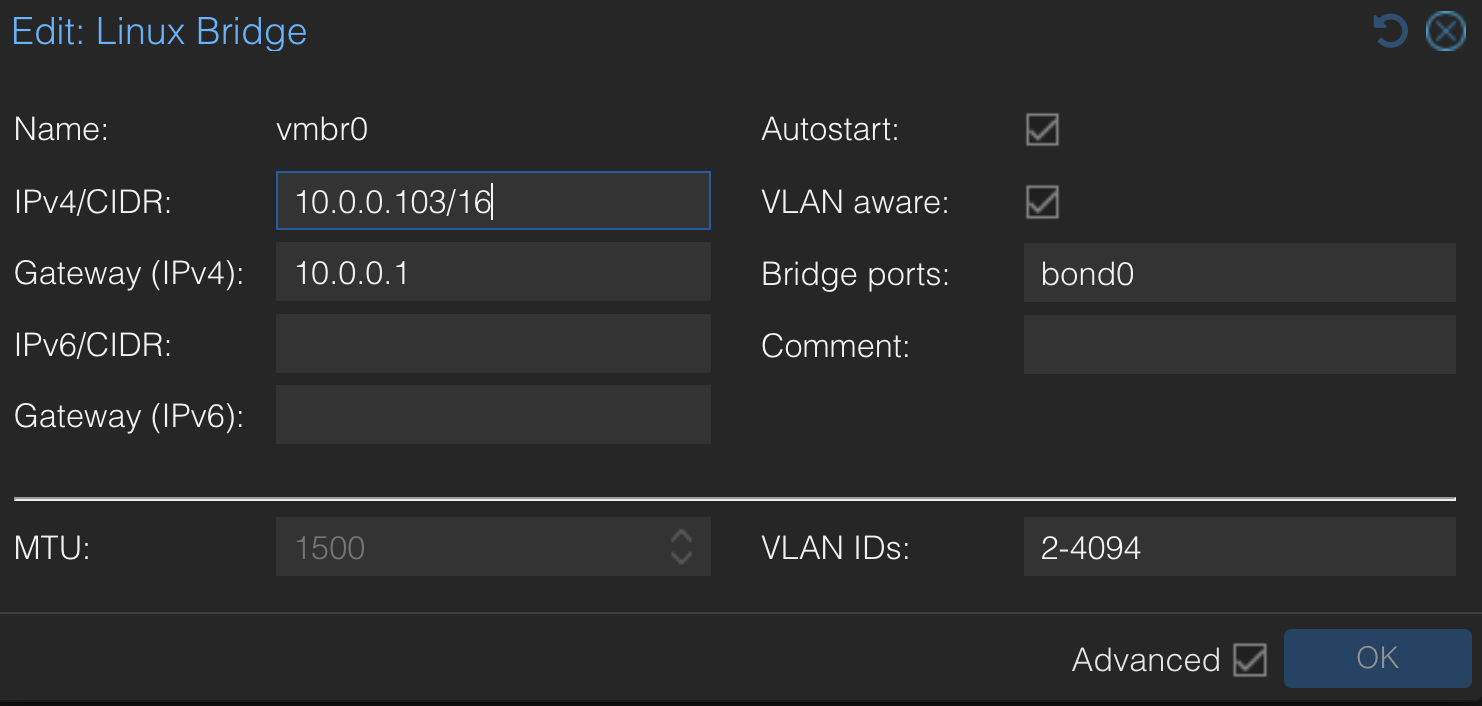
If you’re using vlans for the network interfaces on the fusionhub, it is essential you make sure your main network card or bond on the Proxmox host (not the VM) has VLAN aware enabled, otherwise you’ll get some unique results. The default is not VLAN aware. In my case a TCP bond somehow worked but UDP didn’t work.
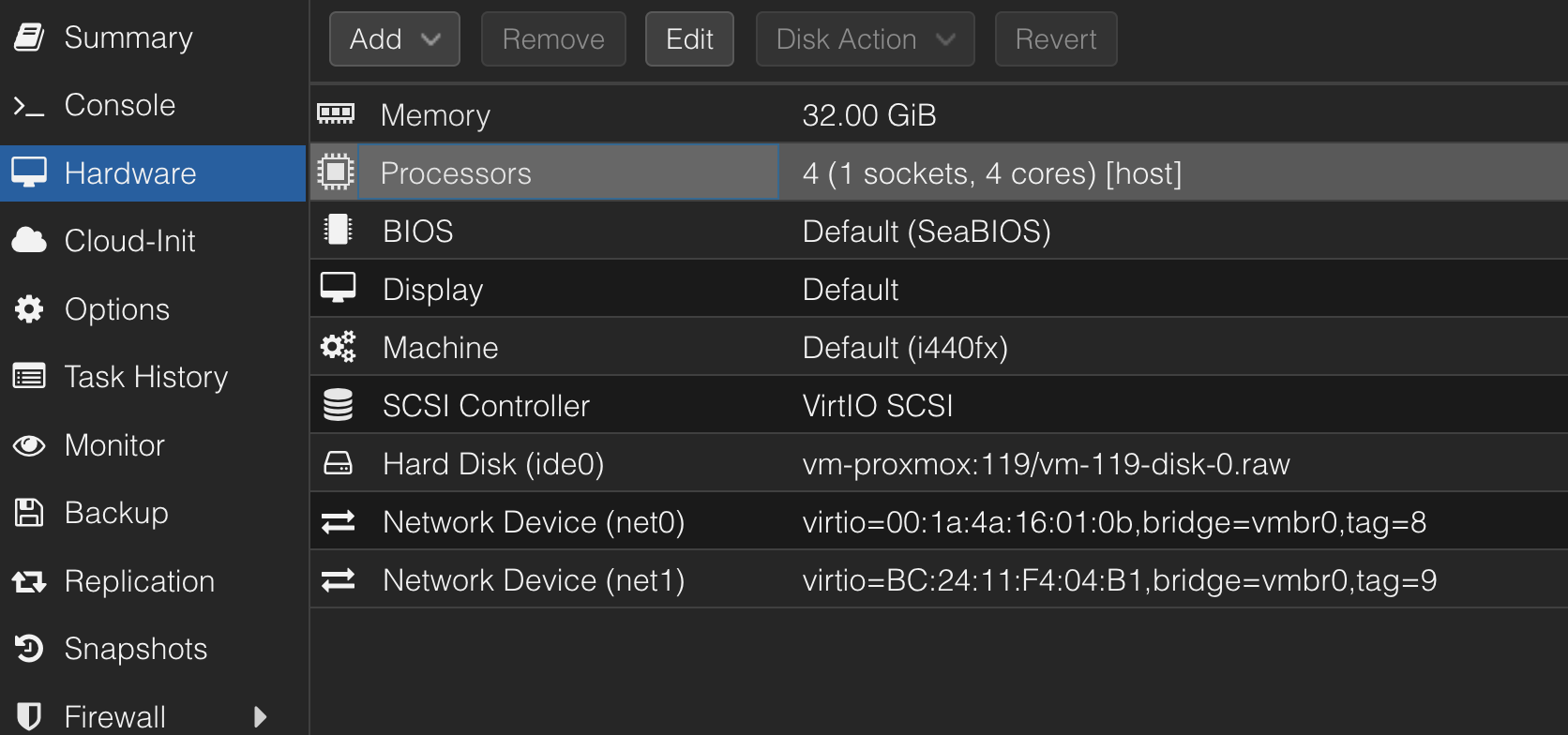
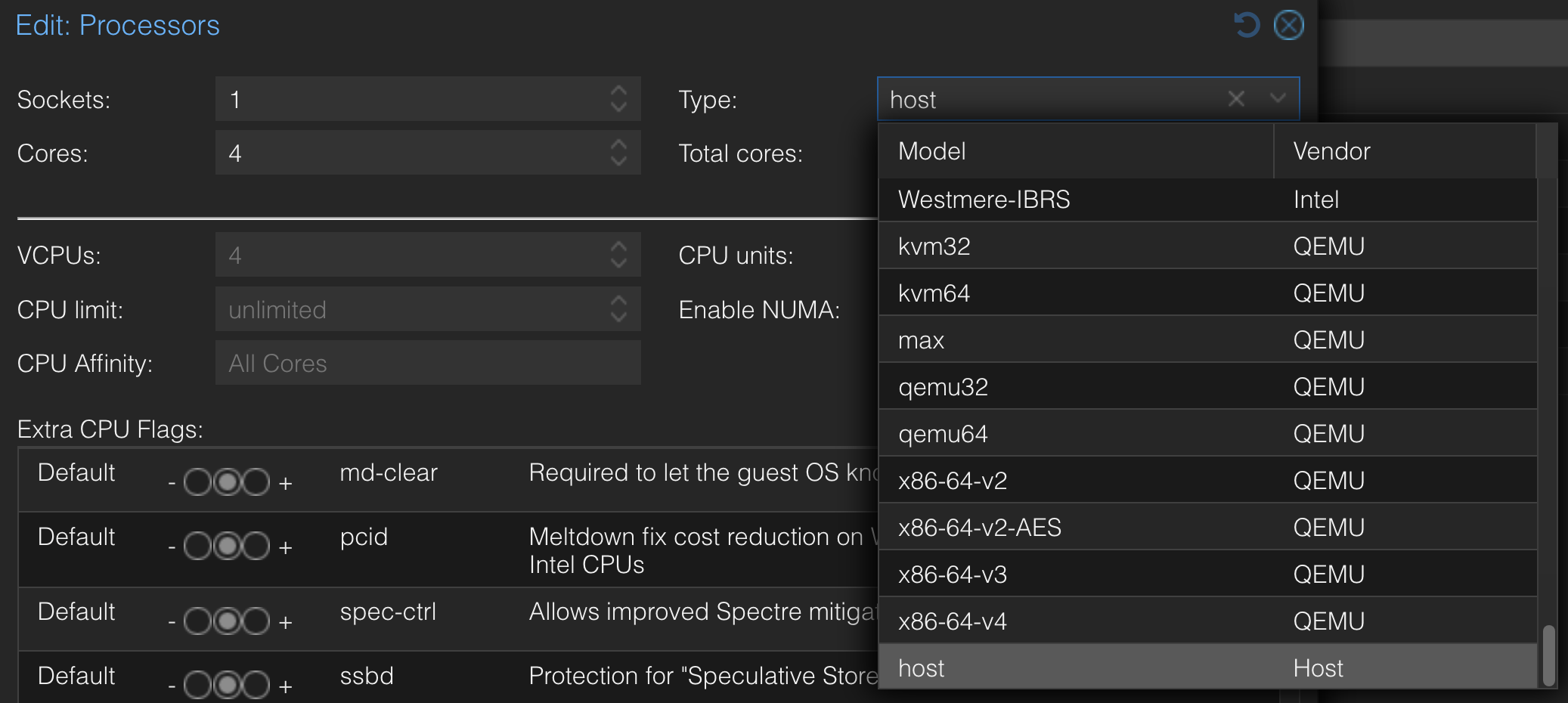
In the processor screen, it is important to make sure the type is set to host – otherwise certain AES encryption and other operations might take place on the CPU rather on hardware dedicated to these purposes.
Also make sure the proper port forwards are in place to send TCP/UDP traffic to your Fusion hub.
Been running Fusionhub on Proxmox for more than a year now. Interested to see if there’s any other tuning parameters to consider. Anyone running with more ram, more CPU cores, and seeing better performance?