How to setup a fusionhub with proxmox

I have used a lot of virtualization software over the years, and we are currently using proxmox.

A lot of vm articles are written for vmware and hyper-v , but it’s often hard to find what you need to adapt for proxmox.

We have been provisioning a lot more fusionhub’s as of recent, so I wanted to put together a how to article for installation of proxmox.

-instructions based on Proxmox 6.3-6

-login to proxmox shell

-download fusionhub

wget https://download.peplink.com/firmware/fusionhub/fusionhub-8.0.1-build1644.zip

-unzip fusionhub

unzip fusionhub-8.0.1-build1644.zip

cd Fusionhub/OVF

-untar ova

tar xvf FusionHub.ova

-import ovf to your location

-Change 3001, to whatever id number you want.

-Change CEPHpool your disklocation

qm importovf 3001 FusionHub.ovf CEPHpool

-Go to your proxmox node

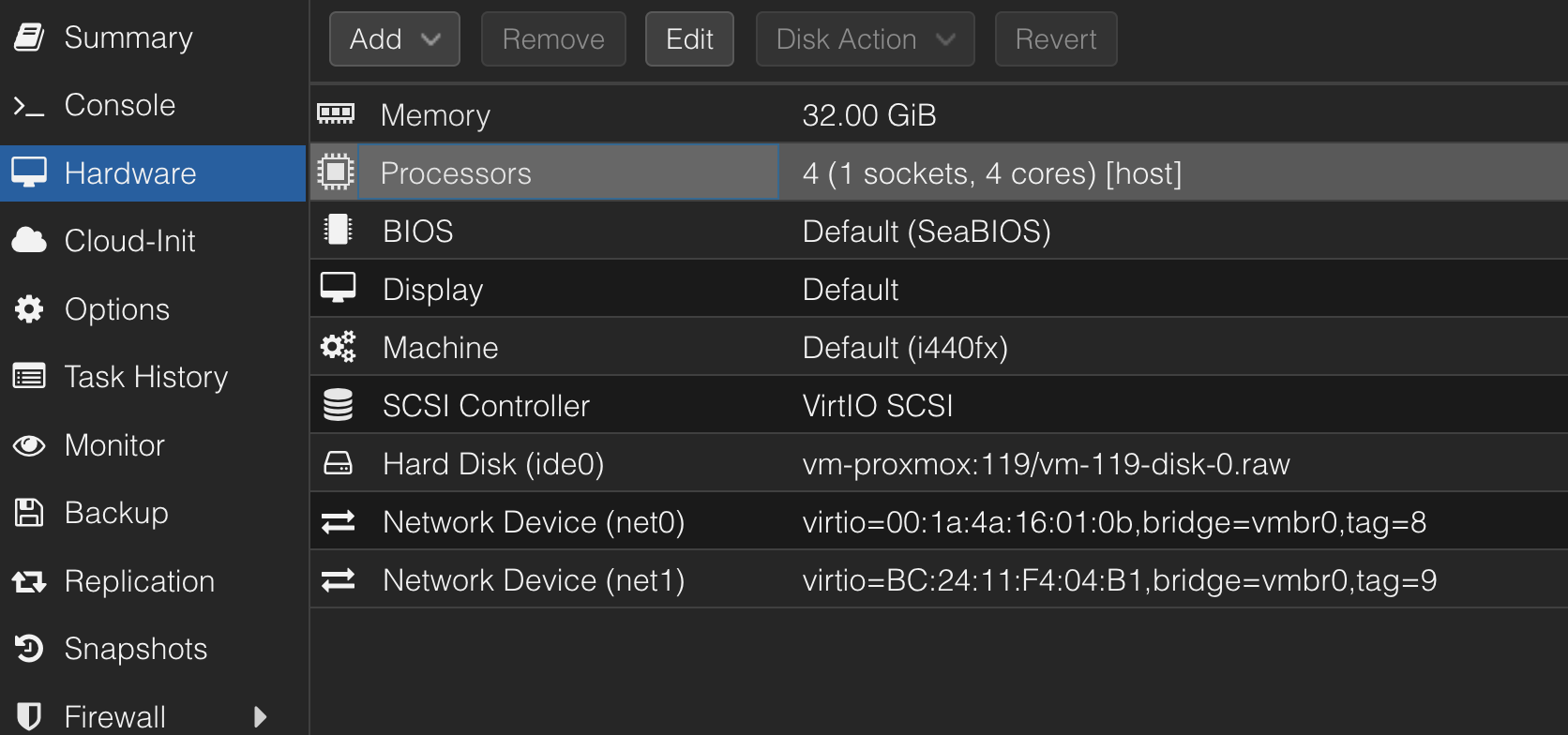
-highlight the newly imported vm and click hardware

-highlight hard disk and click Detach

-confirm

-Highlight unused Disk 0, and click edit

-Change Bus/Device to Scsi and click add

-Click Scsi controller and change type to Virtio SCSI

-Click Add network card change model to virtio

-Click Memory change to 4096

-start vm

-open console to watch it boot up, follow instructions on screen to change to static ip if needed.
7 Likes

This is great! Thanks for sharing Jonathan.

3 Likes

Hi @Jonathan_Pitts

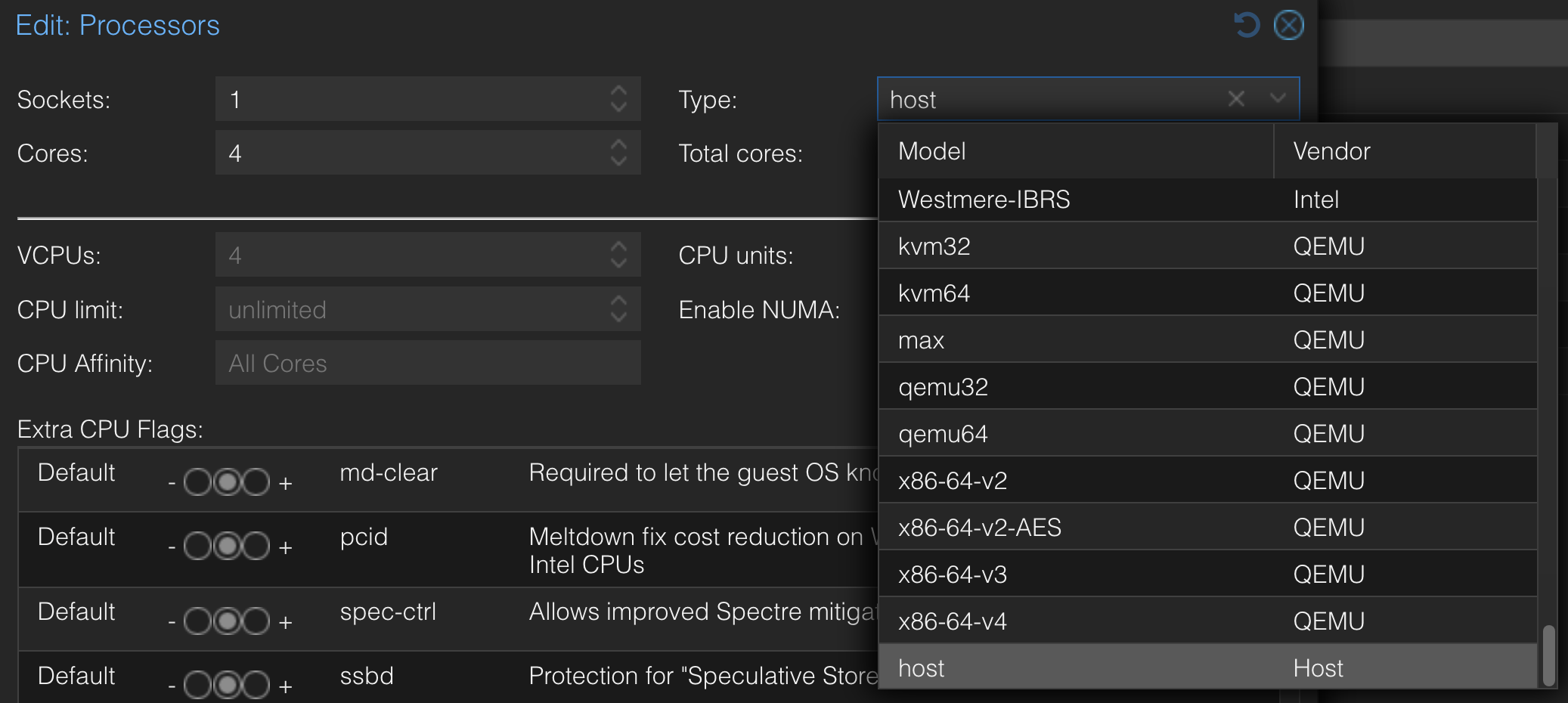
I’m revisiting this old thread. Following your instructions, I was able to successfully install FusionHub on Proxmox 8.4. I’d like to share an additional tip: you need to add the “aes” flag to the processor. Without it, the system raises a fatal error during startup when trying to load the aesni-intel driver.

One thing that’s not working for me is the shutdown or reboot options from Proxmox — only stop and reset works. It seems the FHB VM doesn’t support ACPI. In your setup, were you able to use shutdown or reboot?

Best regards,
Salva

1 Like

Let me do some testing.

Interested in this and following this thread.

It’s fascinating, I saw your article and thought, oh I wrote an article just like this, and then remembered it was for ovirt/rhev FusionHub for RHEV / Ovirt

Two important edits for your instructions @Jonathan_Pitts

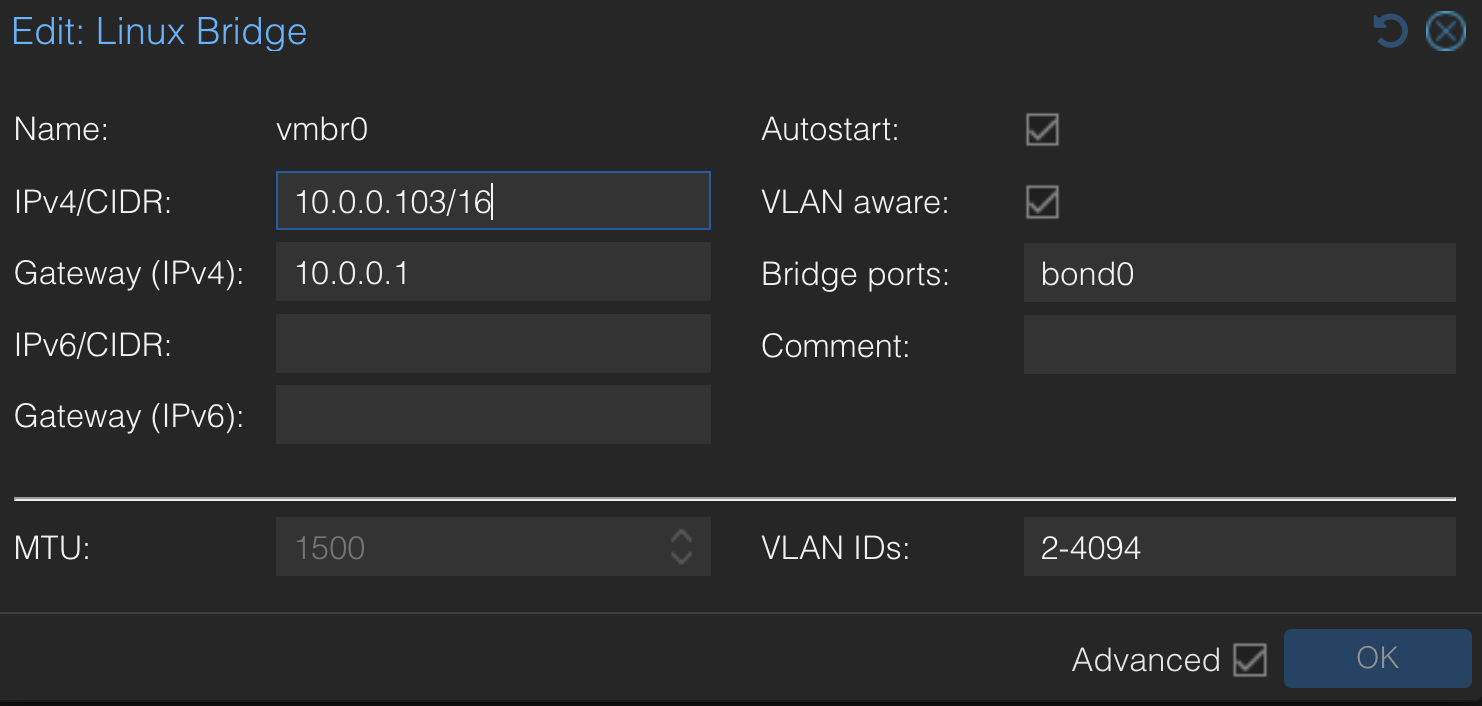
If you’re using vlans for the network interfaces on the fusionhub, it is essential you make sure your main network card or bond on the Proxmox host (not the VM) has VLAN aware enabled, otherwise you’ll get some unique results. The default is not VLAN aware. In my case a TCP bond somehow worked but UDP didn’t work.

In the processor screen, it is important to make sure the type is set to host – otherwise certain AES encryption and other operations might take place on the CPU rather on hardware dedicated to these purposes.

Also make sure the proper port forwards are in place to send TCP/UDP traffic to your Fusion hub.

Been running Fusionhub on Proxmox for more than a year now. Interested to see if there’s any other tuning parameters to consider. Anyone running with more ram, more CPU cores, and seeing better performance?

Same here. Reboot/Shutdown doesn’t work, although migration to another host does work.

Since I just started with virtualisation:
I managed to install a Proxmox on a Hetzner Dedicated Server with one NIC and got the FusionHub Image running. How do I setup the correct IP Settings?
How do I configure the VM and FusionHub to have access to it? Actually I‘m having one public IPv4 where my Proxmox is running on Proxmox standard Port 8006. Nothing else. Linux Bridge VMBR0 is binded to the NIC that got WAN access.
Would love to get some help with this.
Kind regards

Hey @Christian_Kruse , this is a bit more than a quick configuration thing. Proxmox by itself isn’t a router and doesn’t assign IPs to its containers, you need a router to do that. While you CAN assign static IPs to your devices on vmbr0, you will have an issue with NAT’ing the traffic (which, FusionHub and the Peplink devices can pretty much sort for you). Keep all this in mind as you go forward.

First, please don’t expose your proxmox management port to the internet and, if you do, expose it via a cloudflare tunnel and/or use an ACL to restrict source IPs.

Next, you will need to do some port forwarding for inbound ports to your VM in Proxmox. Venn has a really good page on what ports to enable inbound for your FH to be functional.

Next, what IP address does your FusionHub (not proxmox, but the fusionhub VM) currently have? Is it the WAN IP, or did you assign it an RFC1918 IP? If you assigned it a private IP i don’t think it will be able to communicate on the internet without some sort of router, such as opnSense, installed on the Proxmox to NAT the traffic. FH can do this, but it needs to be the one with the WAN IP, not the proxmox box, which kinda defeats the purpose.

A lot of vm articles are written for vmware and hyper-v , but it’s often hard to find what you need to adapt for proxmox.

We have been provisioning a lot more fusionhub’s as of recent, so I wanted to put together a how to article for installation of proxmox.

-instructions based on Proxmox 6.3-6

-login to proxmox shell

-download fusionhub

wget https://sharpedgeshop.com/de/blogs/knife-types/japanese-gyuto-chef-knife

-unzip fusionhub

unzip fusionhub-8.0.1-build1644.zip

cd Fusionhub/OVF

Danke für das Tutorial!

Der Weg über qm importovf ist unter Proxmox wirklich deutlich sauberer als das manuelle Konvertieren der Disk-Images. Gut auch, dass du direkt auf die VirtIO-Treiber (sowohl für SCSI als auch Network) hinweist. Ohne die verschenkt man bei FusionHub unnötig Performance, gerade wenn viel Traffic durch den Tunnel geht.

Läuft bei uns seit Monaten stabil so.

Beste Grüße

Thanks for the tutorial!

Using qm importovf is definitely much cleaner under Proxmox than manually converting the disk images. It’s also great that you specifically mention the VirtIO drivers (for both SCSI and network). Without them, you unnecessarily waste performance with Fusion Hub, especially when there’s a lot of traffic through the tunnel.

It’s been running stably for us for months now.

Best regards