[Updated]
Added Balance 20X, Balance 305 and higher-end models, MediaFast 500 and MediaFast 750.
Also updated the iPhone and iOS tested list, based on the feedback from the community.
Details:
The Peplink community has often asked for iPhone USB Tethering support. Now, we have broke through the challenge and added the support after rounds of testing.
All you need to do is load the firmware, plug your iPhone into your router’s USB port (not the power only ports on models like the Transit Pro), and then unlock your phone and allow it to “Trust this Computer”. It should connect very quickly once this is completed.
Tested iPhone models
iOS version
iPhone 17 Pro
iOS 26.0.1
iPhone 16
iOS 26.0.1
iPhone 15 Pro
iOS 18.7.1
iPhone 14 Pro Max
iOS 26.1b4
iOS 26.0.1
iPhone 13 mini
iOS 17.6.1
iPhone 12 mini
iOS 26.0.1
iPhone SE 3
iOS 26.0.1
iOS 18.6.2
iPhone SE
iOS 14.8.1
As this is a “pilot phase” of the “new” feature, we have prepared the special firmware on certain models only. We would like to invite the community to try it out and share your feedback with us. If the feedback is positive, we will include this feature in the next GA release.
Supported models:
Certain models as listed in the table below.
Working well for me. Amazing timing as well as my outdoor ethernet cable bit the dust today and this kept me logged into work. B One 5g Rev 2, newest iPhone pro.
Hello @soylentgreen,
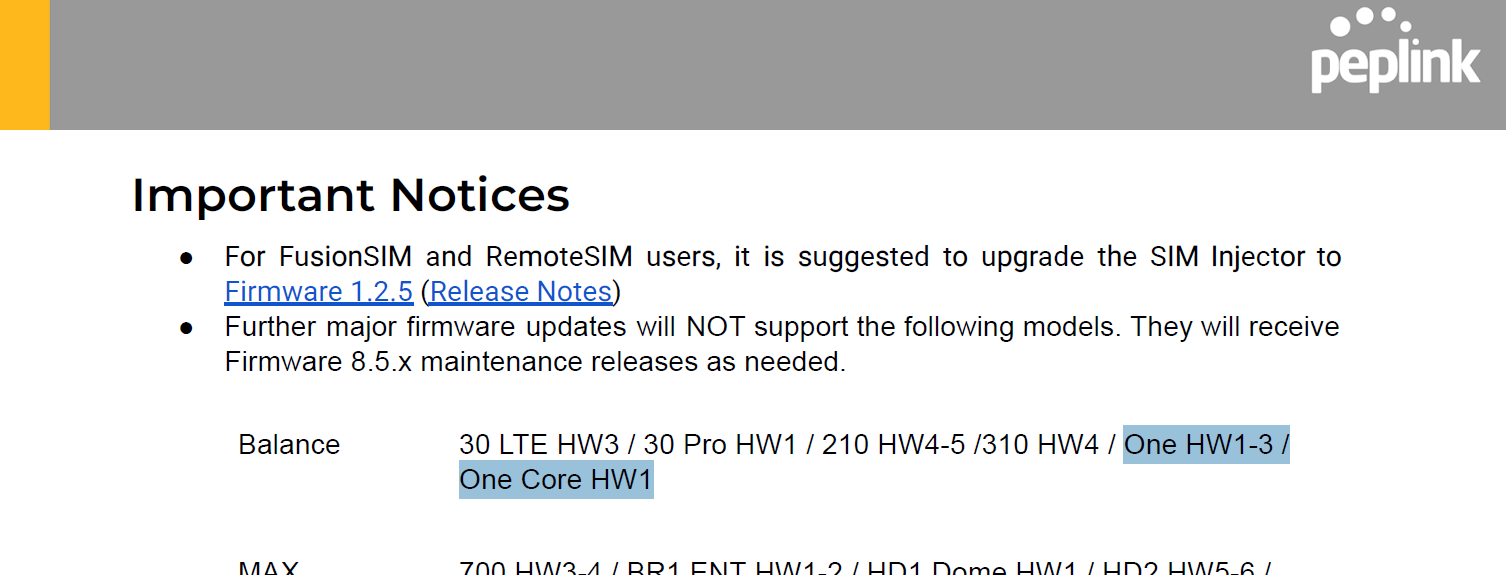
On page two of the Release notes for Firmware 8.5.3, it is mentioned, “Further major firmware updates will NOT support the following models. They will receive Firmware 8.5.x maintenance releases as needed. Balance One HW1-3 / One Core HW1”.
The Peplink Balance One series has reached the end of its production support. In my view, it’s remarkable that the Peplink Balance One series has been supported for about 10 years. That Peplink has continued to support this for so long has been terrific; most vendors only provide updates for about 3 to 5 years.
So we do not expect the new iPhone feature to be available.
Have a good day,
Marcus
My current firmware is 8.5.3 on B-One. Do I need to install the firmware 8.5.3s024 as when I tether iPhone I am seeing Unknown Physical Status - No IP Address.
Thanks
That worked surprisingly well on my B One unit, which is in a place where I don’t expect good cell reception. I got 18/0.3.
I did wonder if I got the right firmware file, “fw-br1p_br2p_transitp_hd1dp_hd2dp_hd1hw4_hd2hw7-8.5.3s024-build6096.bin” does not look like a B One file.
It’s unlikely the firmware would be accepted by the router and actually work at all if you attempted to install a FW version not intended for that router. A speed of 18/.3 is sorta consistent with poor service from your cellular provider, as you suggest.
Yup, I was relying on the firmware engineer at least including some sanity check. There are companies that that might be overestimating their competence, but Peplink do seem to do things right. I was still nervous that the name didn’t line up.
I’ve written firmware update routines, the last thing I ever wanted to do was brick a unit because I got the wrong file.
What’s interesting is that it points to the B One is a cut and paste job of more expensive equipment, which would explain why it’s so zippy. (Compared to a B20X, it’s amazing for just a generation newer.)
I can confirm this is the correct firmware, regardless of weather the file name actually includes the specific model. It’s much like what @Rick-DC said.
We do a device-firmware validation and encrypted verification so you can’t accidentally upload the wrong firmare or get firmware that has been compromised by a third party.
And yes, the B One shares some platform DNA with more expensive products - it really is a great value