When configuring a SpeedFusion VPN, you can change the Traffic Distribution Mode from the default (Dynamic Weighted Bonding) to Overflow.
(Tooltip: “Overflow - Use the wan-to-wan link with highest overflow precedence for sending traffic. Overflow to link with lower precedence when the current one is congested, or approaching WAN upload / download bandwidth defined by user.”)
The UI lets you set multiple WAN links to the same Overflow Precedence, e.g.:
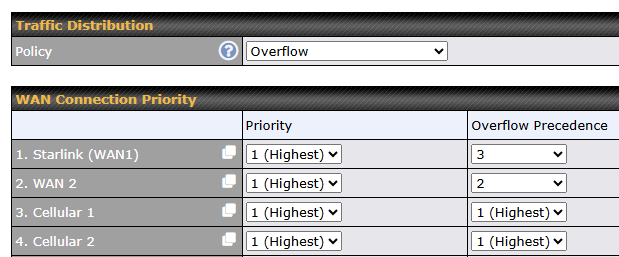
What Traffic Distribution algorithm is used when sending traffic to multiple WAN links that have the same Overflow Precedence?