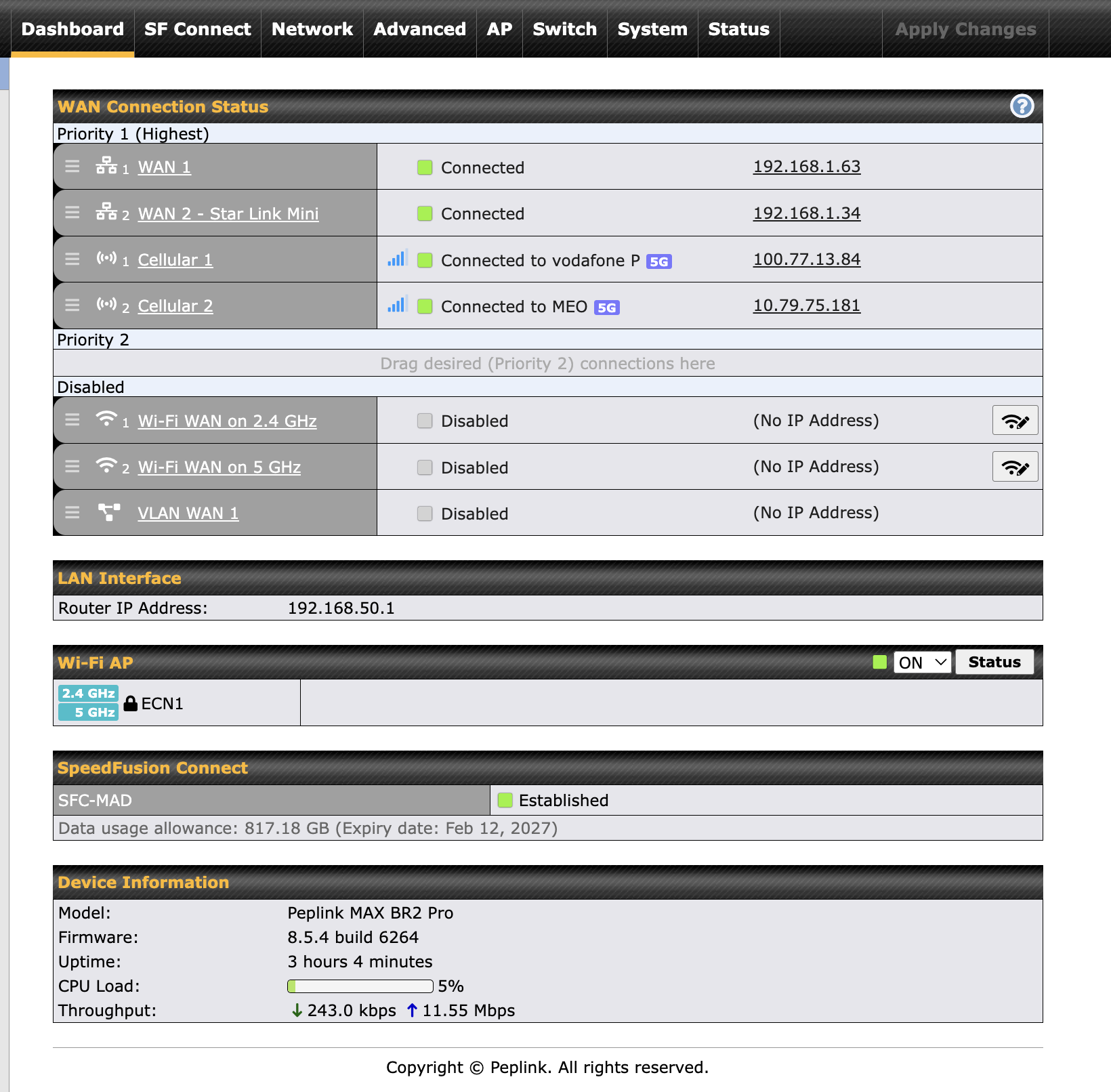
Currently using a Max BR2 Pro to live stream from sports venues.
We currently use 2 Starlinks and 2 local simcards with Speedfusion.
The staff at the events have been connecting directly to the starlinks wifi.
Would it make more sense to block their access to the Starlink wifi, then have them connect to Peplinks?
Secondly, if one of the cellular networks is weak, is it better to remove that from priority one?
Here is a screenshot of how it currently looks.
I am completely new to the world of streaming and peplinks so alot of the configuration in here goes over my head and I have just been watching every YT video I can on 2x speed and trying to rad as much as I can along with asking chatgpt!
I have just been watching every YT video I can on 2x speed
Just FYI – bandwidth doubling (or more) is … messy (to say the least). I wouldn’t bother chasing that goal unless you have multiple WANs with very similar latency/bandwidth/behavior. That’s not to say you shouldn’t use bonding. It’s great.
With your application and mix of links, speedfusion will help you achieve stable fast and reliable broadcast results. There are many ways to get this implemented, some very simple and others more involved.
This guide is great and covers how to set up speedfusion very quickly and also goes into the more detailed scenarios as well. It’s an all around great crash course in Peplink https://youtu.be/BZgtoFaCbj0?si=67xE_F4ejBJkDQxi&t=649