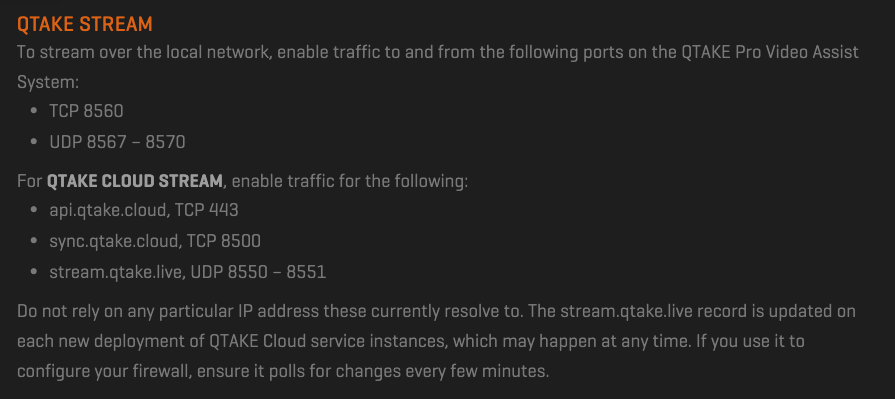
running 2 sims in a Max BR2 Pro for live video stream uplink in QTake. Speed Fusion Cloud [SFC] is working and the video stream works however i cant seem to exclude the rest of the traffic from my computer from hitting SPF. everything seems to be using the SFC Interface when i view my Active Sessions. i would like all other traffic to simiply go through SIM A or B without using speedfusion data. I only want qtake to be able to use SFC
using ethernet card mac address as the source for the livestream SPC policy. i’ve followed the QTake port guidlines for stream traffic.
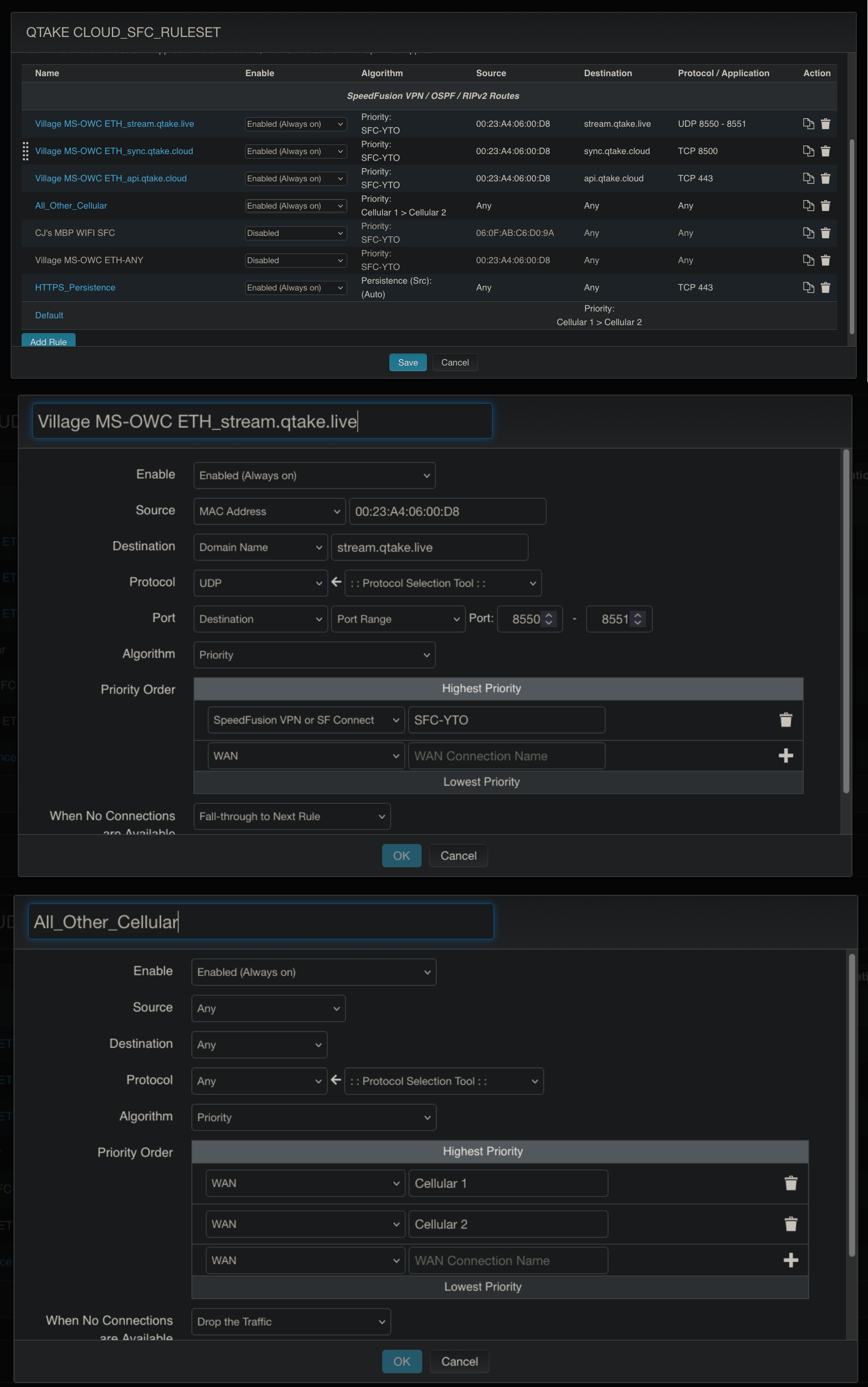
Remove source, just have it match on destination.
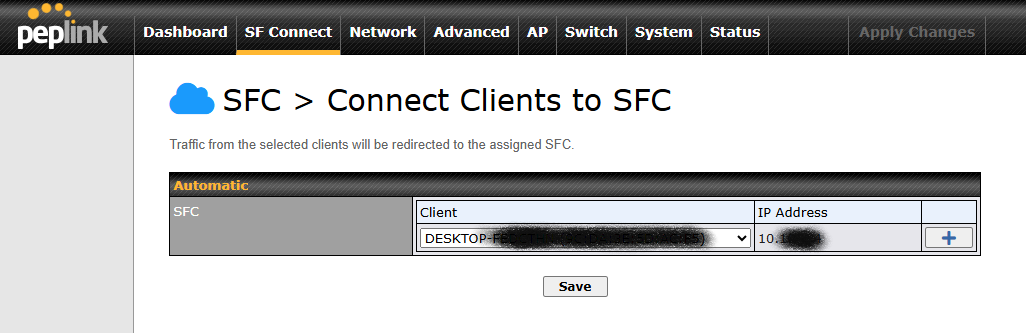
Scratch that first post from me. Do you by chance have your SF Connect > Outbound Traffic Steering… > Route by LAN Client setup for that MAC ID? Ex:
yes i have the mac address and dhcp reservation in that section
do you mean set source to “Any”?
Have you double-checked the order of your Outbound Policy rules in the Pepwave settings? Usually, the rules are processed from top to bottom. If you have a ‘Send All Traffic’ or a broad SFC rule at the top, it might be overriding your specific MAC address exclusion. Try moving your specific QTake rule to the very top and set the default rule at the bottom to use the WANs directly.