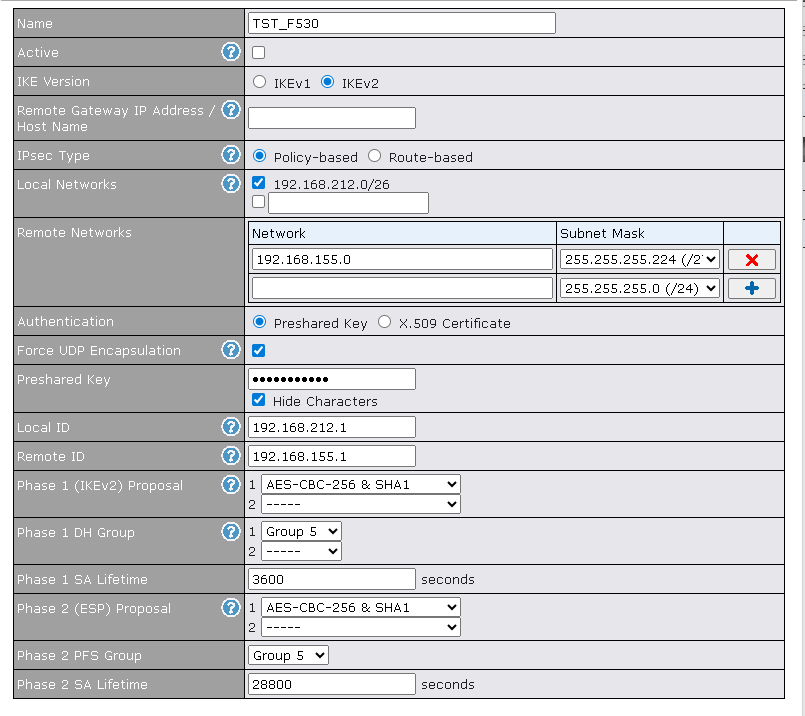
New to PL… and having issues. I’ve established an IPsec tunnel between my PL and FortiGate. Tunnel is up, however I cannot pass traffic through the tunnel. This tells me it’s either a routing or firewall policy/ACL based issue.
On the FGT side I’ve run a PCAP on the tunnel interface and I’m seeing no traffic hit the tunnel, despite being on the PL side trying to access my server.
FGT has all the requisite policies to allow the traffic. I see bytes on the firewall policy after trying to send packets through the tunnel, so I know the FGT is routing the traffic to/through the tunnel.
PL has the default “allow all”… even added granular policies from local to remote and remote to local defining the same subnets from my P2 proposals.
What am I missing? I’m not seeing anything logged on the PL side in the event logs(enabled event logging on both outbound and inbound firewall policies).
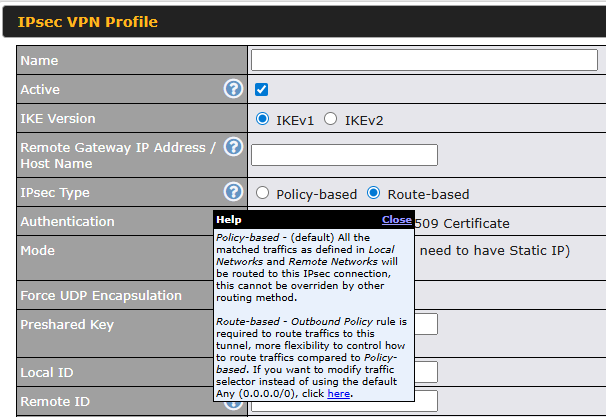
Yes, I’ve tried changing to route based and added an outbound policy for source network to destination network, encforced / IPsec tunnel. IPsec tunnel still up showing a green box and 10.100.1.0/24 ↔ 10.10.0.0/16.
Getting somewhere. I only see my untagged, tagged, and cellular/default route. No routes for the remote subnet or any routes referencing my IPsec tunnel.
And I don’t see how to create static routes for specific interfaces. I’m used to a lot more control over traffic routing.
I did it just like that, however no Local or Remote ID’s as I have static IP’s on both ends and I’m using IP address of the remote gateway. I get that the P2 proposals matching *should allow routing to the VPN interface, it just doesn’t appear that’s happening.
Tunnel is up according to both sides, no traffic.
Deleted and rebuilt both sides of the IPsec tunnel, again tunnel establishes but no traffic.
Next up, I created inbound and outbound firewall policies as suggested by a PepLink Solutions Engineer. Didn’t fix it.
Switched to Route-Based and added an outbound policy enforcing all traffic through the VPN as suggested by another PepLink engineer. Still no change.
Regardless of IPsec type, I can get the tunnel up according to both ends(FortiGate and PepLink).
FortiGate side I can run CLI command and verify that I have a static route to the subnet on the PepLink side referencing the remote subnet and tunnel interface with correct remote gateway. All looks good. From a device on the FortiGate subnet, when I ping/attempt to access a device on the PepLink end, I see traffic going out the firewall policy. I can also confirm via packet capture on the FortiGate that traffic is routing to the tunnel. Outbound pings from my laptop are showing up in the PCAP for the tunnel interface. No traffic initiated from the PepLink or devices behind it show up in the FortiGate’s PCAP.
I’m debating changing my P1/P2 SA’s… but at the same time since the tunnel is negotiating, I can’t imagine that would have much effect other than just burning more troubleshooting time. My FortiGate would allow the tunnel to establish if the SA’s were the issue.
I’ve got an open ticket with support, so I think I’ll just leave it to them now.