When viewing a PLS-8-10G-720W from InControl there are two options, “Enable” and “PoE Enable”:
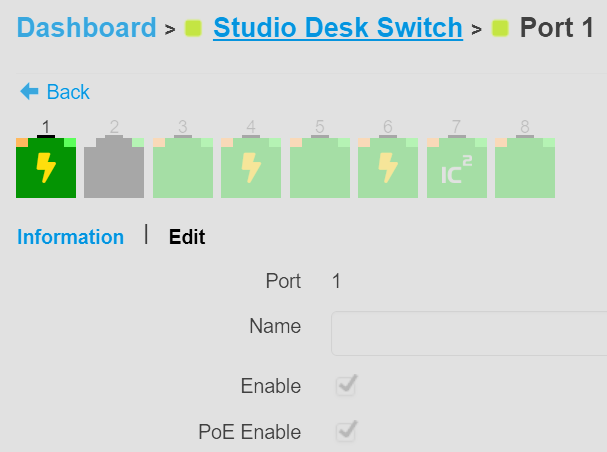
If you uncheck PoE it disables PoE but leaves networking in-tact. If you uncheck “Enable” it disables PoE and networking, showing both boxes unchecked. All good here.
In the local UI though there is just an “Enabled” toggle, which toggles networking but not POE:
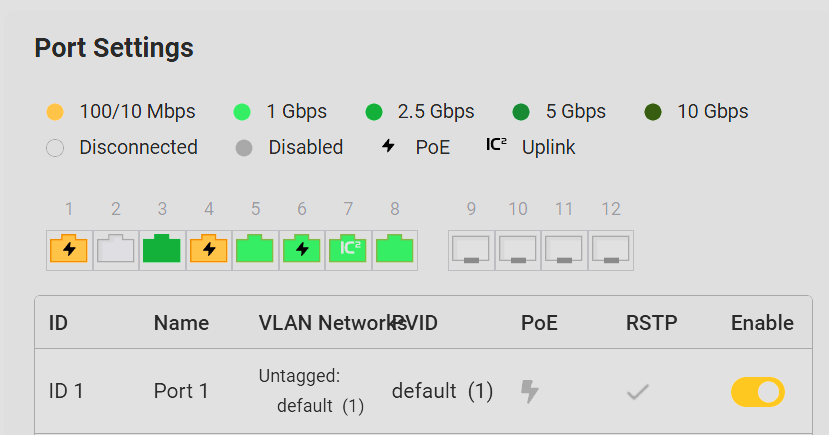
Will Peplink consider updating the UI here to match the functionality in InControl? Perhaps the PoE column could be a set of toggles instead of a static display. The local API is already in place to flip the PoE flag so this would just be a UI change.