Hi
I have a Pepwave MAX HD2 MBX which we are using in combination with InControl. Initially we used the GPS antenna with the SMA connector and it works well. However we do prefer to use the position from Starlink which does work but currently I do not get it to decode the speed.
We have a service which is using the API to fetch the position and speed and publish on a page for monitoring of our assets. So to my questions:
Is speed available in the position output from Starlink and if yes is there support to decode the speed?
As an option I can use the “GPS receiver” and decode a UDP stream, however would this support speed from I presume NMEA VTG?
Is there any way to monitor what is decoded and from which source, presently I just check through InControl but that doesn’t give me which GPS source is actually used.
Thanks in advance
Did you ever figure this out by any chance?
"Hi there,
Could you please share how you managed to get the GPS position from Starlink to work? I am also using a Starlink setup with my Peplink, but I haven’t been able to get the location data to show up yet. Any tips on the configuration would be greatly appreciated!"
Hello All!
Please note in the latest firmware we now have GPS management for all devices with GPS support. You can adjust primary GPS sources.
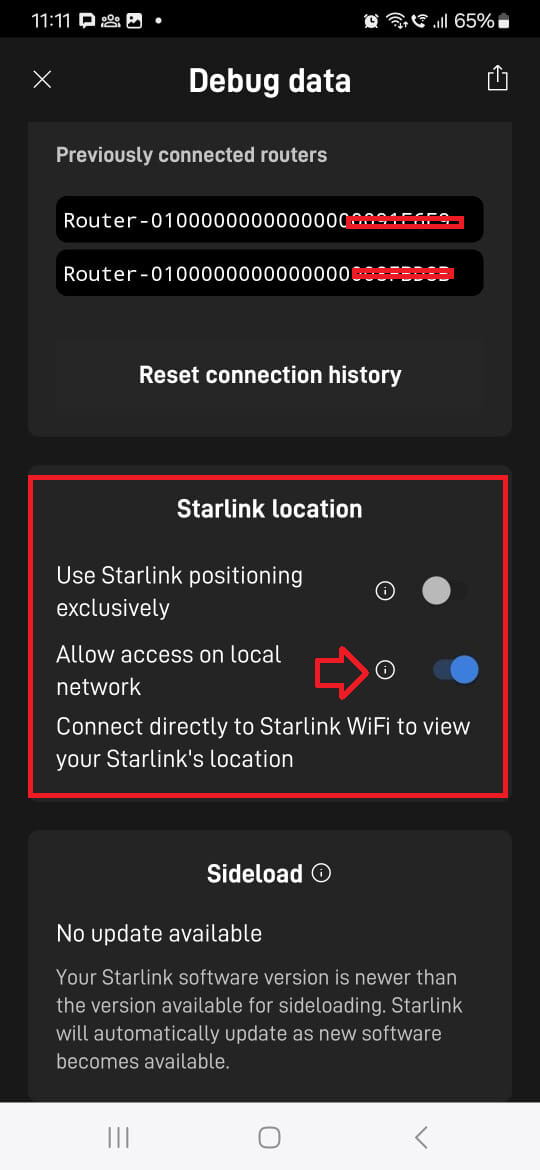
You also need to ensure that GPS is turned ON for Starlink Local Access, or else it won’t work.
Below here stolen from @sitloongs post:
How to enable the Starlink location option :
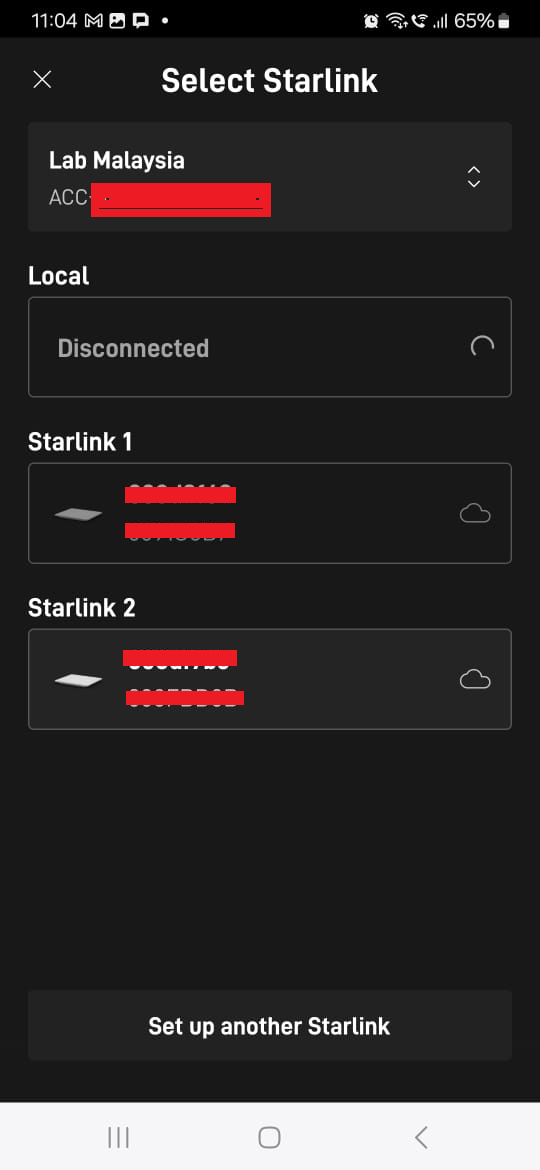
- In the Starlink Apps , under the Starlink device selection page, select the Starlink device that you need to check.
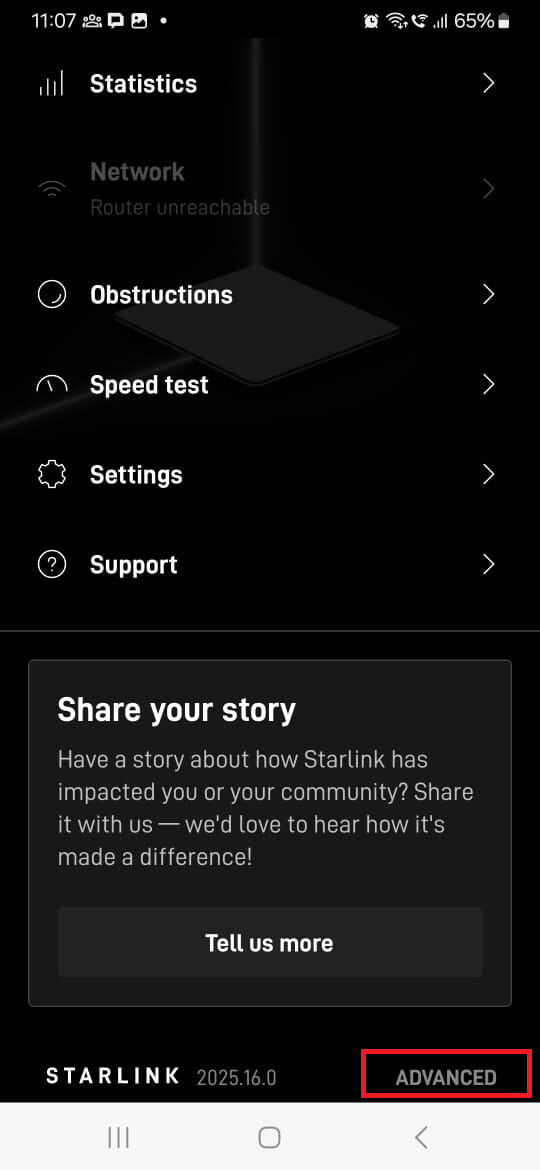
- In the Starlink UT device status page, scroll down to the bottom of the page and tap for the “ADVANCED” option
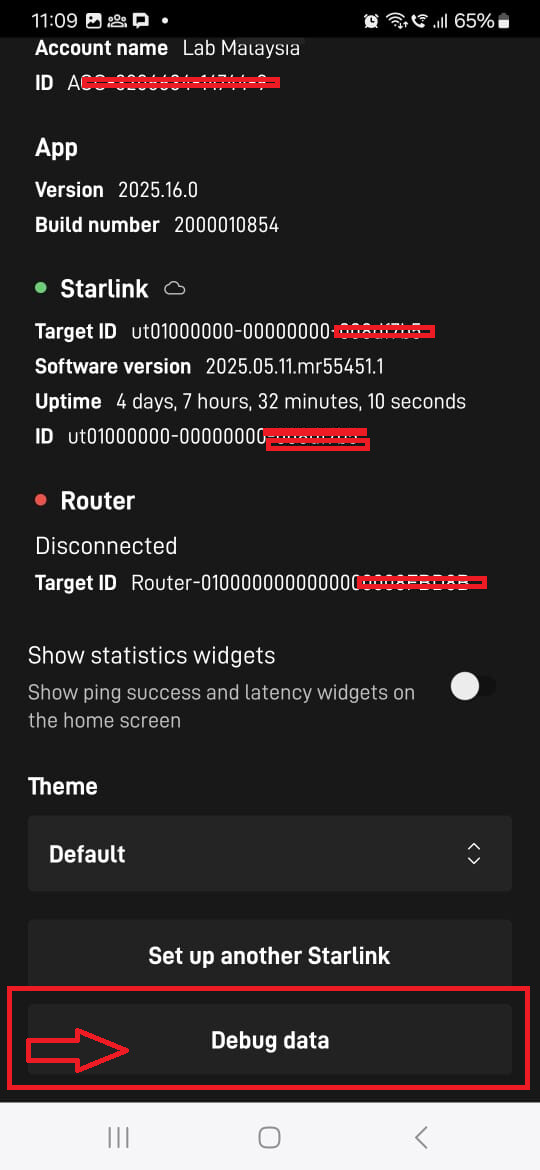
- At the Bottom for the “ADVANCED” page, tap the “Debug Data”.
- In the “Debug Data” page, you will able to find the “Starlink location” —> “Allow access on local network” option .