Hello Community,
This topic will be a be strange to understand and to troubleshoot,I apologize.
Here we go,
End of the subjet for those that don’t want to read : My Speedfusion peers gets a geolocalisation in a different country then its Speedfusion Server.
Explanation : I have 20 peers (HD1 domes, HD2, BR2, MBX) connected to a SDX via speedfusion. each peers are NATed to an individual VLAN. The peers are boat cruising all over the world.
When you open google maps, Uber eats, or any other page with a map that locates your position the result is not in the town where the SDX is in the Datacenter but randomly on the planet !
As my clients a boats, I can have google maps showing in BVI (British Virgin Islands), Greece, Los Angeles or even Dubai… basically anywhere a boat went more then 20 days.
I then went to the datacenter and connected my PC to the SDX and I got shocked to see that BVI was my home !!
Technically, my peers are all isolated, no interVLAN routing, OSPF is only advertising the native VLAN of the SDX.
Has anyone see this happening ?
Hi…
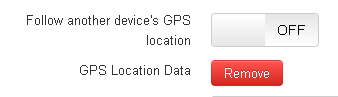
Have you look at this, at IC2?
1 Like
Hi
This feature in IC2 is just to be able to follow the Peplink device on a map or to link the GPS coordinance to another device, I don’t think it has anything to do with geolocalisation of an endpoint
Imagine if there were 4 tunnels to different datacenter, this feature would not work.
Thanks for your comment though
I’ve seen this befoe.
First do a geoip lookup on the public IP of your SDX. https://iplocation.io/ is a useful tool for that as it checks different lookup services. Look for location but also whether it flags the IP as being a VPN service.
As online services get more access to realtime data (think smartphone apps with access to gps and that leaking to websites and services online), and as we increase the confusion by routing multiple sites through a single NAT router, with end user devices sending location data to online services but all of them in different regions and using the same public IP. The location assigned to your SDX public IP by online services will change alot.
Google is a great example. If it starts to suspect you are accessing it via a NAT VPN router distant from your actual location it will send you to completely random country search pages.
All you can do is segregate the vessels on to their own dedicated public IP address, that should then reduce the confusion. And make sure your SDX IP is not being flagged as a VPN hub by online services.
Or get each vessel to connect to a local hub. We host global hubs for this, drop me a line if I can help.
1 Like
Thanks for your comment though
What you are seeing is the mobile devices on the vessels telling google the IP address of the SDX, and their geolocation based on GPS and google setting the SDX IP location to the location of the mobile device.
This is a common way google sets the geo location of the IP addresses. If you own the prefix then you can try and mitigate some of this by adding a geofeed to your RIR entry which a lot of geolocation providers will use.
Google also work with peering DB which I believe you can sign up with if you own the prefix, and better influence the country that that google see’s for the ip address. But from experience google will still occasionally change this.