I have a SpeedFusion network with several nodes. One of the nodes has a WAN connection with a fixed IP address, and I can access its management IP from the other nodes as it’s advertised via OSPF.
I’m now getting another WAN connection on another node, which will have the same fixed IP address. Is there a way to give them unique IP addresses so I can connect to one or the other. It seems like it should be possible with a NAT mapping, but I don’t see WAN addresses as available to be mapped.
The WAN on both nodes is a T-Mobile home internet gateway, with a fixed IP of 192.168.12.1 (gateway and management).
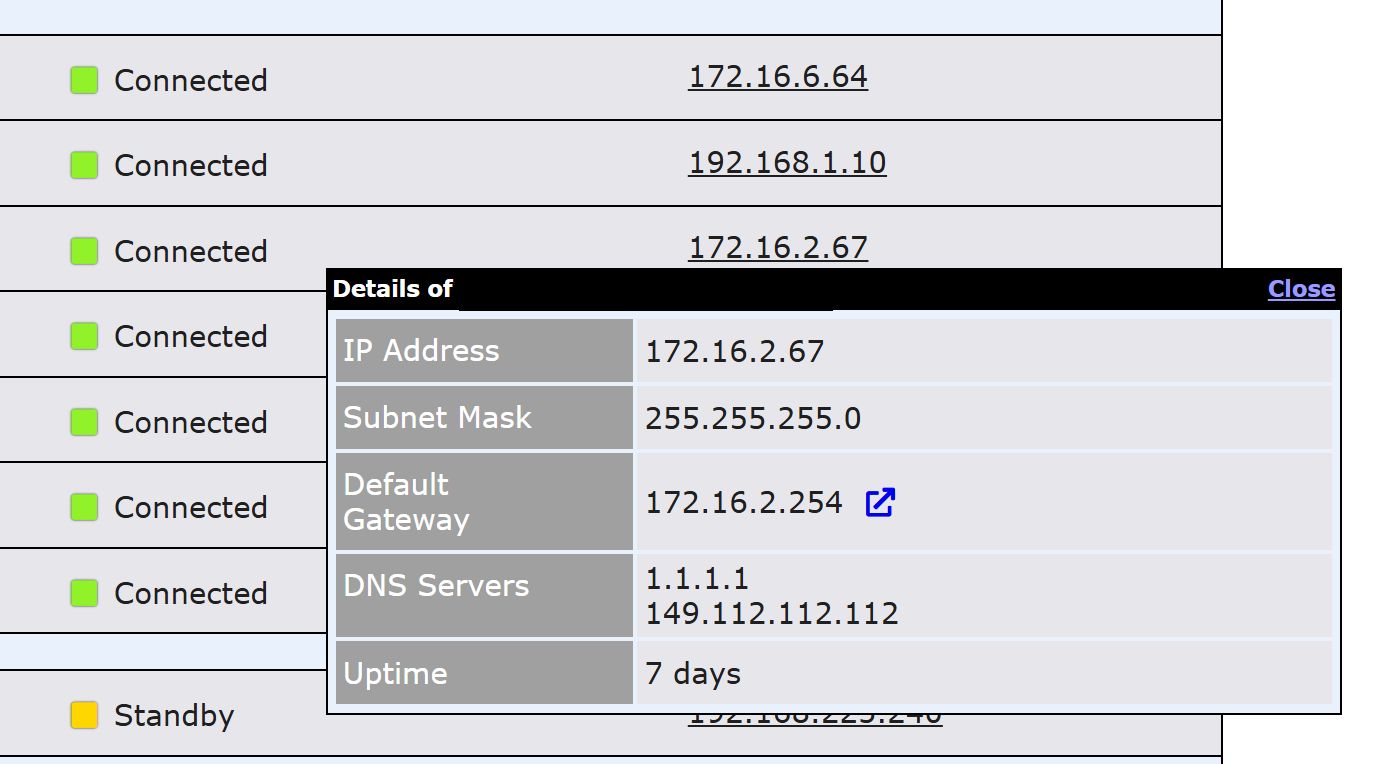
If your ISP box can’t change the subnet, the easiest way I have found to get to the admin page for the boxes is to click the blue box with the arrow in it in your connections status by clicking it’s IP.
This doesn’t always work though since some ISPs have the IP reroute to a dns entry. Also can sometimes not work exactly as intended on synergized connections, you might need to log in to the synergized device and do it in the same spot there.
That said, if you don’t need to get in there regularly, I had 6 connections that all had the same 172.16.0.1 default gateway for months, everything outbound from a load balancing perspective works fine. In that scenario, they were all on the same physical site but even on different sites, it shouldn’t be an issue for routing outbound traffic since it’s on the external side of NAT, they won’t be seen. If your router is using WAN connections on 192.168.12.x and one of your synergized links leads to a site that is using 192.168.12.x for one of it’s internal LAN subnets, change your internal range to something else there.
For admin, there is another trick to doing admin with a bunch of connections all with 192.168.12.1 as the default gateway. When you need to get in to that connection, set up a new outbound policy to route all traffic from your desktop to that specific connection, do whatever you need to that ISP box, then disable the rule when not needed.
Dealing with duplicate management IPs on these gateways is a common challenge since the internal gateway IP is often locked. Aside from the outbound policy trick, you might want to try defining a specific ‘Virtual IP’ on each node’s internal network to bridge the access, or manage them via InControl2 if you have it enabled, as it often bypasses these local routing conflicts.