We were one of the users with a VoIP over Pep VPN problem with 8.6.0. Support gave us a beta version to test, likely the same as 8.6.1. They said the VoIP fix required 8.6 on both ends of the VPN.
We did not install the beta firmware because some of our connected locations use older BPL-ONE Balance One routers which are not eligible for 8.6.x. They are running 8.5.x. I need to know if the VoIP issue will happen if the main office location uses 8.6.1?
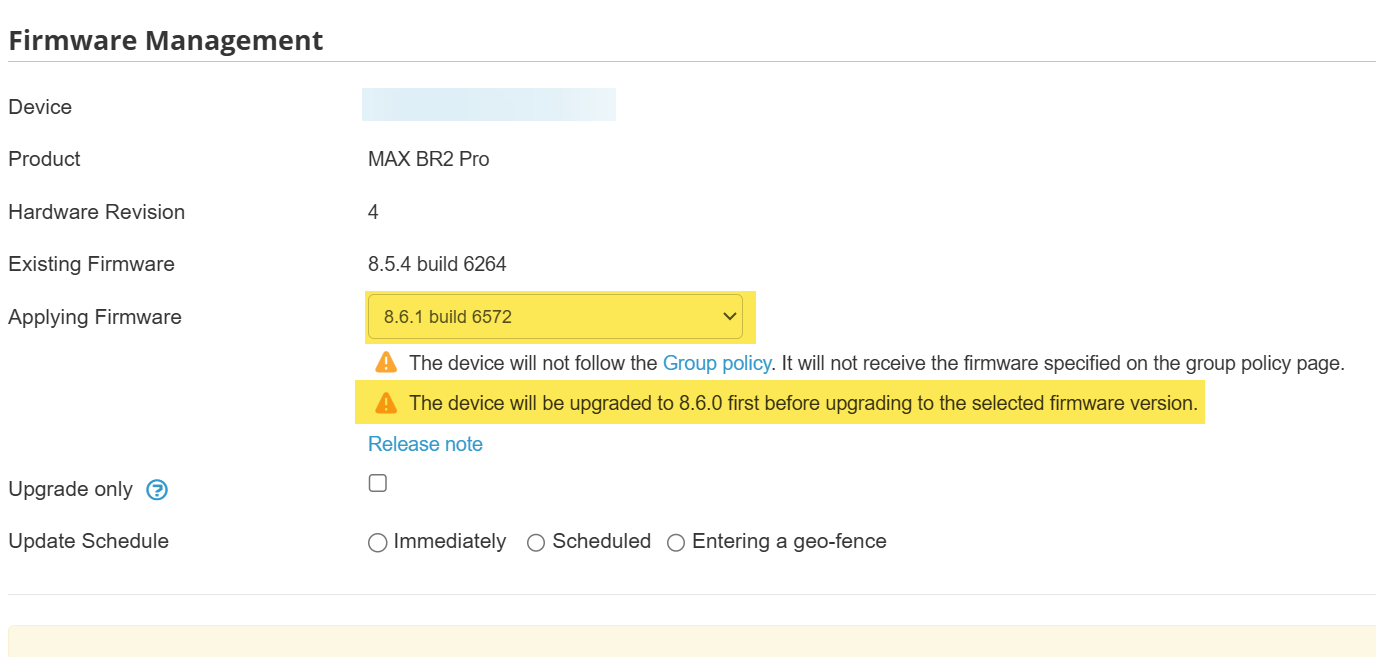
Yes, upgrading to 8.6.0 first, then 8.6.1 works… But of course this was not noted in the release notes as required. And the error acts strange too. the router starts the upgrade, the error log shows invalid…
“Firmware upgrade failed - Invalid Firmware-012”
Then the router won’t let you try an upgrade again, the firmware page of the WebUI stays in the Validating Firmware screen at 0% forever and you need to reboot the router to get it back to normal.
The Important Notices section is notably missing from the 8.6.1 release notes.
A couple things we’d like to see added back are the SIM injector firmware that correlates to the 8.6.1 firmware, and the list of devices that require firmware stepping like we’re seeing with devices needing to be updated to 8.6.0 prior to 8.6.1.
Through web admin the upgrade failed ! In this condition you can reboot your device choosing the correct firmware. (the latest version will be available)
Everything was perfect until my device decided to go back to the former firmware ???
I do not like the idea that Donald Trump decide what kind or firmware or if I can get or not connexion to the WEB !!!
I also experienced the firmware upgrade issue others have mentioned, requiring me to upgrade through intermediate versions (8.5.4 → 8.6.0 → 8.6.1) rather than upgrading directly.
After upgrading to 8.6.1 build 5517, my BYO eSIM (MobileMustHave RoamLink) disappeared entirely from the cellular WAN configuration. The router reverted to my inactive physical AT&T SIM A and could no longer establish a cellular connection.
I confirmed the eSIM was working on 8.6.0 build 5488 before upgrading. Rebooting back into the 8.6.0 firmware partition immediately restored the BYO eSIM, and cellular successfully obtained an IP address.
This appears to be an eSIM recognition or configuration regression in 8.6.1. Has anyone else experienced this?