Yes, only the dedicated SKU having issue as mentioned in the released notes.
1 Like
Great work guys! Amazing set of improvements and new features with the new firmware.
I found a bug where when changes of a LAN port settings are automatically applied to both Ethernet ports of MAX Transit Duo Pro. I can’t access my lab router for several days, thus can’t produce a diagnostic report and create a ticket.
Hopefully the engineering team can reproduce and fix this bug.
1 Like
@jakub.nowicki let us do a quick check to validate the reported symptom and report back here.
[Update]
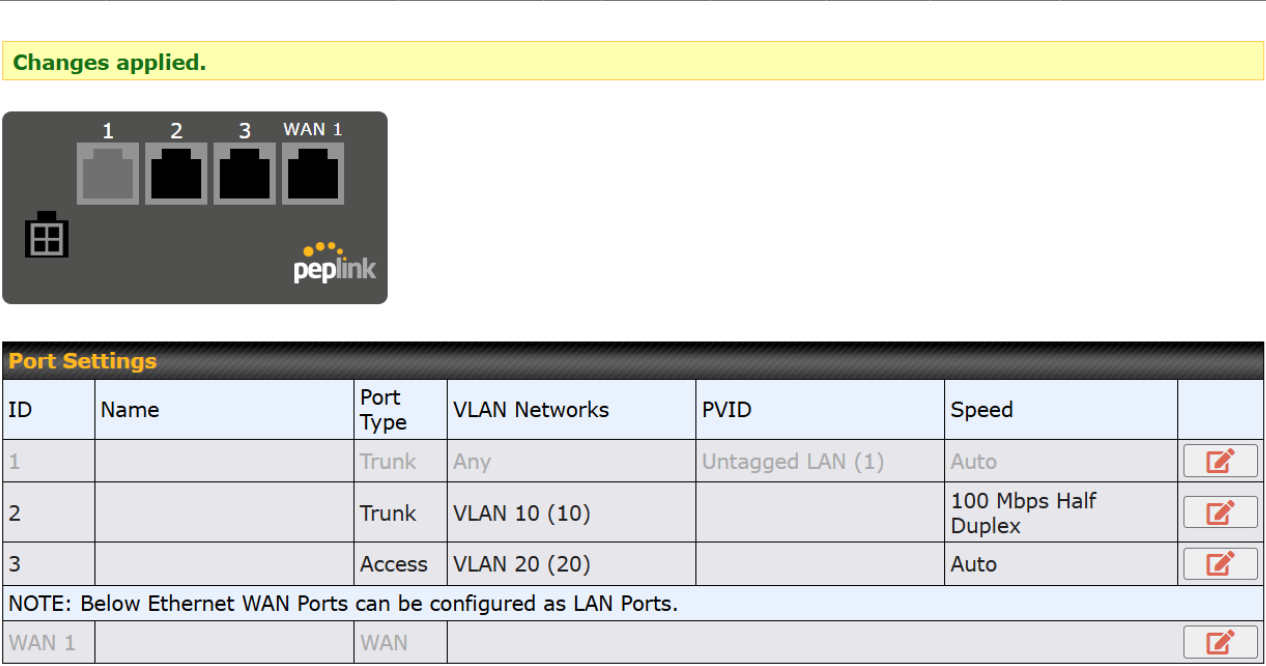
We tried it (firmware 8.6.0 Beta 1) on the MAX Transit Pro E (similar HW platform) with a various LAN Settings, eg. Port Speed, VLAN Trunk & Access, etc, but do not see the same behavior (screen capture below). Can you share the settings/procedure of testing that show such an issue?
1 Like
I put it onto a Balance 20x, it was crashing constantly so I rolled it back. I will re-test another one shortly.
@bryn.loftus we have one unit upgraded to 8.6.0 Beta 1 yesterday and uptime 16 hours+ without issue.
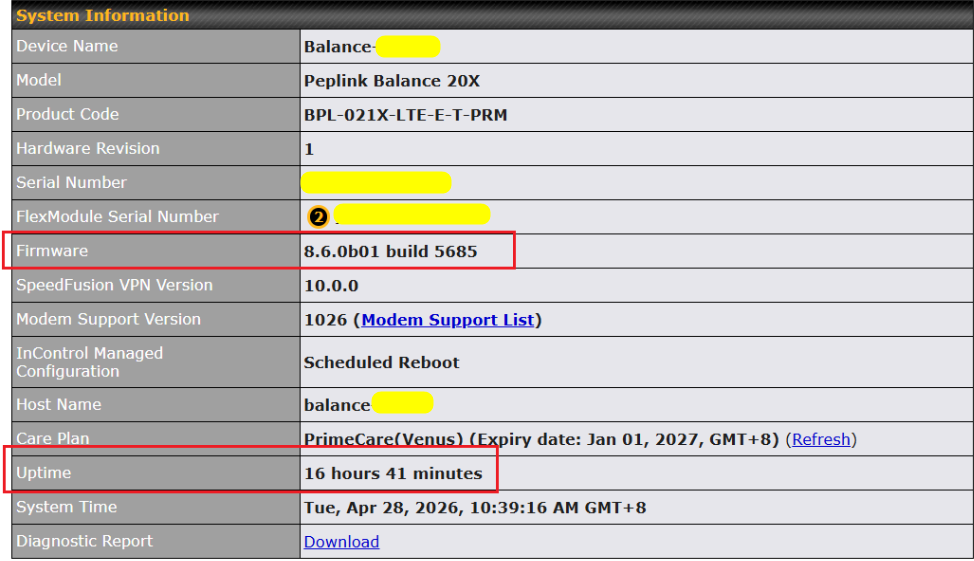
Maybe you can log a ticket for our team to take a closer look at the device?
2 Likes
Hey Bryn,
I have been testing B20X since beta1 release and it has been running smoothly.
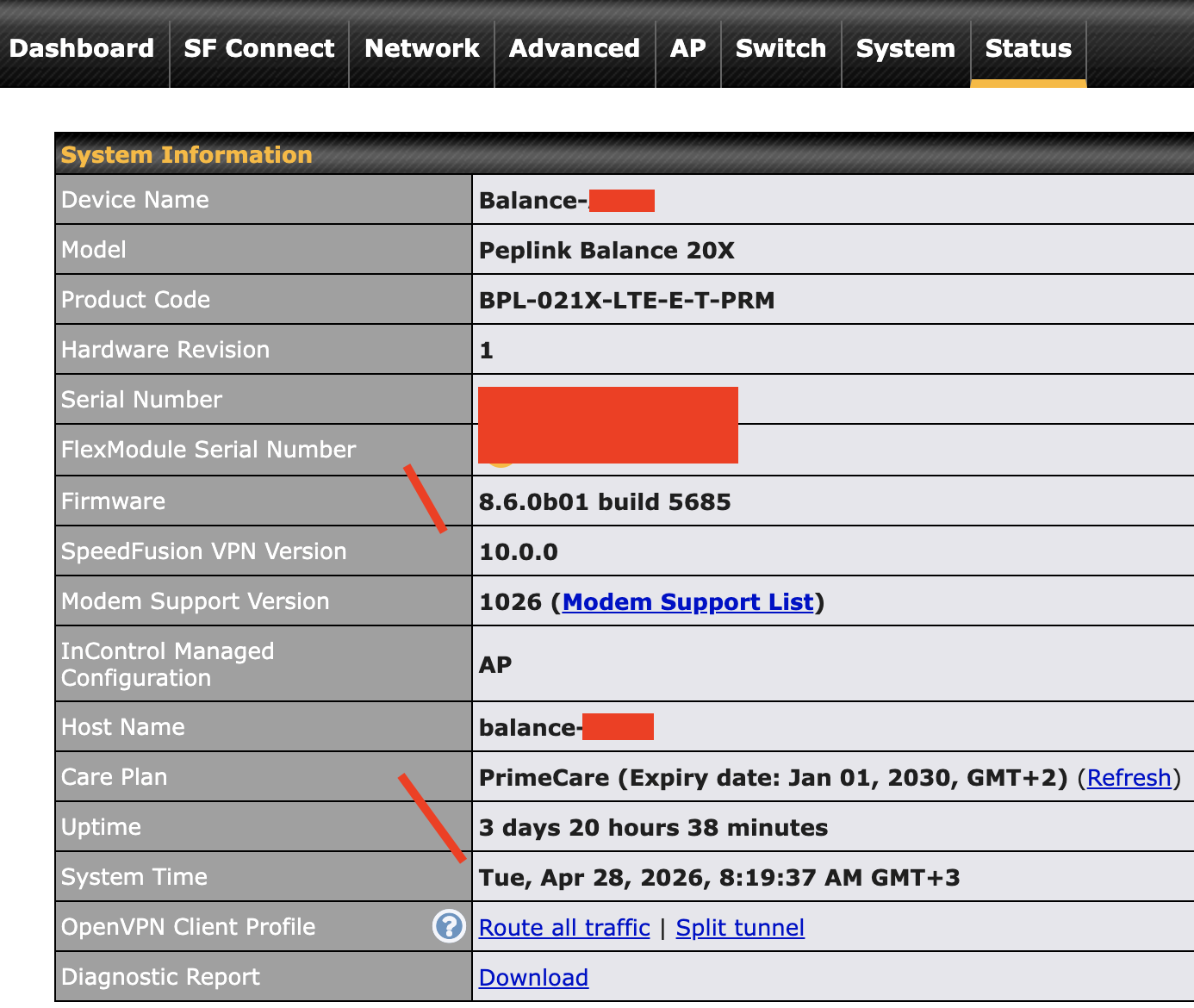
If you encounter any issues suggest creating a ticket here:
https://ticket.peplink.com/
Regards,
Laurynas
1 Like
We added several issues found in teh current beta fw on our B One to ticket no. 26041060
1 Like
There also appears to be an issue with Enforced WAN1 outbound policy for VLAN clients on our new B One router.
The same behavior is reproducible on firmware 8.5.4 GA, so it does not seem to be limited to the beta version.
In our case, traffic from a VLAN client (QNAP NAS) is partially routed via WAN2, even though an Enforced WAN1 rule is configured.
See support ticket #26050058 for details.
1 Like