Hello all,
Optional Background info: I recently purchased a B One router and am on a steep learning curve. I started down this long and winding path when I purchased IoT cameras and wanted to keep my computer safe. I originally put my IoT cameras on the guest network, but was unable to connect an IoT hub on the guest network via Ethernet. I learned that VLANs was the solution, but I resisted purchasing a router with robust VLAN capabilities feeling totally intimidated by networking concepts and all the cryptic discussions that went over my head. I first purchased a router with pre-configured VLANs and it was super easy to configure, but discovered it was too limiting for my needs.
That brings me to the B One. I’ve spent countless hours in the past few months and while I’ve a learned a lot, I’m not done. I am trying to configure a trunk port for the managed switch and after that will be an access point.
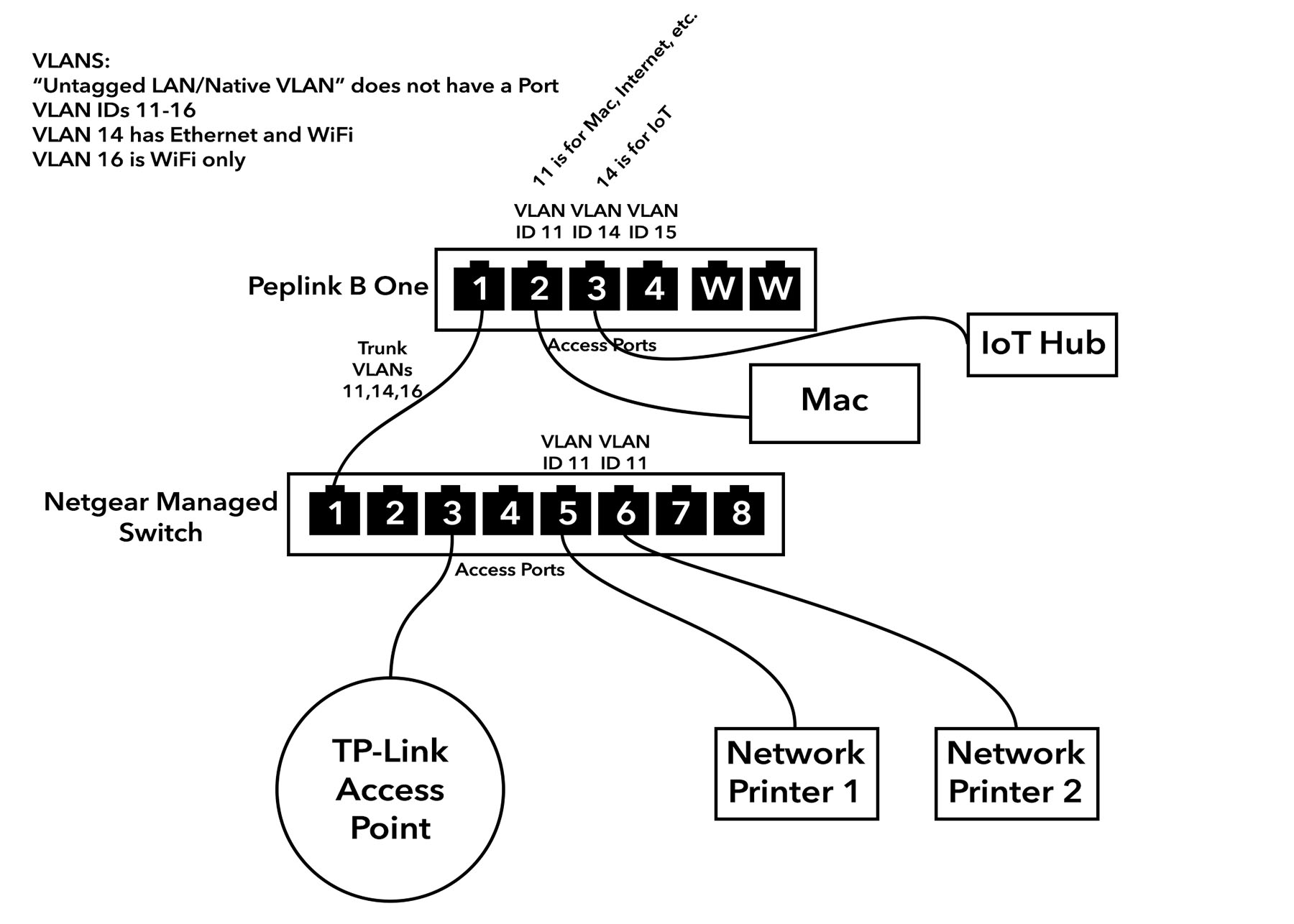
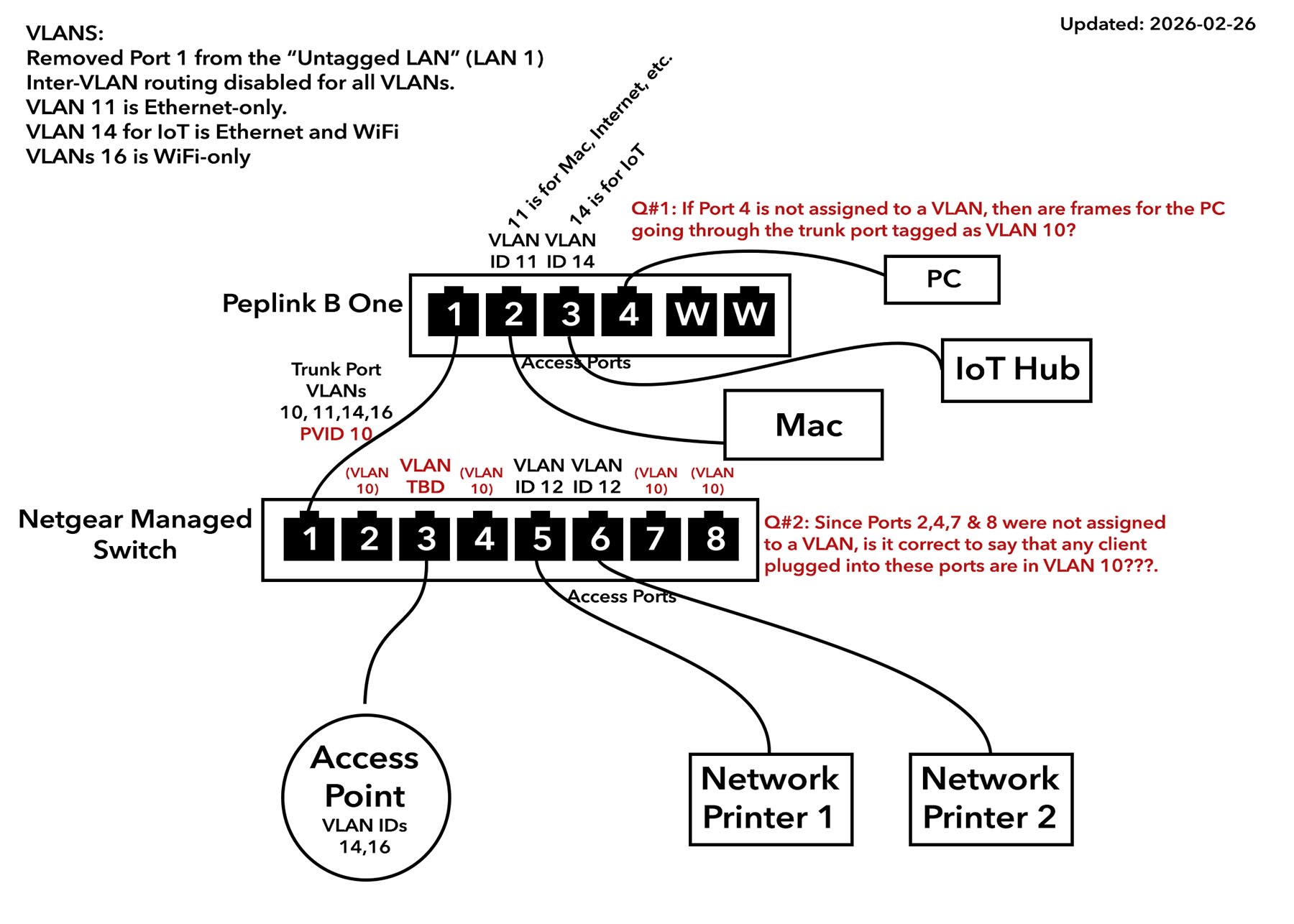
So far, I have the B One working as expected, albeit incomplete. I have multiple VLANs with inter-VLAN connections disabled. I am not consciously using LAN 1. I unassigned Port 1 from LAN 1. However, I don’t understand the PVID option when configuring the trunk port. The explanation given is “Untagged frames received by the port are classified to a VLAN indicated by Port VLAN Identifier (PVID). All frames from the VLAN are untagged on egress.” 
In my diagram, you can see I have selected VLANs 11,14 and 16 for the trunk port. So why would there be untagged frames going to the switch? It seems like those might be “interloper” frames that I don’t want??? I think I’d only want to send frames for one of the VLANs I created. As I mentioned, I don’t plan to use LAN 1, at least intentionally. Please explain the use cases and thought process of selecting a default PVID. What are the security risks? What else should I be asking? And what is the purpose of tagging the frames with the chosen PVID if they are untagged on egress. Do they mean when exiting the switch? Please help me understand 
Please refer to my network diagram. Thanks in advance!