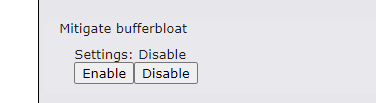
Some troubleshooting has lead me to believe I am having an issue with BufferBloat on my Balance 710 Router. Tried to find any SQM settings and coming up blank.
Did some searches on this forum and it seems BufferBloat was discussed 2014-2017 but Peplink really did not have any settings to help prevent it.
Bufferbloat prevention is a setting within SpeedFusion settings when using Dynamic Weighted Bonding. I haven’t found anywhere else where you can set this specifically. Dynamic Weighted Bonding was added with FW 8.2.0 .
There is DSL/Cable Optimization in QoS->Application which helps when Upload is congested that the Download doesn’t suffer, not sure if this is Bufferbloat related though.
The Mitigate Bufferbloat option is the fq_codel algorithm. It is currently half implemented. Upload bandwidth management to your ISP works. Download from your ISP isn’t operational yet, although rumor has it that Version 9 will fix this issue (too much CPU was being used during the original Mitigate Bufferbloat beta a number of years ago, so that portion was disabled until it could be fixed).
Bufferbloat is worst on asymmetrical lines where upload speeds are much lower than download speeds. Controlling the upload speed does help, so give Mitigate Bufferbloat a try (and hope Version 9 comes out soon and addresses the download issue). We’ll be interested in your experience and your Waveform or DSLreports results. (Mitigate Bufferbloat for upload does improve my Bufferbloat.)
You don’t mention your ISP. FYI, if it is Comcast, they currently use the DOCSIS PIE bufferbloat algorithm when you have a DOCSIS 3.1 modem. In fact, they may use download shaping even if you don’t have a DOCSIS 3.1 modem - I’m not sure. PIE isn’t as good as fq_codel, but it definitely helps the Bufferbloat situation. I don’t know of any other ISP’s which implement DOCSIS 3.1 PIE.
Note: The DSL/Cable Optimization setting in QoS will be ignored when you enable Mitigate Bufferbloat. I believe that the DSL/Cable Optimization setting simply prioritizes acks, but I don’t know if Peplink ever documented exactly what the feature is doing.
Running firmware 8.2.1 build 5372. Enabled bufferbloat option in support.cgi. Numbers reported after applying the change remain the same on a Balancs One. It does not appear the option does anything as of present.
Have you set your Upload and Download Bandwidth? In Network, select your WAN connection to set them.
You measured 4.68 Mbps up, so try setting 5-10% less, perhaps 4.2 Mbps to start with. You should notice your upload speed is less, but your upload latency drops from its current 150ms.
The value you set in Download is currently ignored. I usually set it to 1Gbps. Version 9 will hopefully remedy the Download situation in which case you probably want to start with 32Mbps, about 10% less than your measure speed of 35.4Mbps.
I always make sure DSL Cable optimization is Disabled too although I believe Mitigate Bufferbloat has been fixed to ignore it. Network->QoS Application, DSL cable optimization: Disable
So far as I know, we are still waiting for Version 9 to address the bufferbloat issue. I have no idea when Version 9 is coming.
My only new thoughts these days are that Peplink should consider re-enabling Mitigate Bufferbloat for Download in the current version. They pulled Download and left only Upload because the CPU usage for Download was excessive. It cut performance about 50%. However, Peplink has far more powerful hardware in the B One than the Surf Soho where this issue surfaced, and many people would find it sufficient. After all, a good percentage of those needing fq_codel have slow internet. And someone with cable internet having Download 10 times the speed of Upload (where fq_codel or Cake is sorely needed), may be willing to have their 1Gbps Download chopped down to 500Mbps (I would).
Maybe @sitloongs or someone from Peplink can comment further.
When I have situations that must have fq_codel or Cake, I forsake Peplink in favor of Firewalla (I’m evaluating a buy of 30 routers right now). That forsakes a lot of advanced functionality such as SpeedFusion, but Firewalla does provide more security options. Firewalla reliability has been excellent on the Gold series that I deal with.
I wonder if this is the reason why i am having speed issues with my B20x and comcast 1G/40M service. I used to get close to 1G on download speed tests but more recently max i can get is around 500M since updating the firmware.
I just recently purchased a B One 5G to swap with the B20x but havent had the time to program it and put it into service.
I discovered after much investigation in Sept 2023 that there is a lot that can affect speeds. On my Balance One which was stripped down from enabling any CPU intensive operations (VPN, etc.), I “Finally achieved 600Mbps download on Ookla speedtest.net through Balance One; 767/174 Mbps was the high after multiple tests on multiple servers. The key was using the Edge browser (Win 10) instead of Chrome, configuring speedtest.net to Single Connection instead of Multi Connection, and I did not log into the Balance One (the Dashboard display uses CPU). Selecting Single Connection severely limits the upload speeds for some unknown reason. Upload speeds increased to a high of 567Mbps on one of the Multi Connection tests.”
The speed tests can also change over time.
I guess going to the trouble of moving back to the previous B20x firmware would tell you if it is the new firmware, and would allow you to submit an issue to Peplink.
Well i finally had the chance to program my new B One 5G and i am getting nearly 1Gbps download speeds (and 43mbps upload) which is what my cable modem circuit is set for. I have the same setup as my previous B20x that was having issues (1 VPN connection to a B20x) so this tells me its definitely an issue with the B20x…
The other B20x i have is on a circuit that is 75% slower than my cable modem circuit so the buffer bloat issues dont come into play.