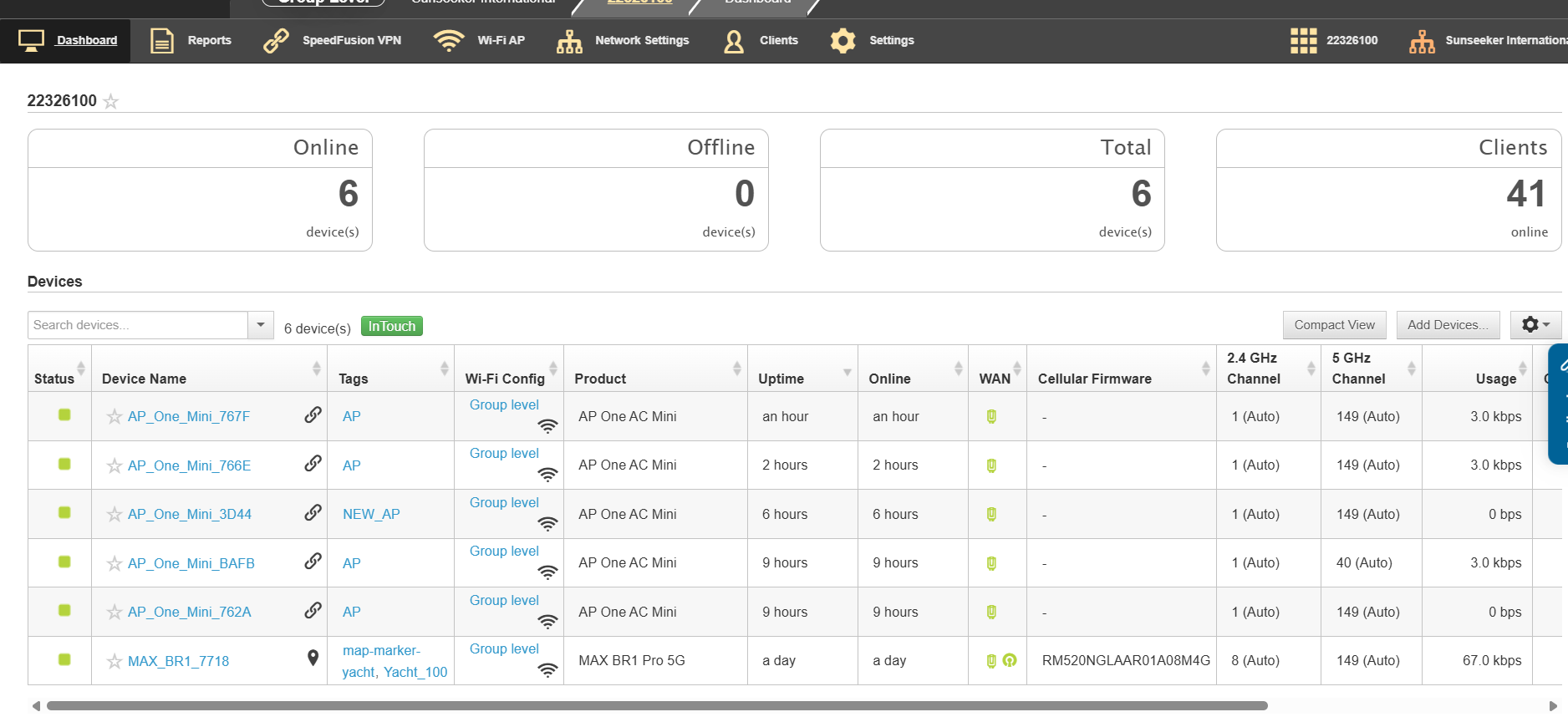
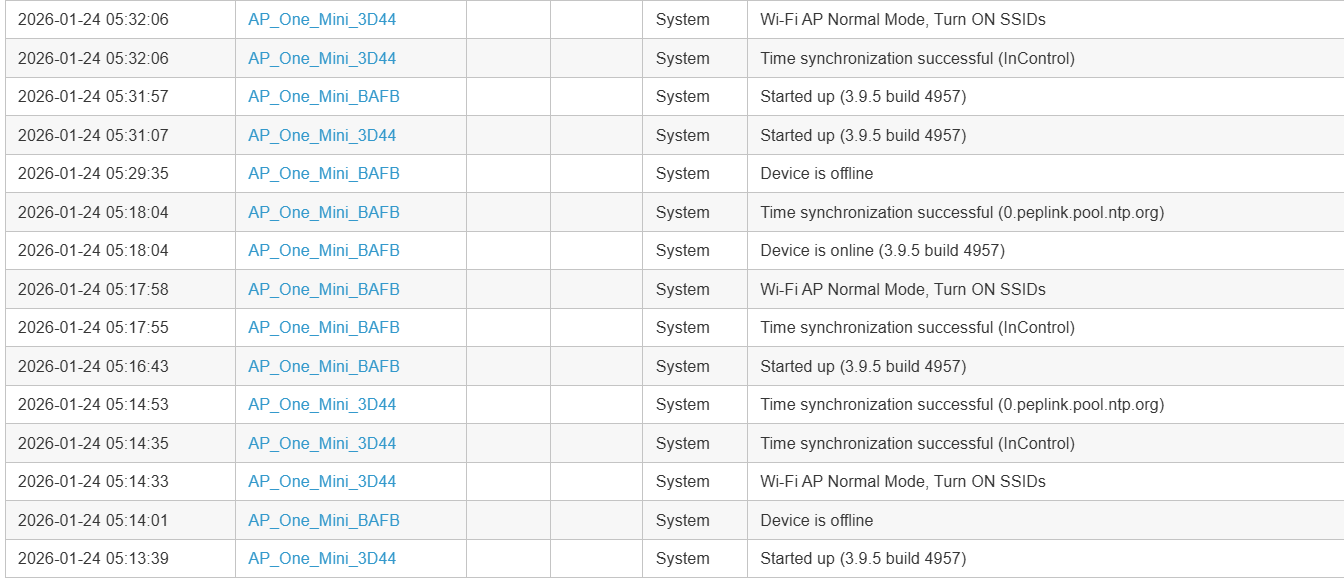
Hello, I have 5 AP one AC Mini access points all controlled with Incontrol2. These are all connected to a BRI pro. The access point seem to be falling of line and then returning randomly. Each one has a different uptime and online time showing in Incontrol but they were all reset at the same time. Some times an AP will fall offline completely and will require a power reset. 4 of the 5 access points are powered with POE. The new AP in powered from an external supply. Can any one explain why this is happening?
My first guess would be Power over Ethernet issues - what model PoE switch do you have? Does it have a web user interface that will show diagnostics?
I had a similar issue (one of my AP One Minis was randomly going offline) and it turned out to be a PoE problem, where most of the time the PoE injector could supply enough power, but occasionally the AP One would require more and end up crashing or rebooting.
This was our thought as well. It is a 28 port TP-link switch. We recently added a new AP and purposely ran it on a separate power supply. This new AP is also dropping out and appears to be rebooting from what we can see from IC2.
I’m running 3 AP One Minis using a Balance One as the controller.
However I’m not using InControl.
I’d like to check my AP uptime, but I don’t see that value anywhere.
Does anyone know if you can see AP uptime from within the normal web Balance One web interface?
I was able to find it, but only by logging into each AP One individually as follows:
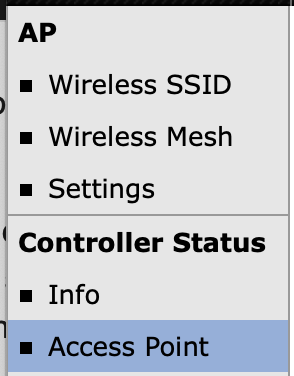
- on the Peplink AP controller, go to AP / Controller Status / Access Point
- for each AP, click the icon:

- this will take you to the Web Admin for the individual AP. Log in, and then you can see your uptime on the dashboard:
In my case, I have 3 AP One Minis and the uptimes were:
AP#1: 131 days 9 hours 28 minutes
AP#2: 131 days 9 hours 27 minutes
AP#3: 131 days 9 hours 28 minutes
Conclusion: my AP One Minis are not rebooting randomly.
Note: they are powered by a TrendNet TPE-TG44G, which is itself plugged into a UPS.
AP One Minis are running firmware 3.9.5 build 1122
Off topic to your question, but I notice 4 of your 5 APs are using the same channels: 2.4GHz channel 1 and 5Ghz channel 149
If these are in the same building, you will almost surely get better WiFi performance by hard-coding these to specific non-overlapping channels.
It’s my opinion that the “auto” channel selection feature doesn’t work that well…