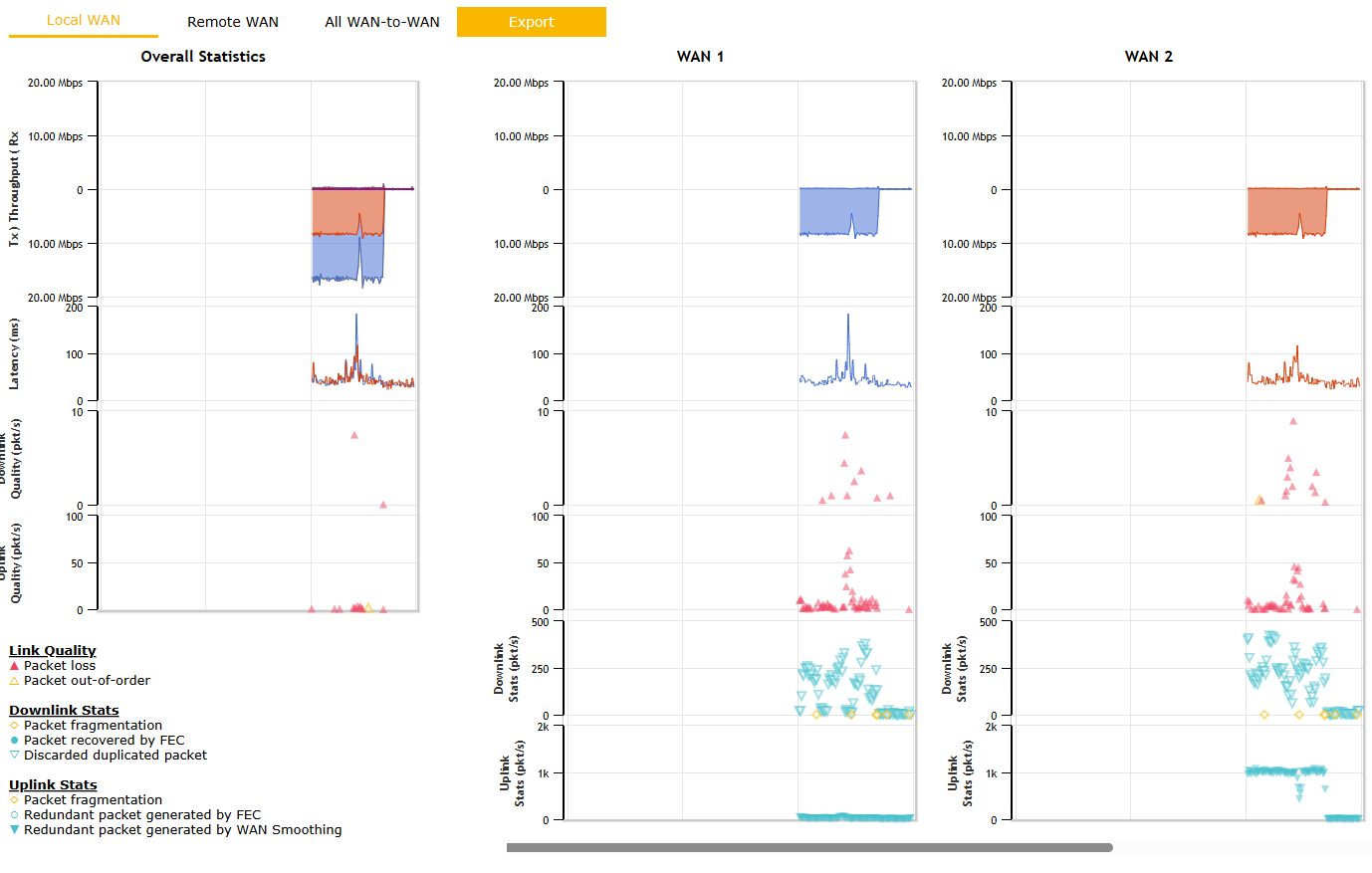
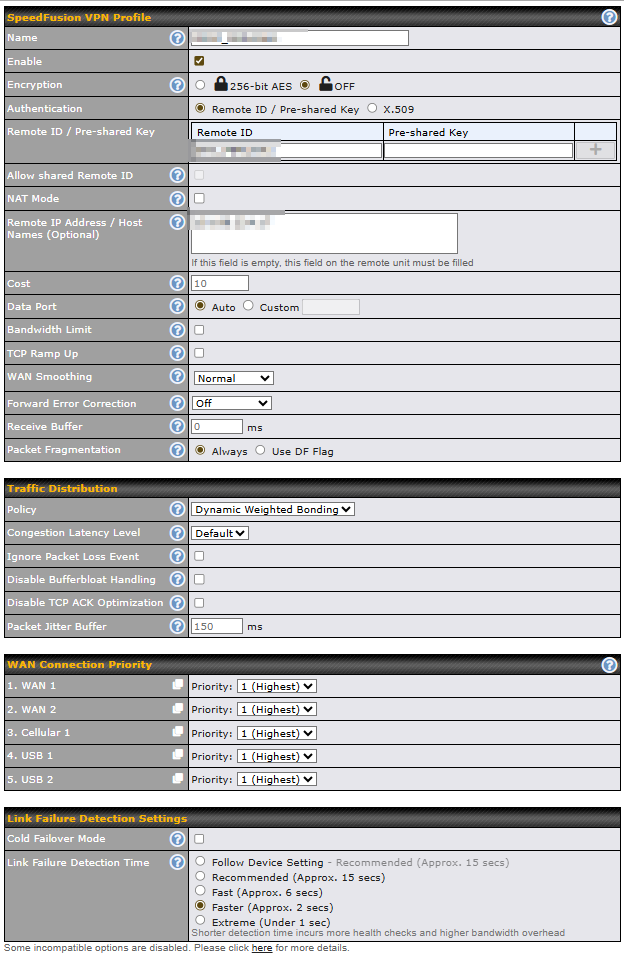
I’m facing an issue that I haven’t been able to solve despite several tests, and I’d like to know if anyone has experienced the same thing with Starlink + Peplink.
Context
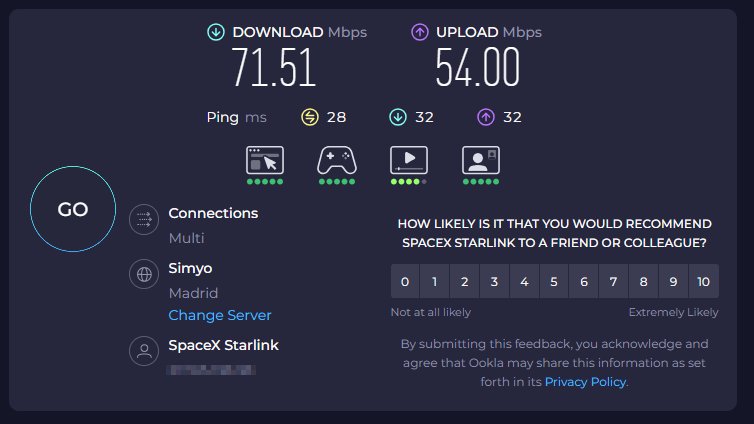
I have a Starlink connection (direct upload on PC ~ 40 Mbps).
I connect Starlink on Peplink WAN 1.
When I stream with OBS at ~ 8 Mbps upload via the Peplink LAN, I notice significant packet loss…
What I’m trying to understand / feedback I’m looking for
Have other Starlink + Peplink users noticed the same issue when streaming via Starlink — unstable connection (packet loss / jitter)?
Could this be related to Starlink not providing stable reserved upload bandwidth, or due to latency spikes / packet loss during satellite handover / constellation changes?
What SpeedFusion, WAN Smoothing, FEC, WAN priority, etc., configurations have you used to get a stable stream at this bitrate?
For now, streaming at 8 Mbps is only stable when using 2× Starlink in Bonding + WAN Smoothing.
If anyone here has managed to achieve a stable stream (OBS or similar) with ~ 8–10 Mbps upload via Starlink + Peplink, it would be great if you could share your exact settings: Peplink model, firmware, SpeedFusion / WAN Smoothing / tunnel configuration, MTU/MSS, etc.
Blockquote
Have you try to install a dumb switch between the Peplink and the Starlink? (just try it)
This only applied to the old Starlink V2 dishes that required the Starlink Ethernet adapter. There was something with the Starlink Ethernet Adapter that would drop every 4th Ethernet frame when connected directly to a router like a Cisco or a Peplink, and a dumb Ethernet switch in the middle fixed the issue. Something with a firmware update on the Starlink Ethernet adapter caused this, because early versions of the Starlink Ethernet adapter did not have this 4th dropped frame problem.
Hello everyone,
I’m still seeing the same issue and would really appreciate more insight.
Quick recap : with Starlink as WAN on my Peplink (SpeedFusion enabled), I start getting packet loss once upload goes over around 8 Mbps. It’s consistent and reproducible.
I’ve tried different MTU settings and cables, same result. Has anyone found a fix or workaround? Could this be linked to a specific firmware version or a Starlink-side limitation?
If others using Starlink + SpeedFusion could share their experience (upload speed, firmware, setup details), that would really help to narrow it down.
Just bumping this thread in case it got missed. I’m still experiencing the same issue and haven’t found a solution yet.
If anyone is running Starlink with a Peplink router and SpeedFusion enabled, I’d really appreciate any feedback on your upload performance or configuration (firmware version, MTU, WAN settings, etc.).
Even a confirmation that you do or don’t see similar packet loss above a certain upload rate would be very helpful.
I repeated the test by inserting a low-end switch between the WAN1 port of the Peplink device and Starlink. Unfortunately, there was no difference in the results.
Test setup
Windows PC connected via RJ45
Using Speedtest by Ookla
Results
Starlink connected directly
Speedtest multi connection → Upload: 25 Mbit/s
Speedtest single connection → Upload: 12 Mbit/s
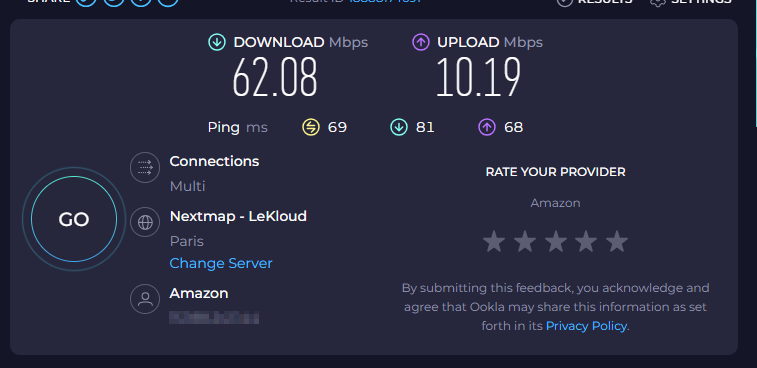
Peplink (Starlink on WAN1)
Speedtest multi connection → Upload: 12 Mbit/s
Speedtest single connection → Upload: 12 Mbit/s
So when the PC is connected directly to Starlink, the multi-connection upload reaches about 25 Mbit/s. However, when going through the Peplink, the upload seems limited to about 12 Mbit/s even with multi-connection tests.
Hum… Maybe I was not find it at the text… but… what peplink device are you using?
Also… Your Peplink have a WiFi WAN option for connection with Starlink? Have you try to use it?
What is the Peplink current firmware version in use?
Here… at the forum… there is another text about the issue with Starlink… maybe you can try?
Do your device still have a VWAN enable by primecare?
Can you configure one of the LAN interface of your device, to be a WAN and then connect it to your starlink?
updating…
This video… may help you…
Also…
Do a backup of the configuration and try to do a update of your device? lastest version is 8.5.4.
 Context
 What I’m trying to understand / feedback I’m looking for