So, I’m starting with the OpenVPN WAN feature only to find that the topic is nowhere in the Balance User Manual. I should not be surprised at this point.
My question is which posts on this Forum are the most helpful? Yes, I can search the forum but some people call this “OpenVPN WAN” and others call it “OpenVPN client”. Thanks.
1 Like
Since I have to re-invent the wheel to use the OpenVPN client, does anyone know what version of OpenVPN is in the 8.4 firmware?
I ask because some VPN providers ask this when generating an OVPN config file
Here is a guide that should help that I wrote up Pepwave Peplink OpenVPN Guide
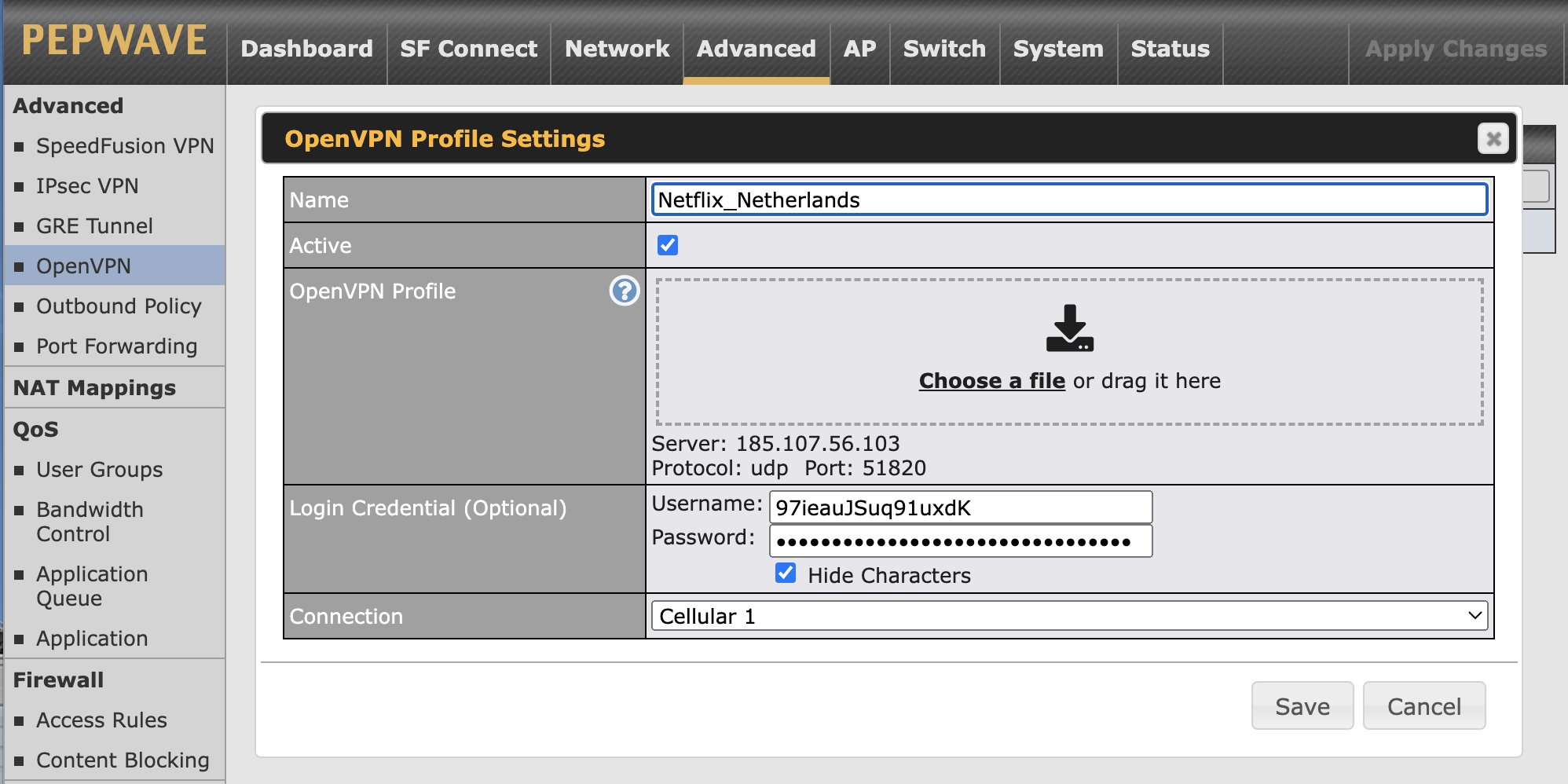
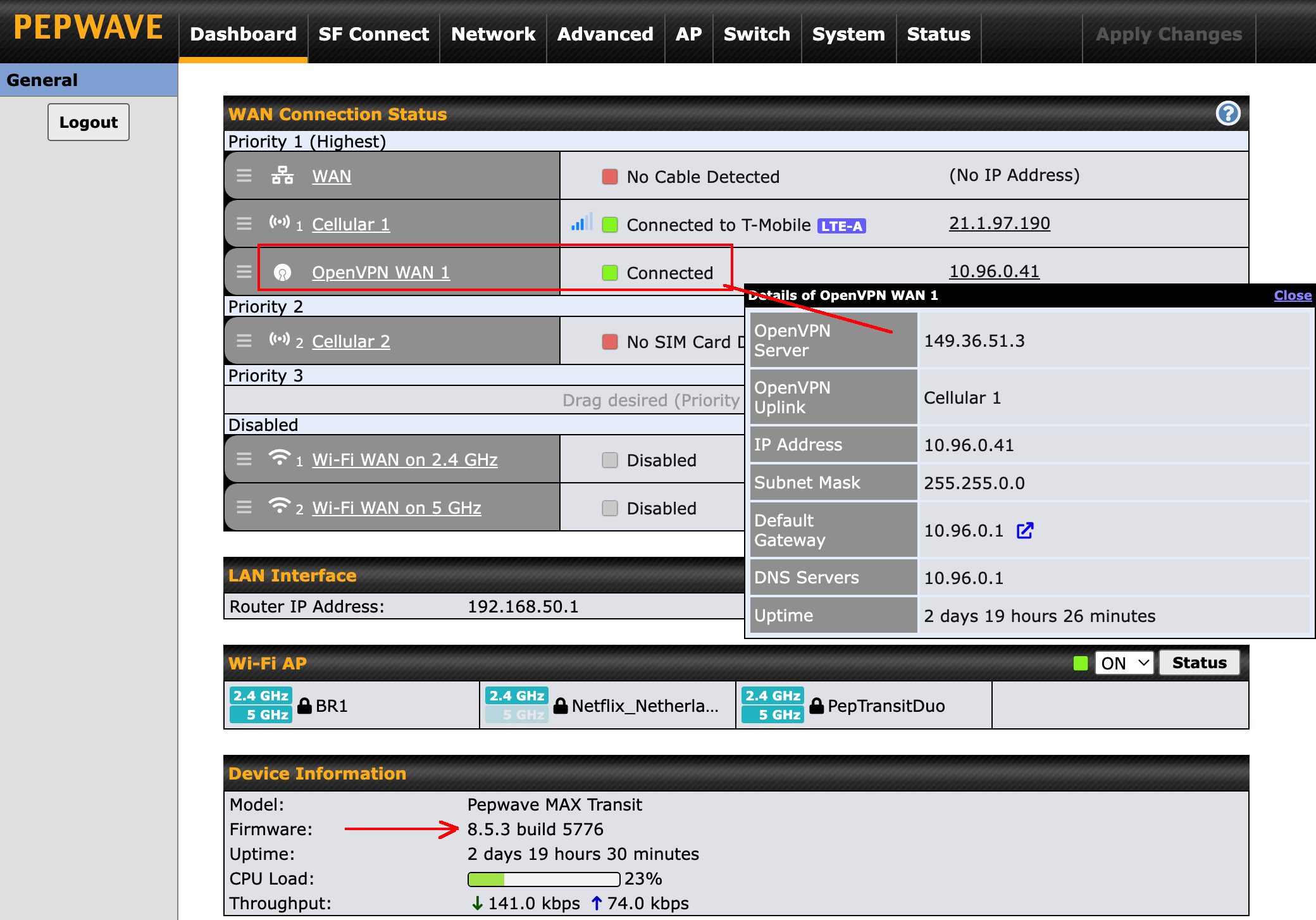
Hi, I’m trying to connect to OpenVPN WAN 1 on the dashboard of my Pepwave MAX BR1 Mini mobile router. I’m using Proton VPN+ paid service to browse the Internet only and NOT as a Remote site to site connection. Even though Proton VPN doesn’t officially support Peplink routers, it’s been working great for over a year just using the WAN connection in the dashboard and setting up individual OpenVPN profiles in the OpenVPN option under the Advanced tab. My subscription to Proton VPN+ expired before I had a chance to renew it. Then after I renewed my subscription I tried accessing the servers again, but I wasn’t able to connect. I realized the servers expired after a year, so I downloaded the “ovpn” config file for new Proton VPN servers. It still didn’t work, so I thought I needed to renew my OpenVPN WAN license, not realizing I didn’t need to do this as its a one time payment. So I ended up with a second license and I was told to activate both of them by MMH tech support. The new license was applied to the router and once I activated both licenses and rebooted, I had OpenVPN WAN 1 and OpenVPN WAN 2 connections listed on the dashboard of my router - connection options I had never seen before in my dashboard.
Do I need to connect the OpenVPN WAN 1, as well as have an OpenVPN Profile created in the Advanced tab, or can I still just use a WAN connection with the OpenVPN profile as I’ve done in the past?
Also, has anybody setup this type of configuration (Pepwave/OpenVPN/ProtonVPN) or for a third party VPN service like ProtonVPN and do you have step by step instructions you could provide?
Also, I saw in one of the posts that there has been issues with Pepwave 8.5.3 firmware and possibly 8.5.2 regarding openvpn connection issues. Should I revert back to 8.5.1?
Thanks for your assistance.
I also wanted to add that I read D_Gomez setup guide and unfortunately this didn’t solve my issue. Thanks for providing it though. 
Are you connecting to server or client? 8.5.3 works fine in my application
Hi D_Gomez, thanks for your response. I’m trying to connect to a Proton VPN server so I can browse the Internet. I have an OpenVPN WAN license to use with my router. In the past I was able to just connect successfully to the WAN on the dashboard and the OpenVPN Profile (Proton VPN server) was also connected to the WAN. This setup no longer works. I also tried connecting to OpenVPN WAN 1 on dashboard and OpenVPN WAN 1 connection for the Profile, but this also didn’t work. Finally, I tried connecting both the WAN and OpenVPN WAN 1 on the dashboard and had the OpenVPN Profile connected to OpenVPN WAN 1. I received the same errors on the dashboard for all three setups. It just said “connecting” or “uplink not ready” I hope this helps. Thanks.
Did you download the router configuration file from Proton (and not another option)?
Yes, I was very careful to download the router config option.
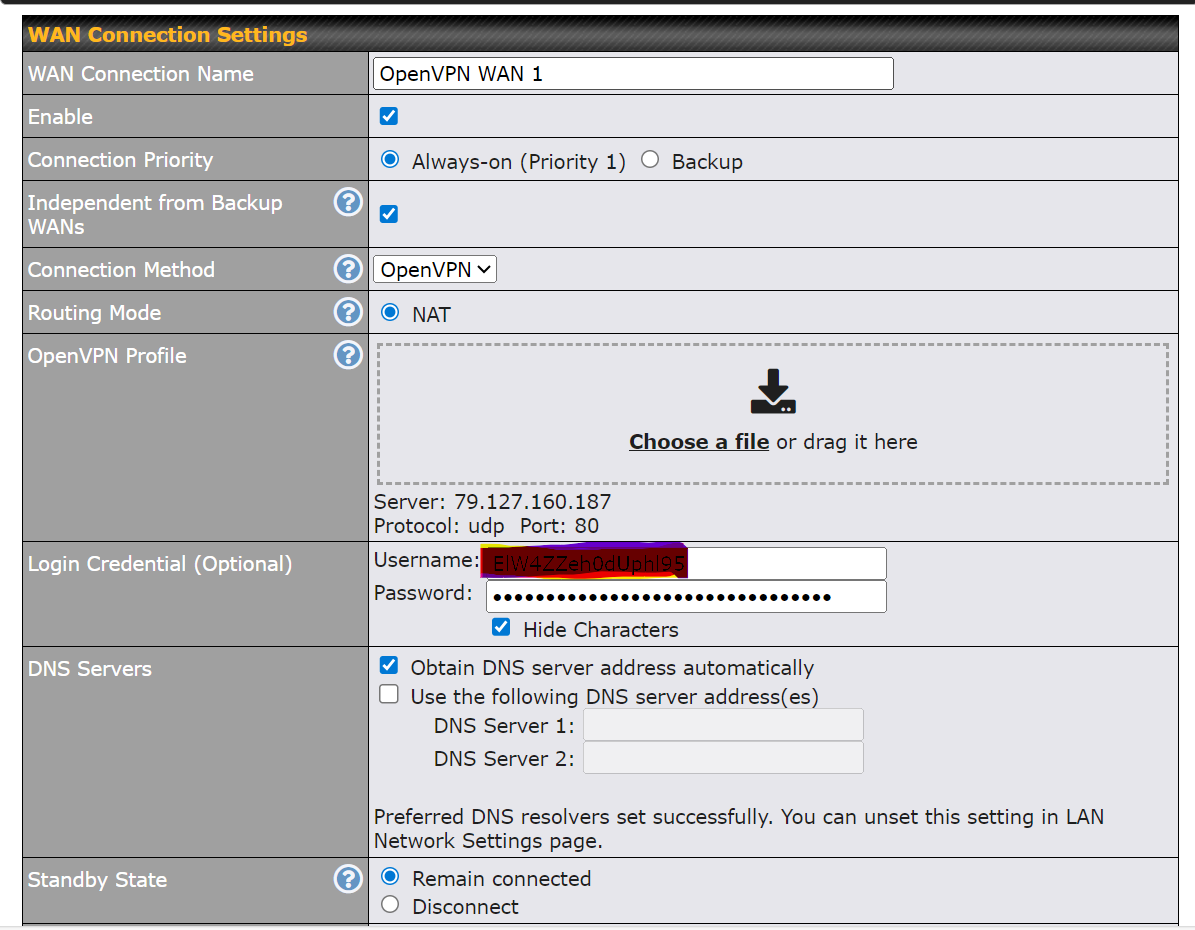
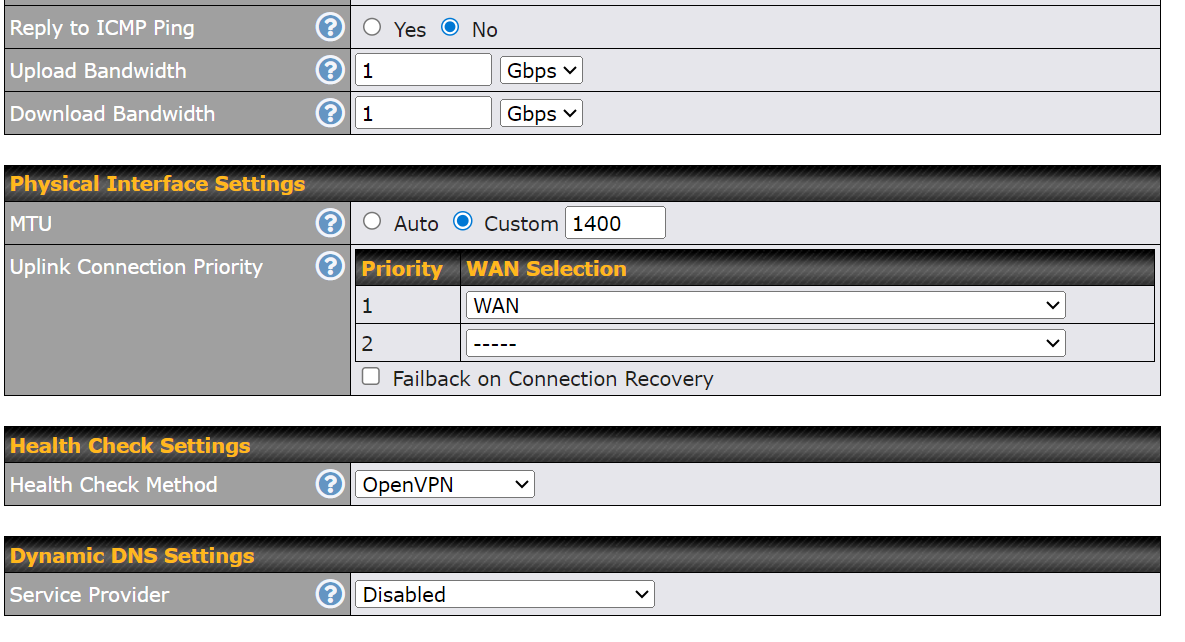
This is what my (working) config looks like. Anything different?
Thanks for the quick response georgeeo! Mine looks very similar to yours, but I tried a couple different settings for “DNS Server” field. I tried the Proton VPN DNS Server in “DNS Server 1” field - I used their DNS Server from setup guide for WireGuard on pfSense (since Proton VPN doesn’t support Pepwave routers and I couldn’t find any information anywhere else). Also, for DNS Server 2" field I used Quad 9 (9.9.9.9). I also tried both Quad 9 primary and secondary DNS servers. Neither of these setups worked. I was trying to avoid having a “DNS Leak” issue, so I haven’t tried Obtain DNS server address automatically" option yet.
Are you also connecting to Proton VPN servers or another 3rd party VPN service?
It’s a Proton paid service. For DNS, I use a DNS over HTTPS configuration using NextDNS as the service (although I also have the Cloudflare 1.1.1.1 and 1.0.0.1 configured for the WAN; doesn’t seem to conflict with DNS over HTTPS so I guess there’s maybe just a back-up? DNS operation has always baffled me). I don’t specify the Proton DNS servers at all.
Thanks for this information. I was curious about which option to use for DNS Server field so I asked AI, lol. It appears selecting “Obtain DNS server address automatically” option could cause “DNS Leaks”. Here was its response…
GPT-4o mini
When you select the “obtain DNS server automatically” option for your OpenVPN WAN 1 connection on a Pepwave router while using Proton VPN, the following occurs:
Automatic DNS Configuration
- DNS from ISP: The router will automatically receive DNS server addresses from your Internet Service Provider (ISP). This means DNS queries will be resolved using the ISP’s DNS servers unless modified.
Implications of Using Automatic DNS
- Potential DNS Leaks: If the OpenVPN connection is active and you are using Proton VPN, automatic configuration may lead to DNS leaks, where DNS queries bypass the VPN tunnel and use ISP DNS. This can compromise privacy, as your DNS queries can still be tracked by your ISP.
- No Proton DNS: Proton VPN provides its own DNS servers to ensure privacy and security. By using the automatic option, you’re not leveraging Proton’s DNS, which is designed to enhance security and reduce the risk of leaking data.
Recommended Configuration
To prevent potential DNS leaks and ensure full use of Proton VPN’s privacy features, consider the following:
- Manual DNS Setup: Manually set the DNS servers to Proton VPN’s recommended DNS servers in your router settings. This will ensure all DNS queries are routed through the VPN.
- Enable DNS Leak Protection: If available, enable DNS leak protection options in your VPN setup to ensure that DNS requests are securely routed through the VPN.
By configuring your Pepwave router appropriately, you can help maintain privacy and security while using Proton VPN.
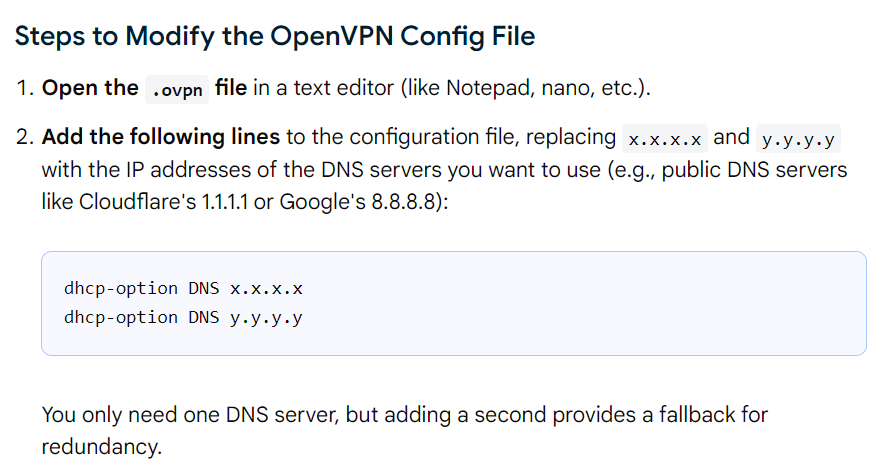
How about leaving the setting to automatic, but modifying your VPN file?
I didn’t know you could modify the .ovpn config files. Thanks for the great information! I’ll try this and keep you posted.
They’re just text files (open in Notepad). I’m not saying it’ll work (the DNS change), but worth a try
Gentlemen - I just enabled the OpenVPN WAN license on my B One router and configured it with a Proton OpenVPN config file I downloaded (I am a paid Proton user). As I began testing if my local network devices were being tunneled (by checking my public IP on the devices), at first it seemed the devices were tunneling to Proton. However, upon further IP checks, at times they showed my ISP public IP. I tried making my ISP a “priority 2” WAN connection and the OpenVPN as P1, but the tunnel won’t establish (makes sense as it needs a valid internet connection to build the tunnel upon. So, I am guessing I need to tweak my DNS settings, as the devices are showing my primary WAN DNS 1.1.1.2 and 1.0.0.2 (Cloudflare) instead of the Proton DNS.
Did you guys run into this issue? Please lmk if you have any advice. Thx
SOLVED - I had DNS over HTTPS enabled on my WAN connection, which is NOT currently supported by Proton’s OpenVPN (they use proprietary DNS encryption). Running both causes DNS leaks, which was causing my issue. Hope this helps anyone who comes across this thread.
1 Like