Hello, I am new to the Peplink Community. A while back our IT technician was released from the agency and I inherited the task of maintaining the WiFi and camera systems in our fleet of buses. We currently have the BR1 Mini, BR1 LTE, and BR1 Pro 5G units in our fleet. Yesterday, all of our buses lost WiFi connectivity to the Operators tablets. I can see connectivity on the IC2 dashboard, but the operators have to use their cell phones as hot spots to work their tablets. Also, on Monday I went into the IC2 dashboard to re-configure the SSID for one of the buses. The dashboard used to say in the WiFi Config column “Managed Device” and it now says “Group Level”. Any help would be greatly appreciated. Please dummy it down to like a 3rd grade level, because I am new to this and still learning. Regards, Grant Bias, Safety & Security Manager, Delaware County Transit.
The easiest solution here is to define your SSIDs at the group level. Here’s a quick how to video from West Networks: https://youtube.com/watch?v=l5vGPWawR3I
Hello @Grant_Bias,
Welcome to the Peplink Community Forum.
As loss of staff members should not result in your Peplink solution misbehaving, here are a few key things to get you started:
-
Do you know who your local Certified Peplink Partner is that you got your Peplink solution from (https://www.peplink.com/buy/peplink-certified-partners/)? They are the best equipped people to help you get the most out of your Peplink solution.
-
Have you checked the operation logs (organisational and group) of InControl2 to see what changes have been made?
-
First time navigating InControl2 is like taking a new car for a spin, you’re still the driver, though everything is a bit different from the previous brand, so changes can be problematic for the newbie.
If you get stuck, post what country you’re based in, and a local active Peplink Partner may respond. FYI, I’m based in Australia and support the AU/NZ and South Pacific region, you’re welcome to PM me if that’s of benefit.
Have a good week,
Marcus 
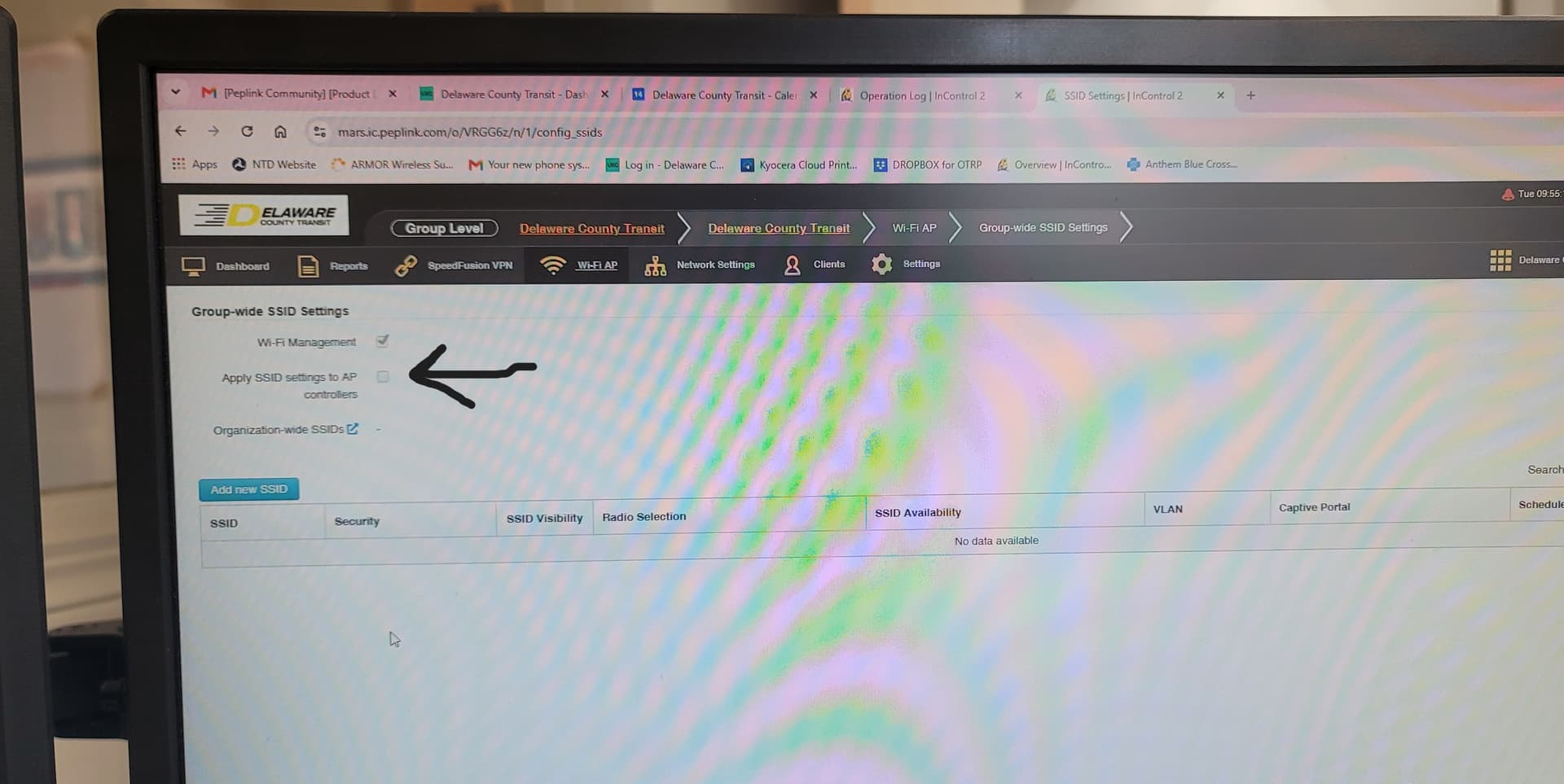
Everyone, Thank you for the help. Marcus, to answer your questions. 1. I have no idea who our Peplink Partner is/was, as the person who ordered and set up the system is no longer with the agency (he left us in quite a predicament). 2. I checked the operational logs of IC2 and the only major change that I see is that the WiFi management old setting was disabled and now it is enabled. 3. We are located in the State of Ohio in the United States. Here are some pics of my screen.


Should this box be checked and not the WiFi Management? It has a warning that says that it will be applied to all devices (which we have 48 of them)?
Should the SSIDs and passwords be the same on all of your devices?
If yes: Create the SSIDs at the group level and apply to all devices.
If no: Define them at the group level and use device tags to assign them.