You can now manage SpeedFusion Connect Usage Plans and eSIM Data Plans directly in InControl. This new centralized management capability streamlines how you handle your network services, bringing connectivity and network control together on one convenient platform.
The SFC portal at sfc.peplink.com will no longer be available after January 15, 2026.
Plans Now Centralized in InControl:
- SpeedFusion Connect Usage Plans let you bond multiple connections from your router into a single, highly reliable Internet pipe.
- eSIM Data Plans provide Peplink’s multi-carrier 5G/LTE service with flexible options suitable for backup and a wide range of enterprise deployments.
Log in to InControl today to manage the plans that keep your networks connected and resilient.
Managing Peplink eSIM Data Plans / SpeedFusion Connect Usage Plans in InControl
Step 1.
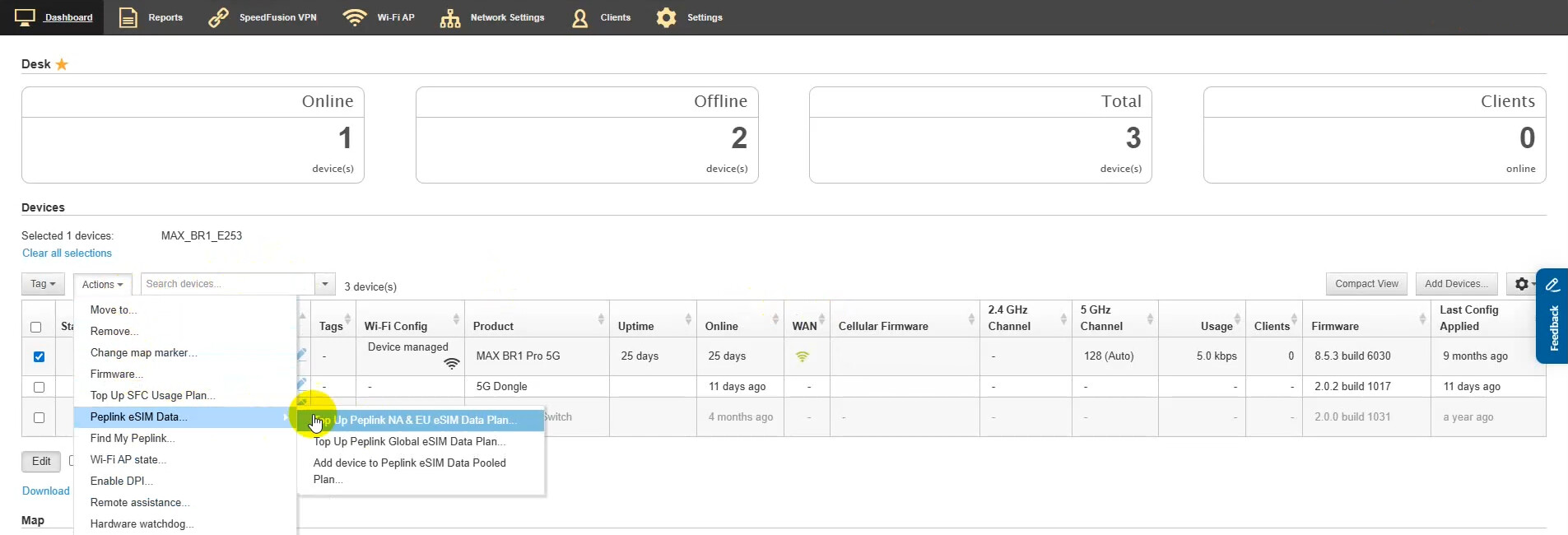
- To access your eSIM Data Plan, select “Action”, then choose “Peplink eSIM Data”, and select the region of the plan you want to work with.
- For SpeedFusion Connect Usage Plan, select “Top Up SFC Usage Plan.”
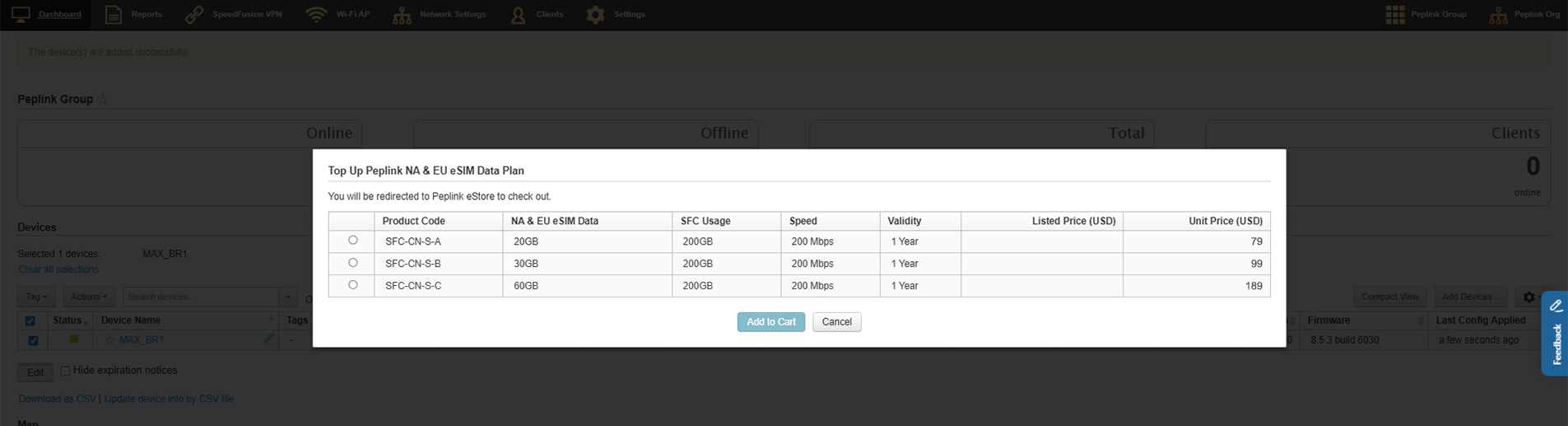
Step 2. Select the plan option you want to proceed with, then click “Add to Cart.”
Step 3. Your browser will be redirected to a page where you can proceed with the plan.
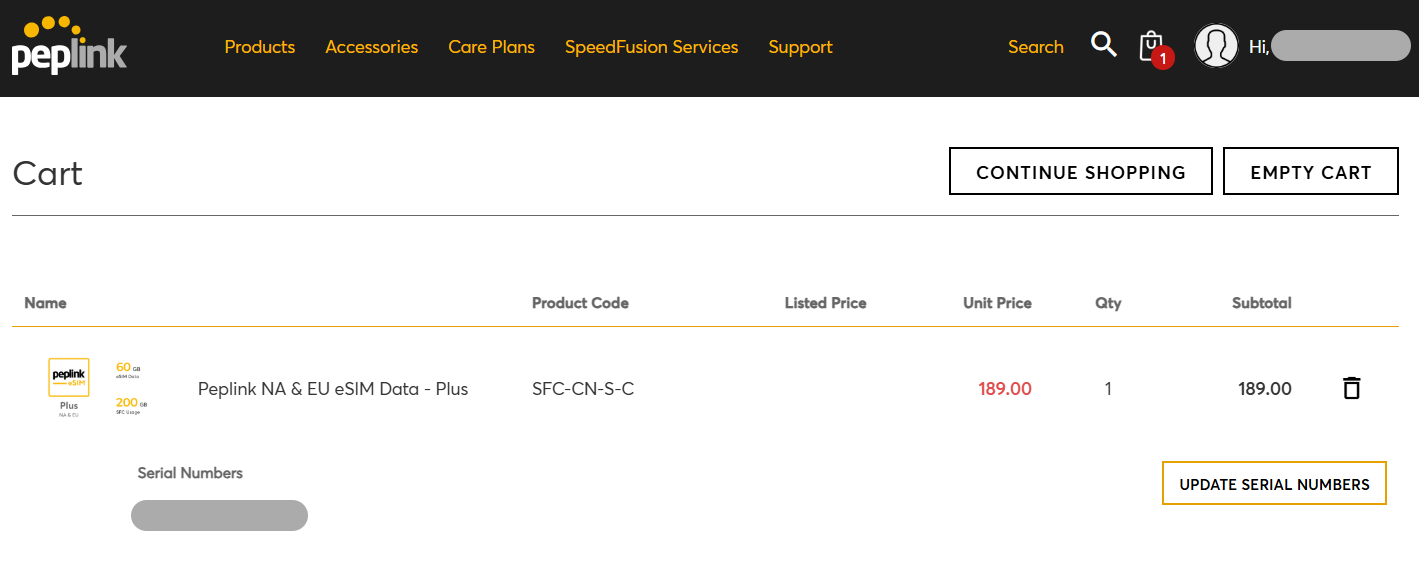
Step 4. Click “CHECK OUT” and follow the on-screen instructions to complete the process.
