Issue Report: SpeedFusion Tunnel Failed to Establish in Peplink Drop-in Mode (HQ Site and Branch Site)

Hi Support,

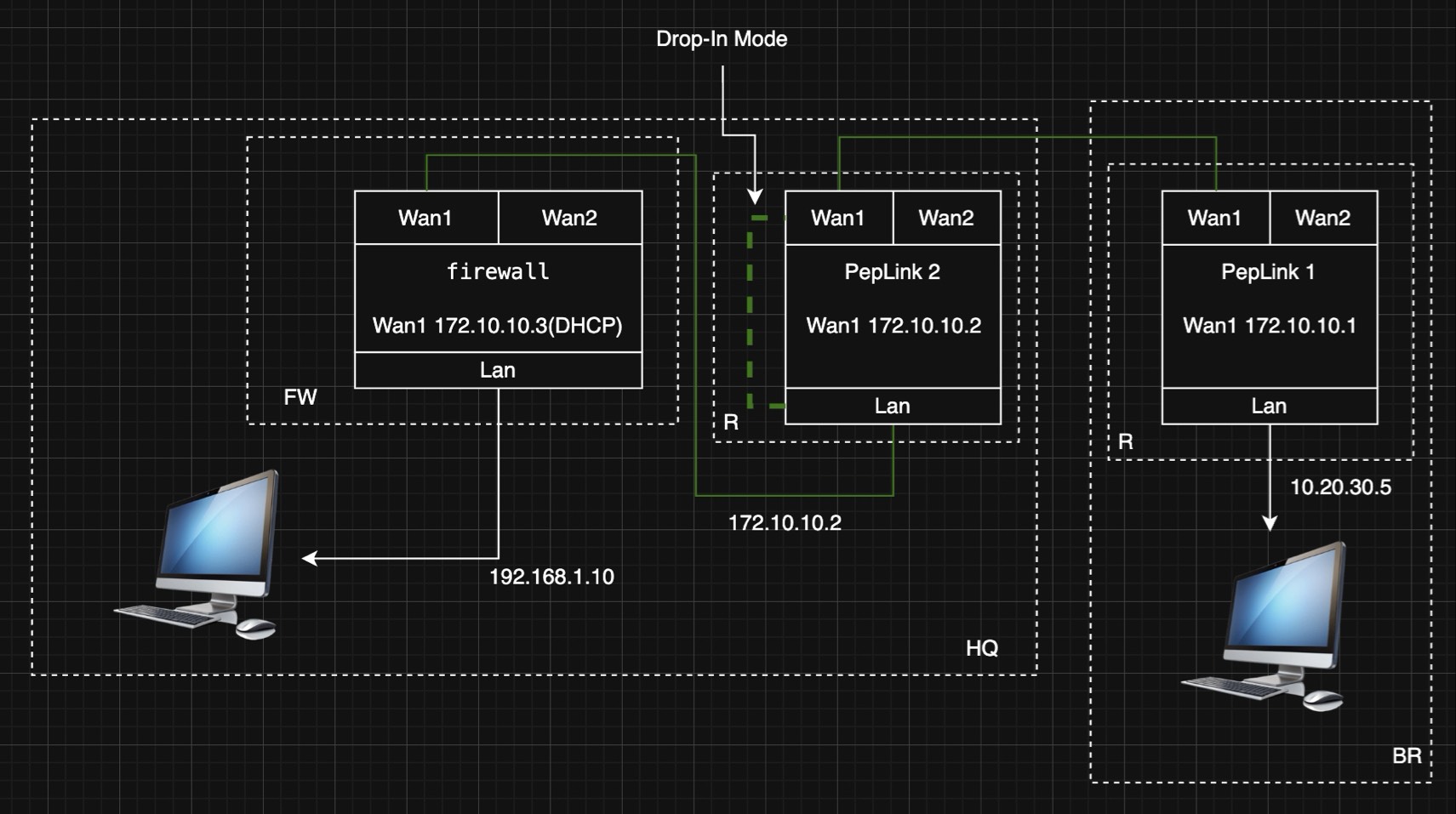
Architectural Requirements: The HQ intends to deploy a Peplink device to establish a VPN connection with the Branch office. Currently, the HQ firewall functions as the primary router. We want the Peplink to take over this role without altering the existing firewall configuration. Therefore, we have opted for a Drop-in Mode deployment at the HQ, using SpeedFusion to build the tunnel to the Branch.

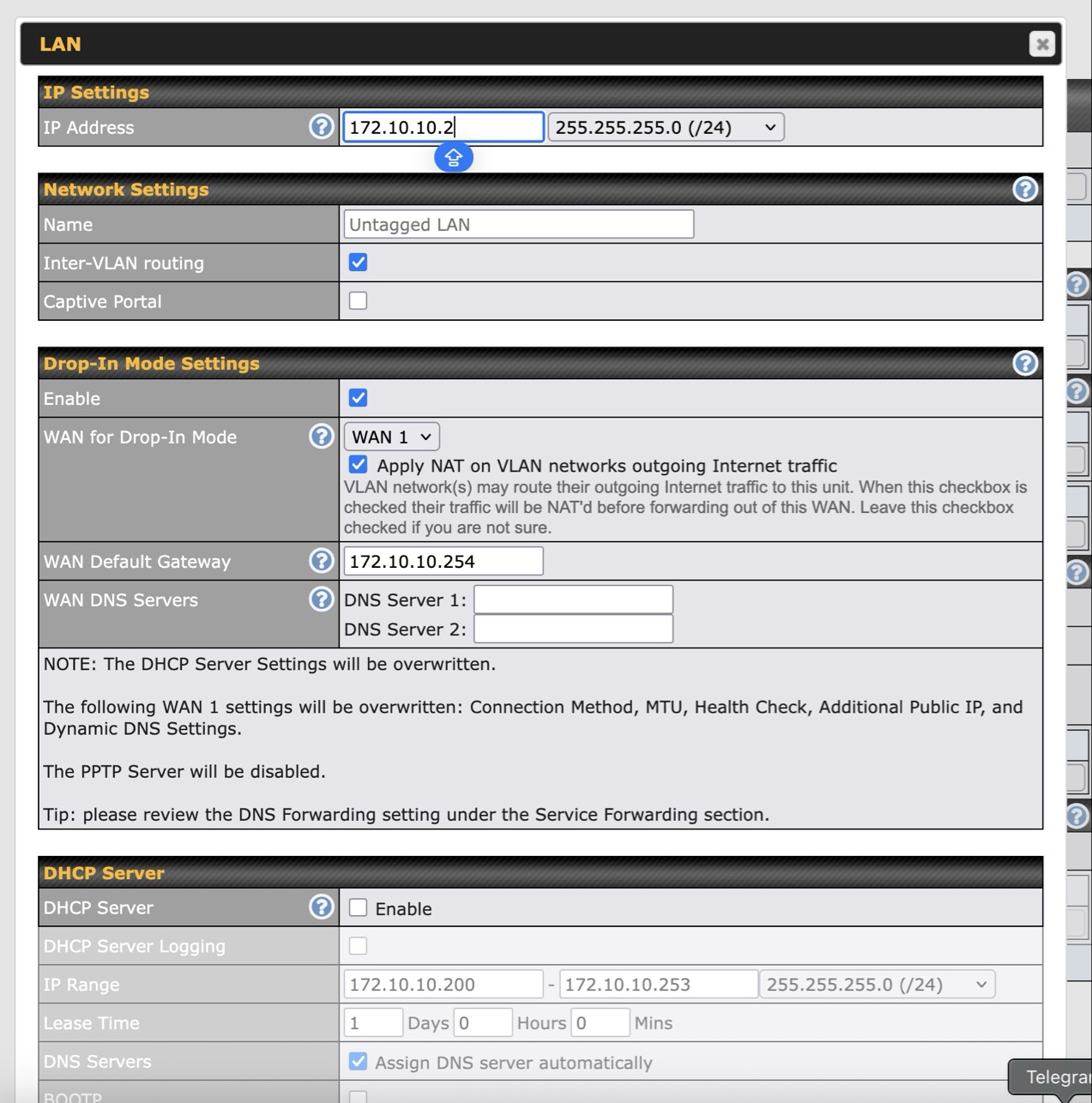
Issue Encountered: During internal testing, we observed that whenever Drop-in Mode is enabled, the SpeedFusion Tunnel remains in a “Starting to Creating、Authentication” state. What could be causing this connectivity issue?

Regards,
Bit.

Hi, @bit.gao

Those ip address… 172.10.10.x? They are public ip address?
Just double checking, because the rfc-1918. (172.16.0.0/12 prefix)

Hi Sir,

Thank you for the catch. To clarify, those IP addresses (172.10.10.x) are being used in a closed laboratory environment for testing purposes only. They are not intended for public internet routing.

We are using this specific range to simulate a public WAN environment behind our lab’s management network. Please treat them as the ‘WAN IP’ within our internal testbed.

Please…
Can you share the speedfusion log of the both devices?
Have you check the ID used by speedfusion on both devices?
Thank you.