Perhaps a dumb question but is there a way to setup a trace route on the LAN to see which physical ports are traversed? The ultimate goal is to know which physical switch port a certain LAN IP address or MAC address is routing through.
I’m using the local web UI with current firmware on a Peplink Router with a Peplink Switch feeding into that. (AP’s are also Peplink if that matters.)
Traceroute is based on layer 3 hops and switches generally operate at layer 2. Platforms that show layer 2 devices in topologies have spent YEARS trying to make it look right (looking at you, Ubiquiti), and there are still bugs/errors.
They do, and it’s nifty, but there are some limitations to it. The Cisco implementation basically tracks a device using ARP / MAC tables in the switches. Not saying Peplink couldn’t do this, but to get it right takes quite a bit of fancy engineering.
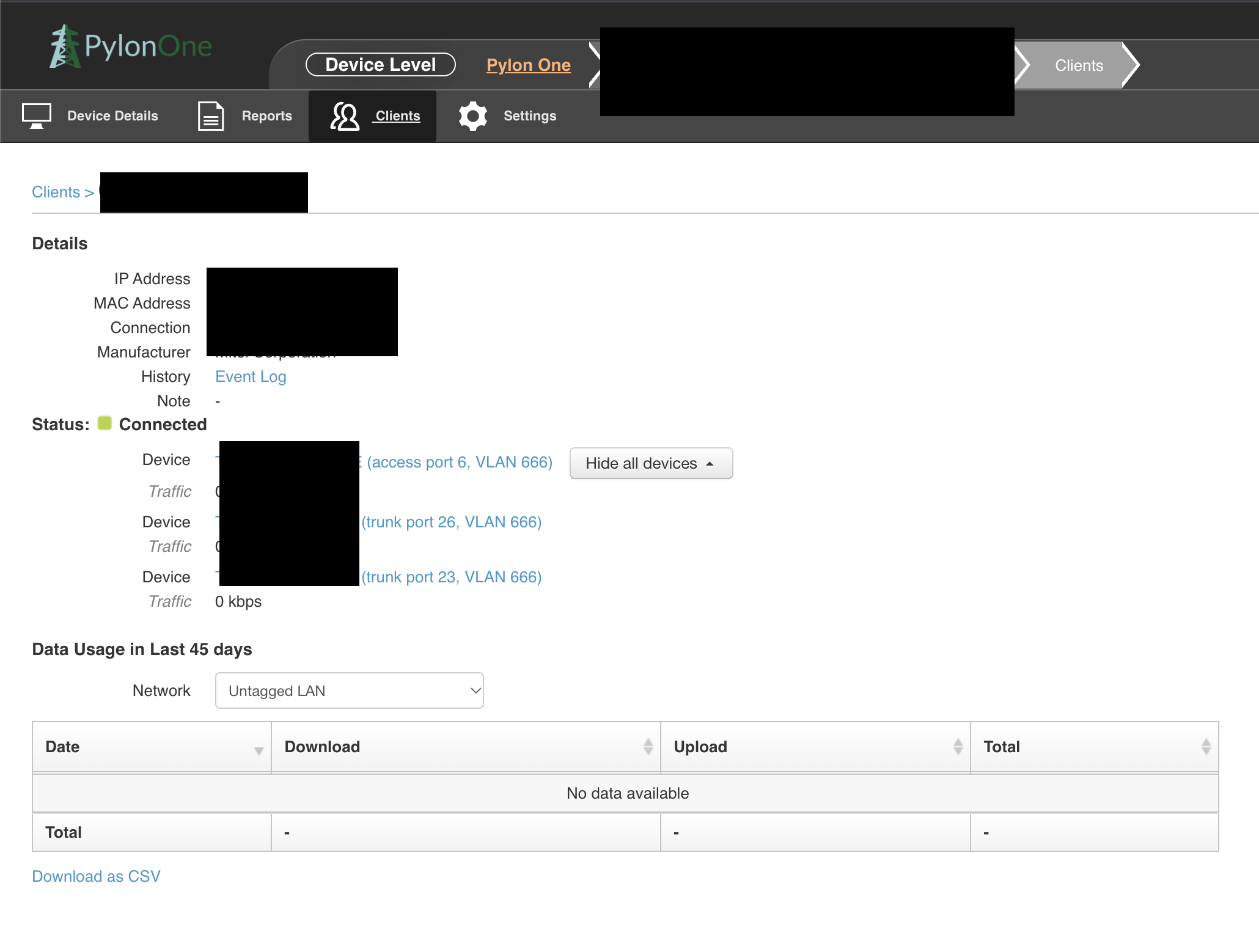
This is kind of availabile in Ic2 already, if you have Peplink switches and APs and they are all in Ic2 you can go to a client and then see where that MAC is present.
The “show all devices” button will expand where that MAC is seen, in this example through the edge switch it is connected to, and the two further switches before the Balance is connected.
I don’t think it would be much more work required to add some icons and use LLDP neighbours to work out the switch to switch relationships and draw a little flow diagram, at least if all elements are Peplink and they are all being centrally managed.
LLDP WAN/LAN discovery is available, but you have to turn it on in ic2 group. @Giedrius / @eddy This should be able to be turned on locally in the router as well , maybe in the support page?