I’ve looked through a lot of tickets, but don’t seem to see this addressed exactly.
I need to do this on a 380x, but trying to POC it on a 310x first.
I have a situation where the router has two broadband wans (fiber and cable) + starlink. My ideal would be to setup an SFC with all three in a hot failover situation. I don’t care about burning extra bandwidth, it’s all about the client staying connected regardless of issues on any wan connection.
I want to do this for all network traffic as default, not just a wifi, but when I configure it to apply to all, he then has streaming issues.
So, my goal is to default to all traffic going down the SD-Wan/SFC bonded pipe (advanced/send all traffic to SFC), but use outbound policies to control it.
I was using the “send all traffic” because I want it to apply to LAN and Wifi clients.
or, instead of send all traffic, should I use outbound policies. Have policies for youtubetv and other providers that reject the SFC connection using enforced or another policy (which is most redundant, non SFC/bonded option), and then after those, create a policy for all other traffic enforced to go down SFC?
Bottom line the goal is to use the multiple WANs for the most redundant, “instant” failover where quality of connection and no disconnects are more important than speed of connection, but then also have the ability to bypass SFC for the services that won’t work with it.
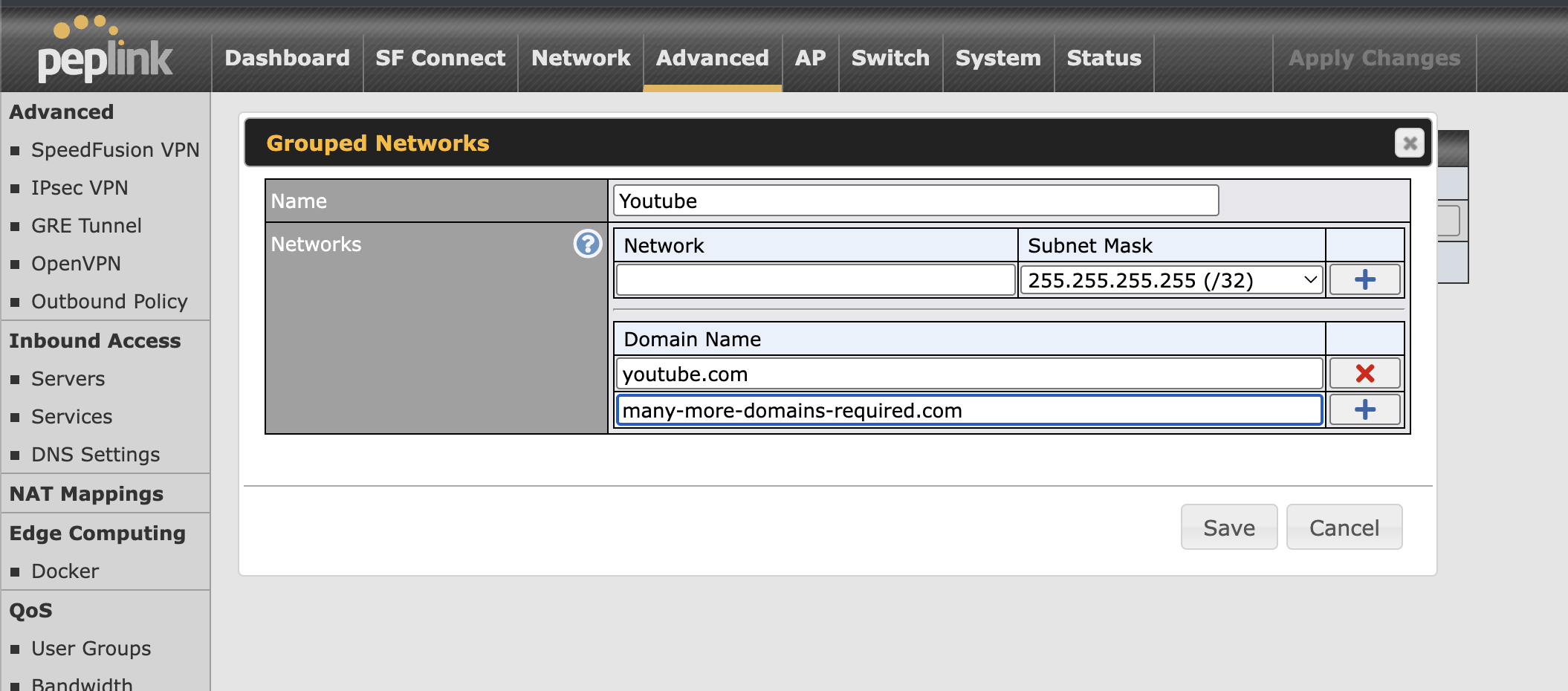
Yes, outbound policy is what you want to use here, I would also suggest using grouped networks to keep the number of rules managable as most of these services are not served up from a single domain but often multiple CDNs (which may also mean some other traffic not associated with say YouTube but other Google services may also get caught by these rules).
You can manage all of this directly on the Balance or via Ic2.
-
Make grouped networks
Advanced > Misc. Settings > Grouped Networks
-
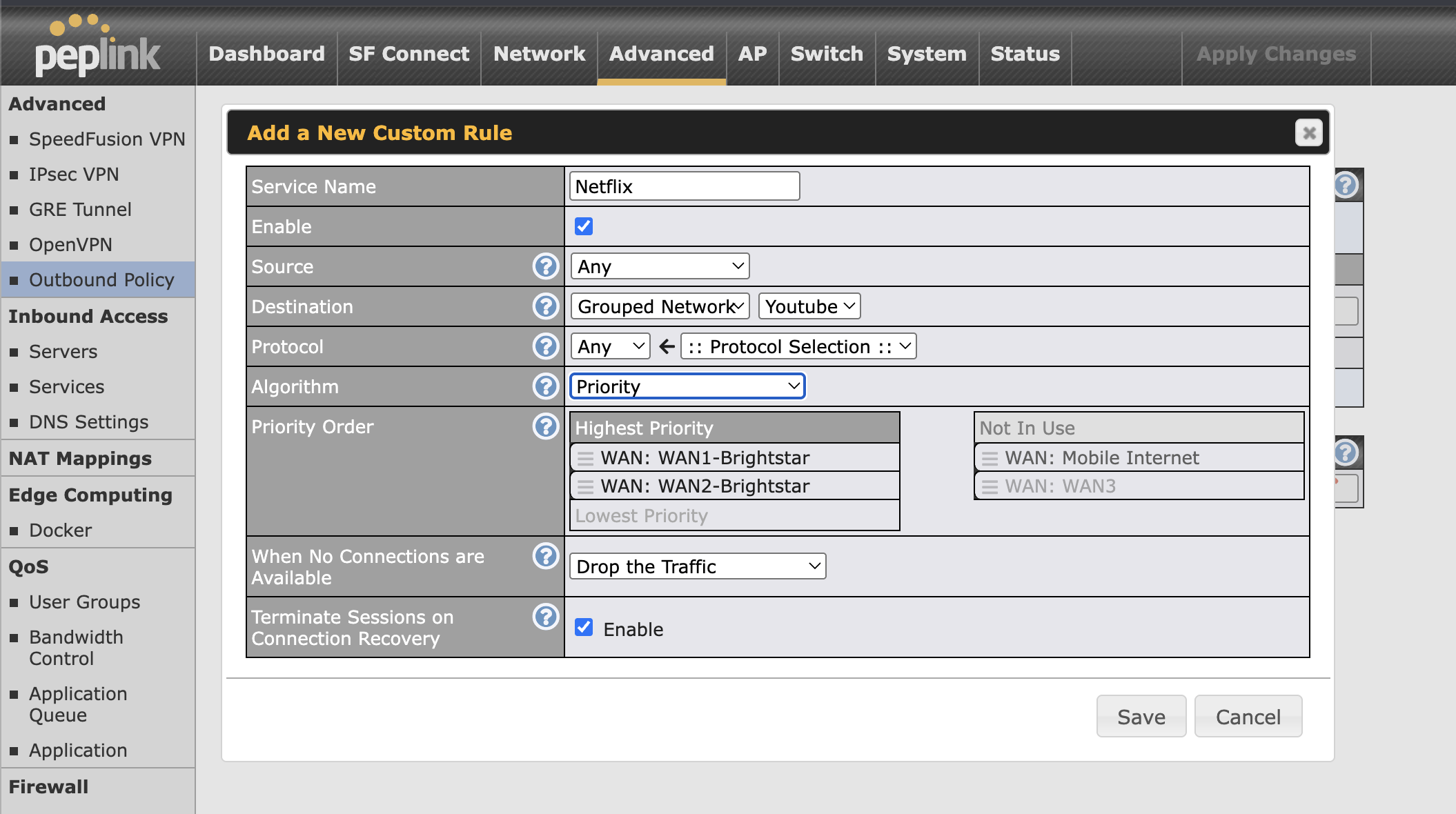
Make outbound policy rules to match the group and direct it to whatever WAN you want, I would normally use priority here rather than enforcement.
-
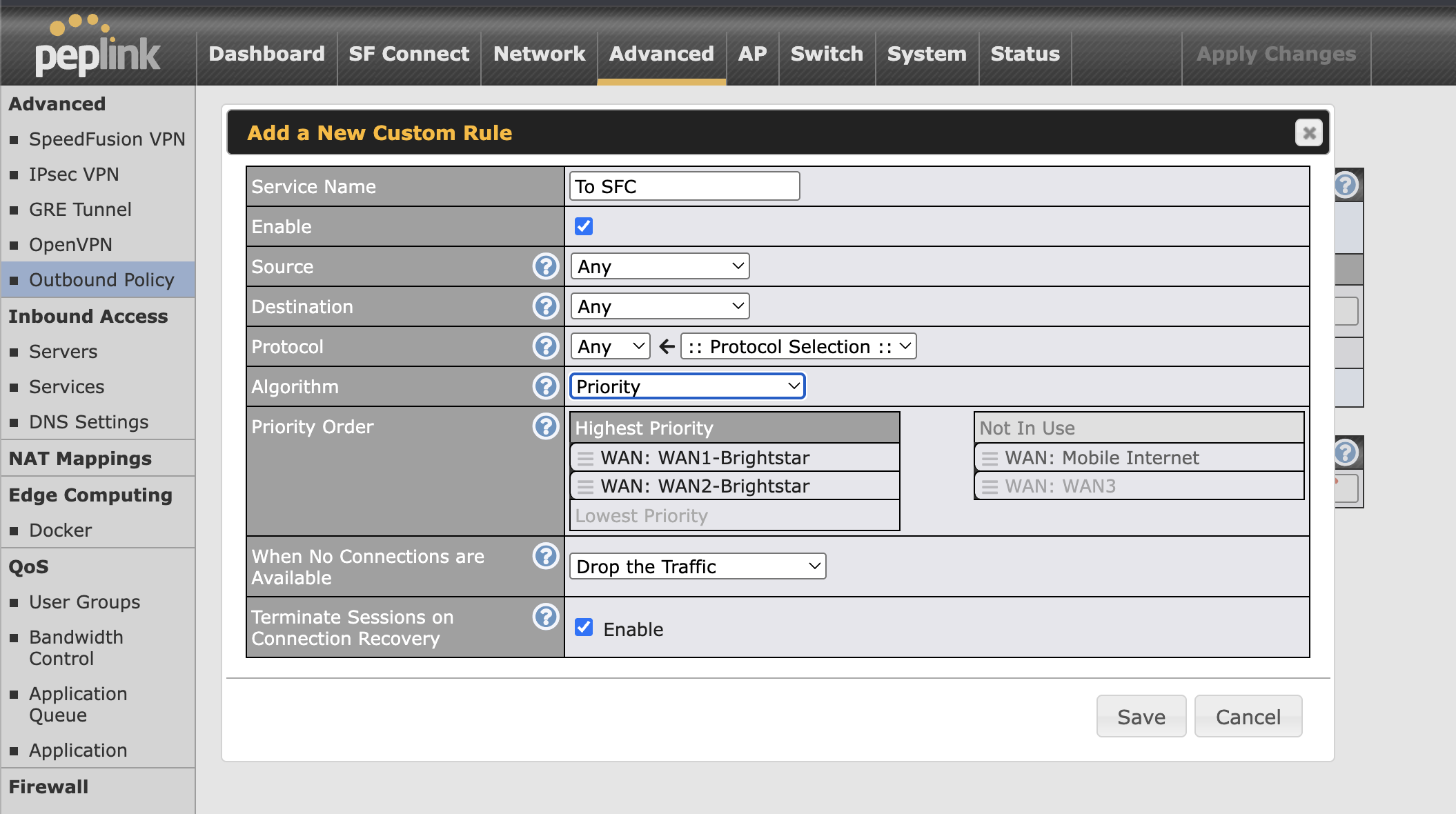
Make an outbound policy to catch all your other trafic and send it into SFC, my example router here doesn’t have any SF connections but it would be in the list to select.
-
Lots of testing, as mentioned catching all of the domains used by the services can be a bit of a pain, and they can and do also change over time so don’t expect this to be a one and done config as it may need a bit of updating.
OBP rules are processed top down in order, first rule that matches traffic gets applied so consider your rule ordering, but at a simple level your “send all traffic to SFC” rule would likely be the last on the list.
You may also want to not set the “drop traffic” option on the OBP rules, I would maybe leave that in for testing though it is probably not necessary to leave that on once things are working.
You could also look into where to host a FusionHub yourself that doesn’t experience issues with streaming services, but none of the big public cloud providers are going to be usable for that.
1 Like