HI Sidet,
Yes this is currenlty only available through IC2. It’s not supported on the WebGUI of the Peplink router.
Here is a short guide on how to get to the IC2 Outbound Policies:
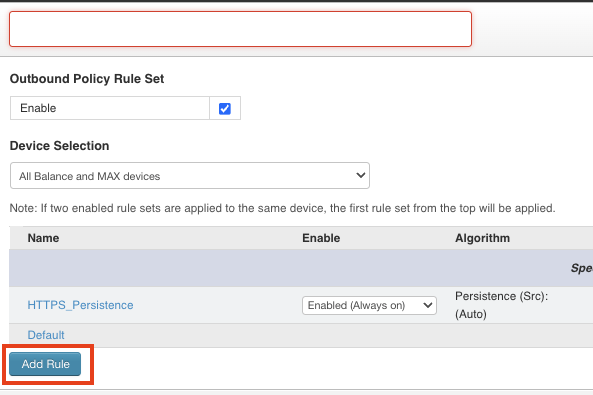
You need to click on this blue box “Add Rule”:
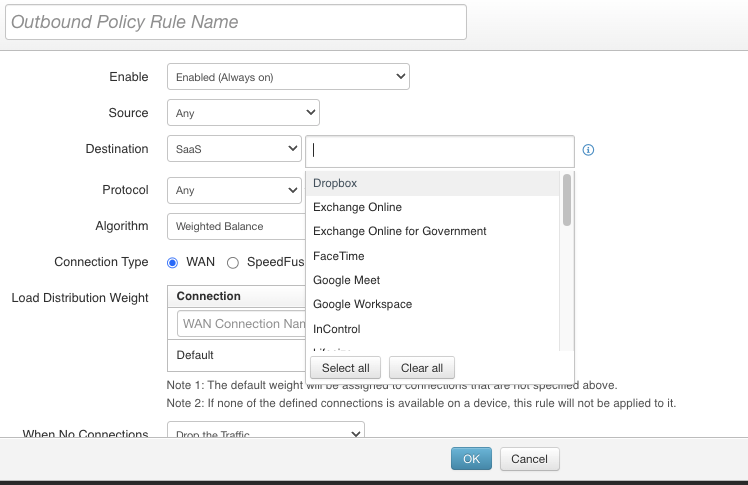
And when creating the Outbound Policy rule select your destination SaaS. Just like this picture:
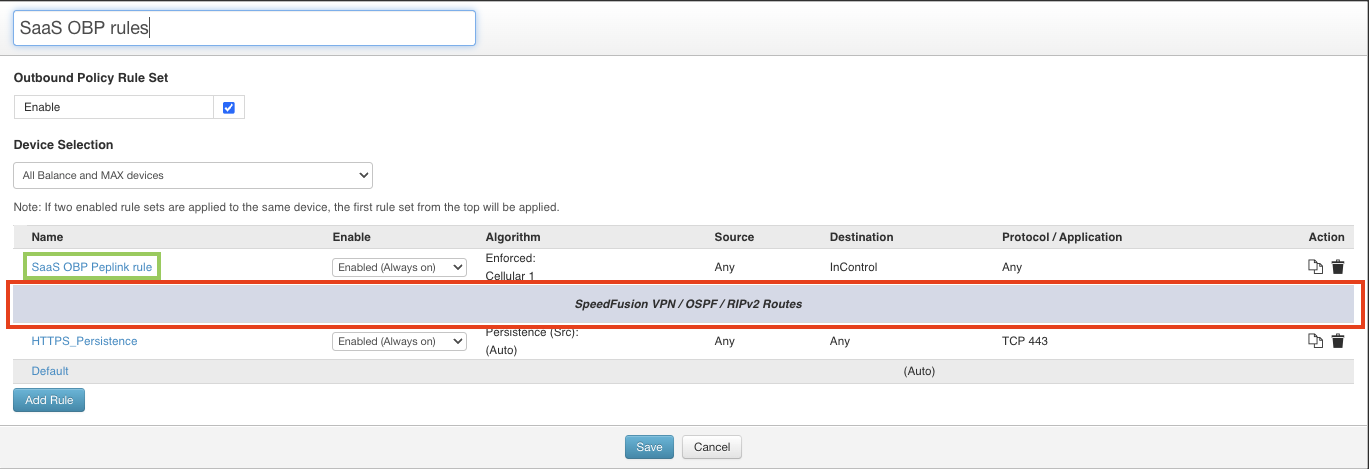
Once you have made the rule, it’s important to drag the rule (in the green box) over the SF general rule (in the red box):
Hope this helps.
1 Like