Hi Peplink Teams,
I would like to know in detail about Outbound Policy with dynamic DNS or Application in peplink balance 580 due to I have manually added IP or DNS in destination.
Thanks,
Hi Peplink Teams,
I would like to know in detail about Outbound Policy with dynamic DNS or Application in peplink balance 580 due to I have manually added IP or DNS in destination.
Thanks,
Hi Sidet,
Welcome to the Forum.
Have you looked at the InControl2 Outbound policy options?
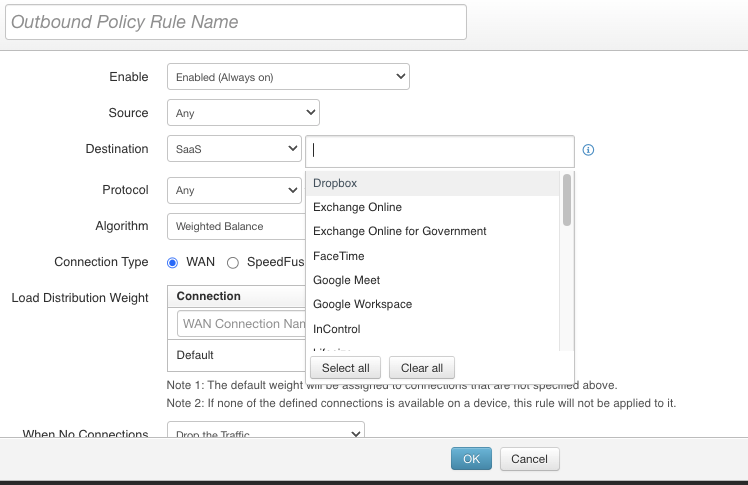
The InControl2 version supports SaaS options:
Maybe there is already something supported for your Outbound Policies
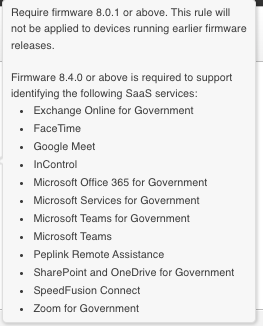
And good to mention that firmware 8.1 is needed for this to work and for some is 8.4.0 needed:
Hope this helps 
Hi Joey,
May I know is it available only InControl?
could you share document Incontrol for configure this thing?
Thanks,
You can configure Outbound Policy on InControl2 (it’s set in the group level network settings) or on-device (Advanced tab, Outbound Policy sub-menu).
HI Sidet,
Yes this is currenlty only available through IC2. It’s not supported on the WebGUI of the Peplink router.
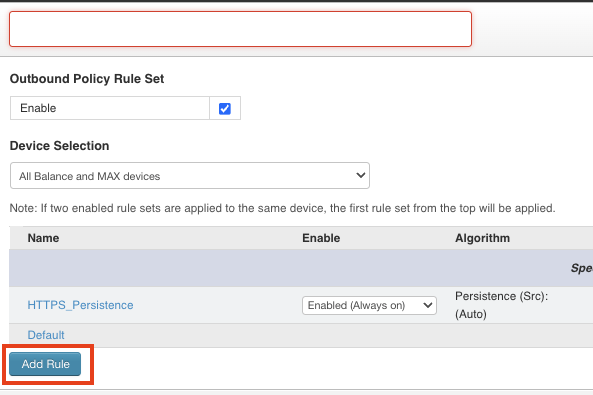
Here is a short guide on how to get to the IC2 Outbound Policies:
You need to click on this blue box “Add Rule”:
And when creating the Outbound Policy rule select your destination SaaS. Just like this picture:
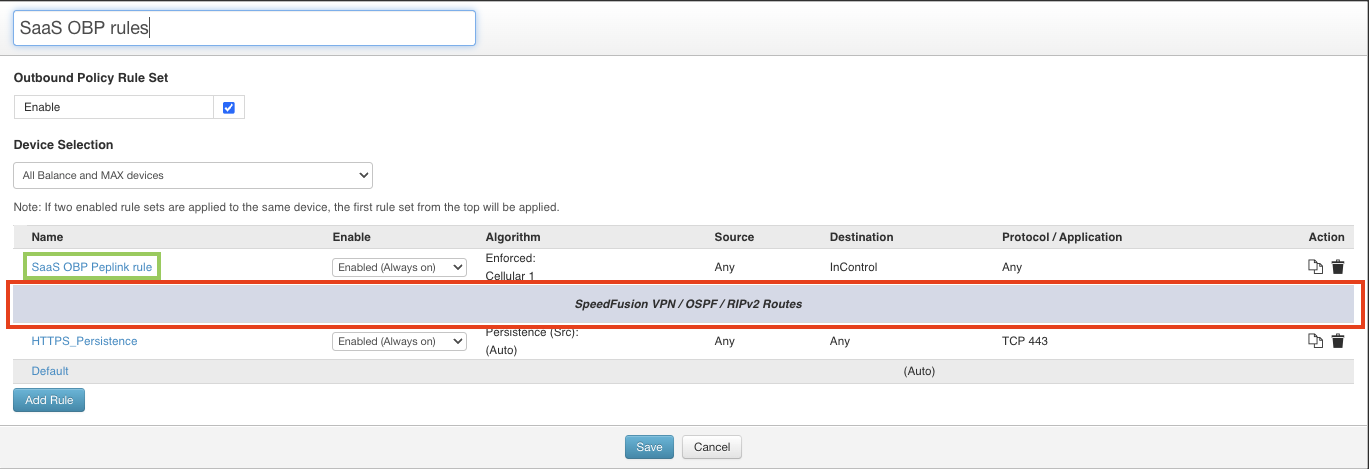
Once you have made the rule, it’s important to drag the rule (in the green box) over the SF general rule (in the red box):
Hope this helps.
Hi Joey,
That’s great thank you.