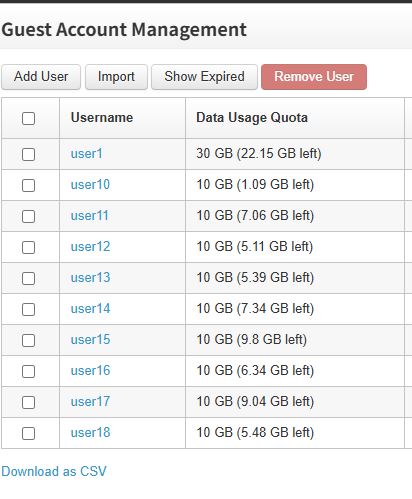
We can check the usage through the incontrol site.
Can the user check the data himself? Not the administrator?
Does the user need to contact the administrator every time?
We can check the usage through the incontrol site.
Can the user check the data himself? Not the administrator?
Does the user need to contact the administrator every time?
Assuming you have Captive Portal enabled on your router VLANs, firmware 8.6.0 introduces an enhanced Guest Session Console feature that allows guest users to view their own usage information.
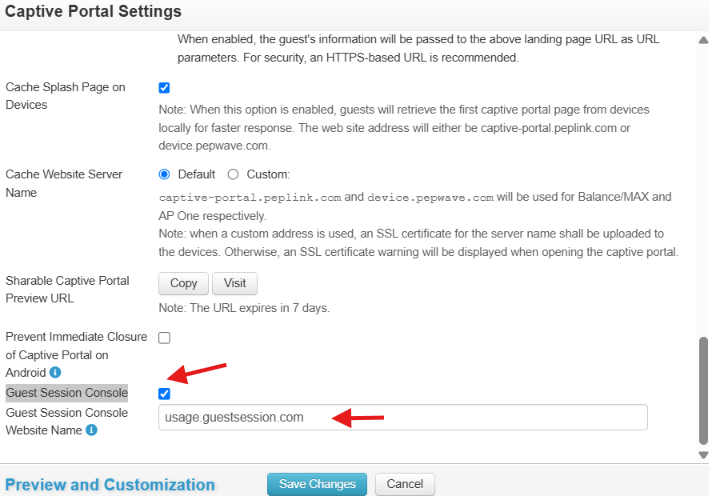
On the Captive Portal settings page, enable the Guest Session Console and configure the Guest Session Console Website Name.
The Guest Session Console website can then be accessed by guest users to view their session details and usage.
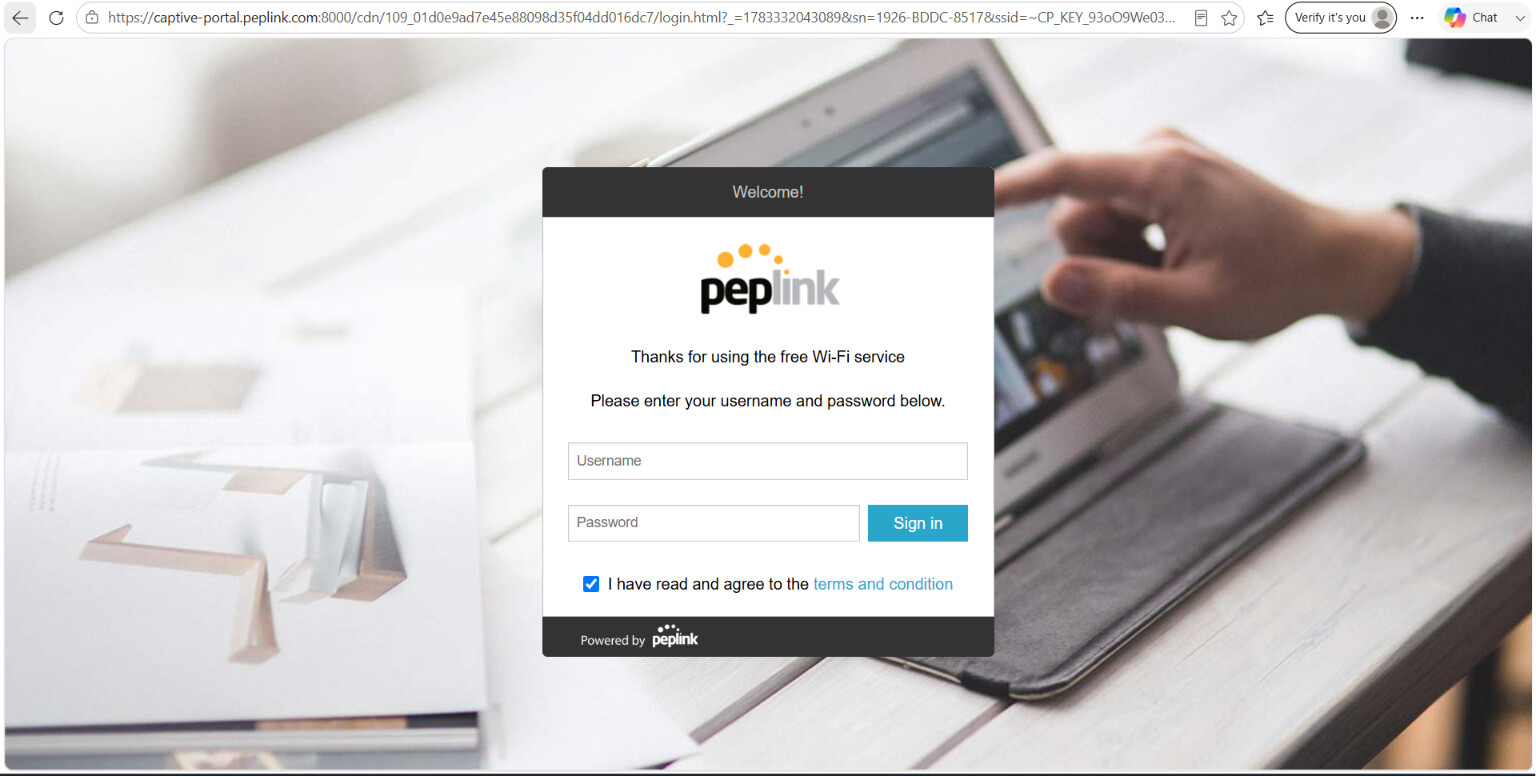
Users first sign in through the Captive Portal login page.
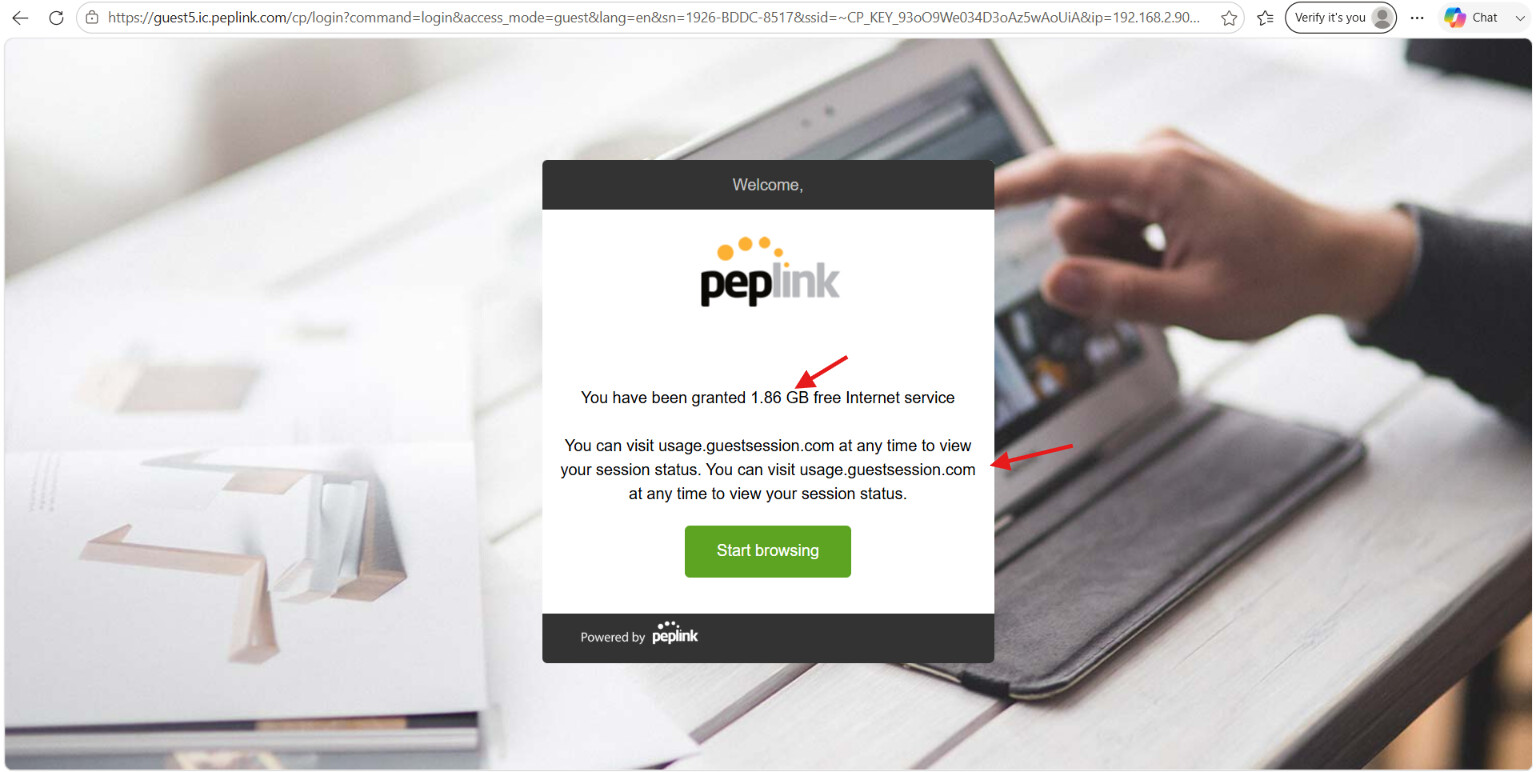
After successfully signing in, the Guest Session Console access URL will be displayed.
At any time, users can access the Guest Session Console using the provided URL to view their usage information.
For this example, the Guest Session Console can be accessed at:
http://usage.guestsession.com
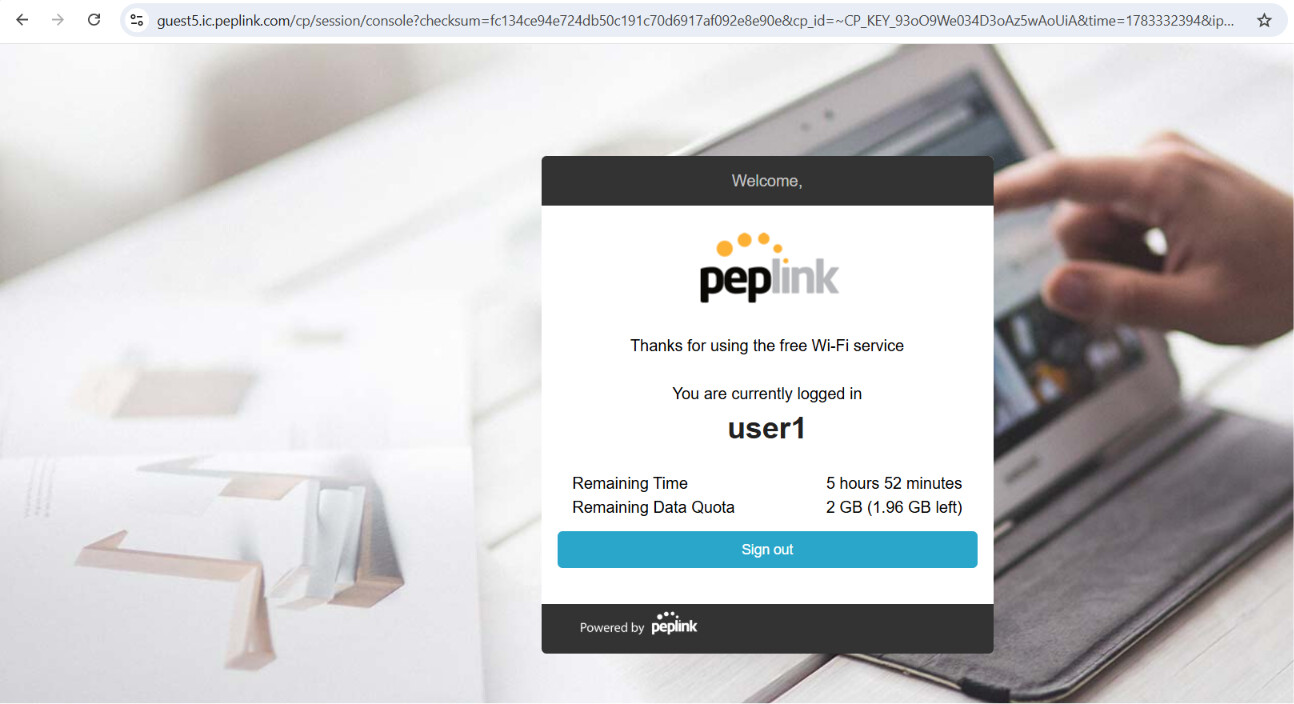
The Guest Session Console displays the user’s session information and usage statistics.
Good!!!THANK YOU!!!