Currently trying to establish a site-to-site IPSEC VPN between two of our Fortinet firewalls. They each have a Peplink B1 plus operating in IP Passthrough in front of them. Each dish has Starlink Business with Public IPv4 addressed being handed from the Starlink to the Fortinet Firewalls. We are unable to get the IPSEC tunnel to establish between the sites.
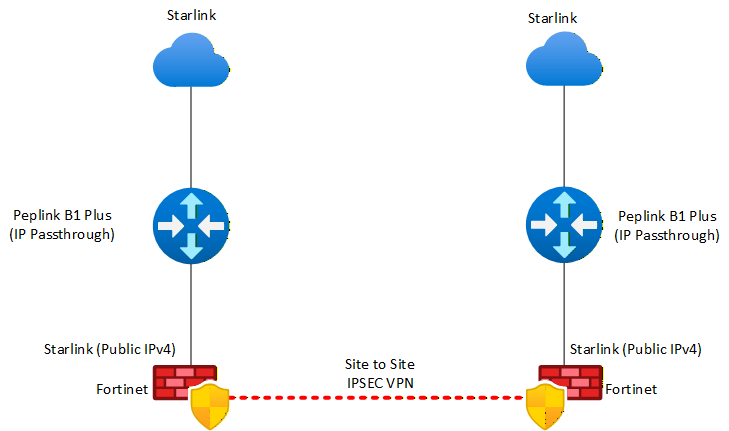
how did you setup the vpn between the firewalls custom , wizard ?
Yes, Fortinet custom wizard, and manually defining the tunnel (config attached). One thing we noticed is that the tunnel establishes when we remove the Peplinks and go directly into the Fortinet Firewalls.
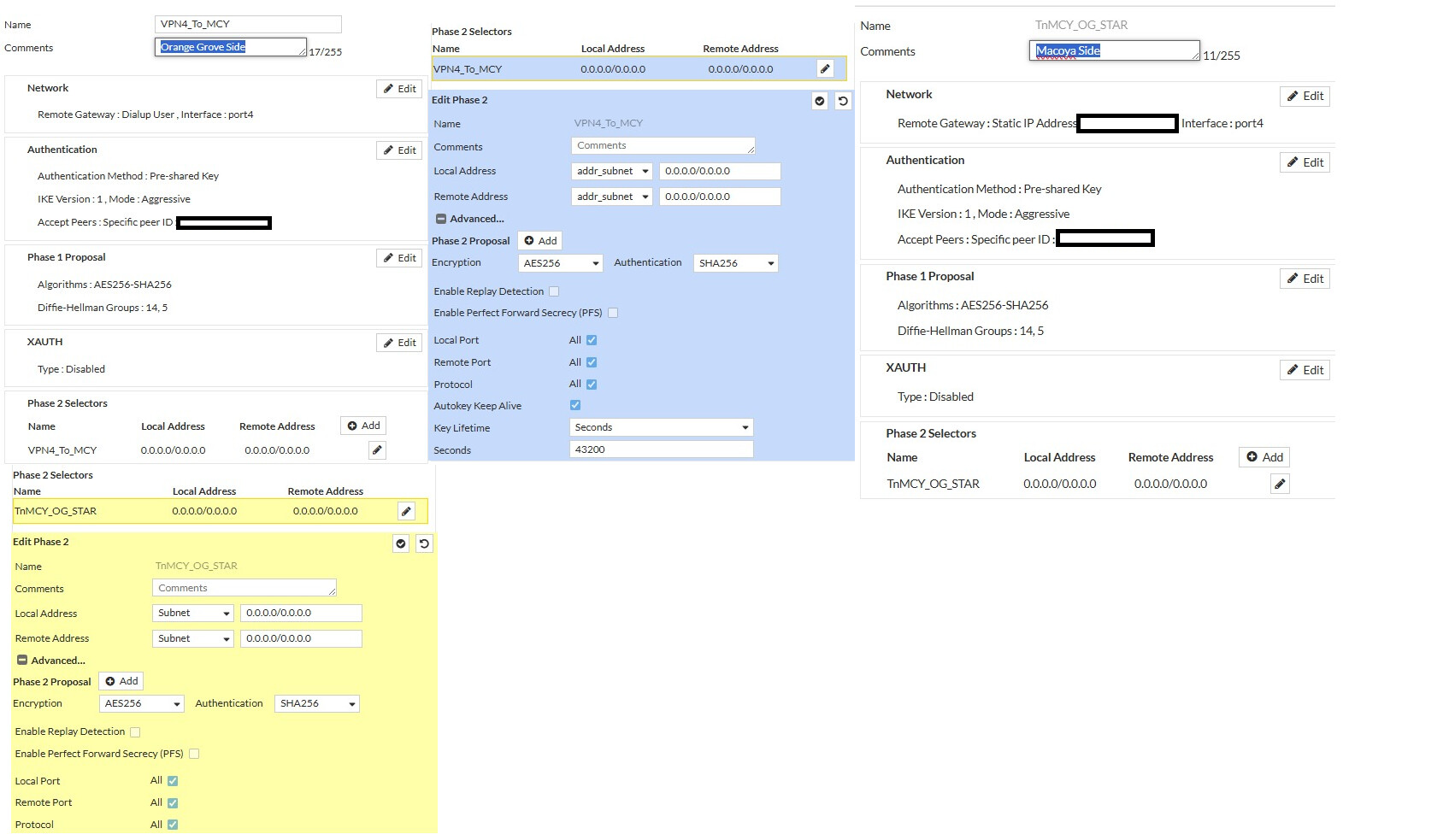
Okay, okay, I was mentioning the way you configured the VPN because, in my experience with Fortinet, if you don’t have firewall rules set up to allow VPN traffic, the VPN won’t establish. But since you mentioned that the VPN connects when you connect the Starlinks directly to the Fortinet, I don’t think that’s the issue.
I see the VPN is configured in aggressive mode. Have you tried connecting the Starlink directly to the Fortinet that will receive the connection? Just to rule out a NAT issue?
What logs do you see on the Fortinet regarding the different phases?
Also have you tried to establish the vpn ipsec using the peplink instead of the fortinet , just to test
Sorry for the late reply issue is still ongoing. We noticed once the peplinks are removed, the IPSEC between the two peplinks comes online. So the issue definitely only occurs when the peplinks are inline.
From the Fortinet side, we tried both Aggressive mode and Normal mode, and it keeps trying to use port 500 to negotiate the tunnel, so it never passes Phase 1.
Did you try instead of using IP Passthrough using the Port Forwarding Feature? sending the IPSec required ports to the local Fortigate IP. Could you share a screenshot of you WAN configuration on Peplink. You can run a sniffer of the IPSec Ports on your FGT to see if the traffic is stucking on the Peplink
We will test and revert with resutls