I’m dealing with a B One which is under attack from a DDOS SYN flood style attack.
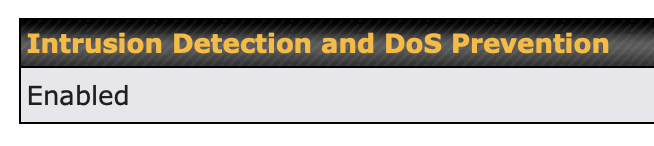
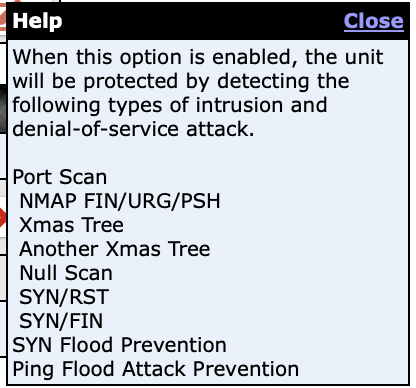
Although the Peplink Firewall claims to block thes sorts of attacks, they are still getting through.
Here’s a macOS bash script to diagnose the attack, counting the # of connections stuck in the SYN_RCVD state:
SYN Flood Logger for macOS
Edit: I have a nice bash script, but the forum software is giving me 403 errors when I try to include it. Likely it doesn't allow some of the keywords in the script? Please send me a PM if you want a copy.
Here is the output of this script on a server under attack:
./syn_flood_logger.sh
--------------------------------------------
Connections stuck in SYN_RCVD
--------------------------------------------
IP Address         Connections  Country
--------------------------------------------
165.154.8.10       16           India
128.14.226.122     21           Taiwan
91.124.18.144      15           The Netherlands
152.32.181.65      17           United Arab Emirates
101.36.97.173      15           United Kingdom
169.197.113.233    14           United Kingdom
107.150.105.104    18           United States
23.93.33.203       10           United States
In the past, I was able to stop this attack using Regional blocking: Link as the attack was originating from a single country (Brazil).
However, as you can see now, the attack is coming from all over the globe (I suspect residential proxies are being used).
Feature Request
- Improve the built-in DDOS protection rules to catch and block these sorts of attacks
- Allow us to customize these rules, for example “If _____ SYN packets are received from the same IP within ____ seconds, block the IP for _____ seconds”
- Add logging so we can see when this DDOS protection is working