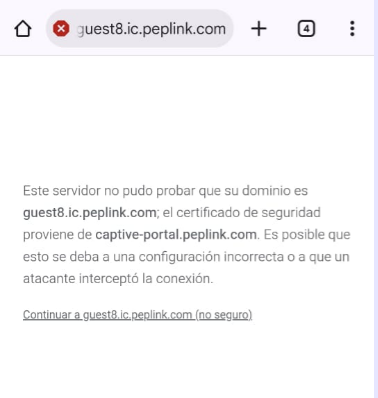
We have some issues with some devices (MAX BR1 mini LTE HW1 and others) that are stuck on firmware 8.3.0.
We deployed a Custom Captive Portal across several platforms and are now facing the “expired Certificate” problem.
Following this post I upgraded the firmware on our devices but can’t find a way to enable the option on our InControl 2.
Now I’m in doubt that the enabled firmware was set to an unsupported one by this other post on the same thread but as no official reply was provided there I’m stuck with my doubts.
Also, checked with other groups and organizations we have access to with newer hardware to no avail… that option is simply not there.
Now, as we already created a wildcard letsencrypt certificate for other manufacturers’ routers we employ or support I tried to leverage on InControl 2 Group Wide Certificate Manager to upload the same certbot generated privkey.pem and fullchain.pem in the relative fields but obtained an error.
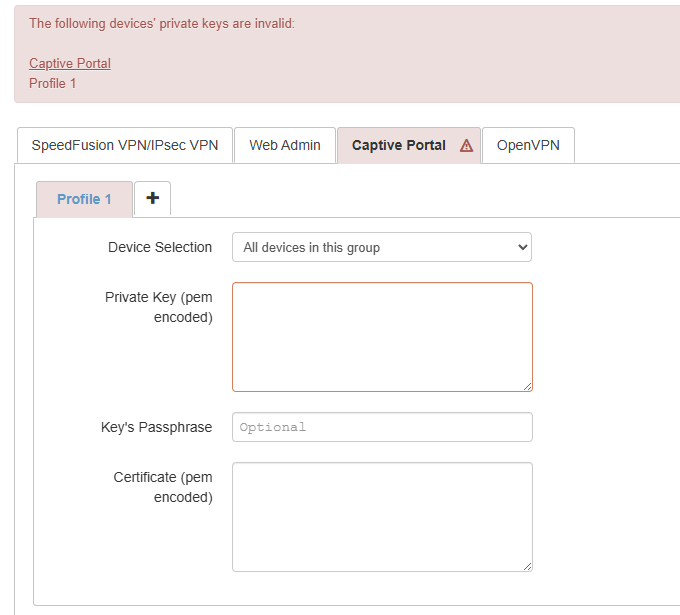
Tried with all of the other files’ combination from letsencrypt’s folder with always the same error.
Same with a different non wildcard certificate.
When uploading the certificate directly through the device web admin the couple privkey+fullchain worked like a charm.
But I’m scared just thinking about uploading these certificates every two months and a half on each router when doing it in an interface like InControl2 would easily avoid me what Germans call Weltschmerz.
Now, my questions are:
- Is it a bug in InControl2? Otherwise why is everything working on-device but not through InControl2.
- Are Max BR1 Mini HW1 stuck to 8.3.0 eligible to certificate Auto Update or this was a thing just for the time of that post and then reverted to only newer devices?
- Was the Auto-Update option removed from InControl2 Device System Management (like, it’s there, you can’t control it) or for some strange reason we can’t see it.
I’ve been as precise as possible as looking around for info has been a pain these last days and I hope someone like me will find this easily with, possibily, a solution to their problem.
Thanks in advance.