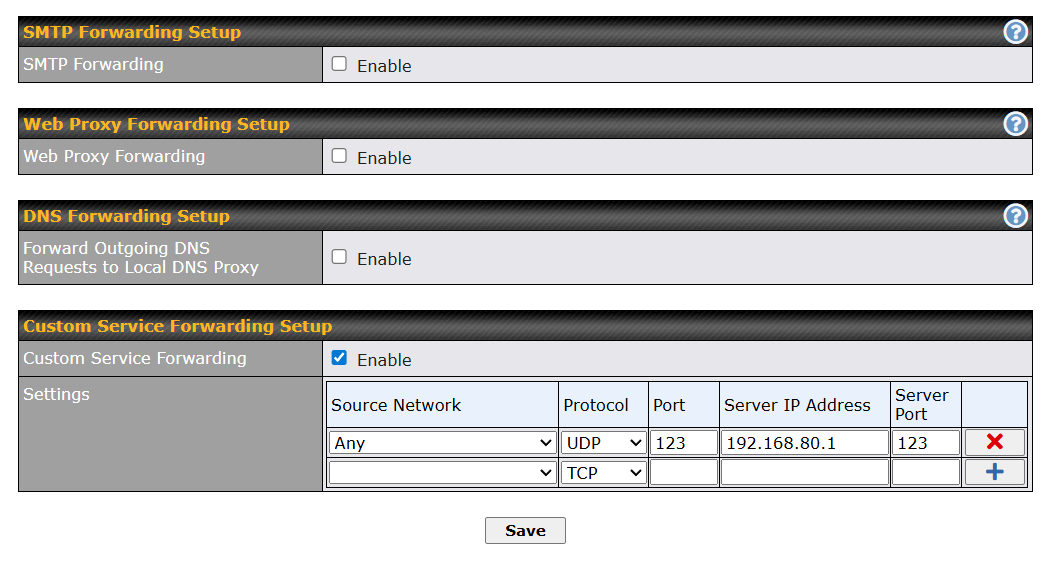
I’ve enabled NTP service forwarding on my BR1 Pro 5G (rev 3):
However, ChatGPT seems to think this only works on high end Peplink hardware like Balance or Fusion.
🟡 Practical Reality on BR1:

You can’t transparently redirect NTP traffic with service forwarding.

Why?

BR1 does not have a NAT redirection engine for arbitrary UDP services

Service Forwarding on that model is non-transparent

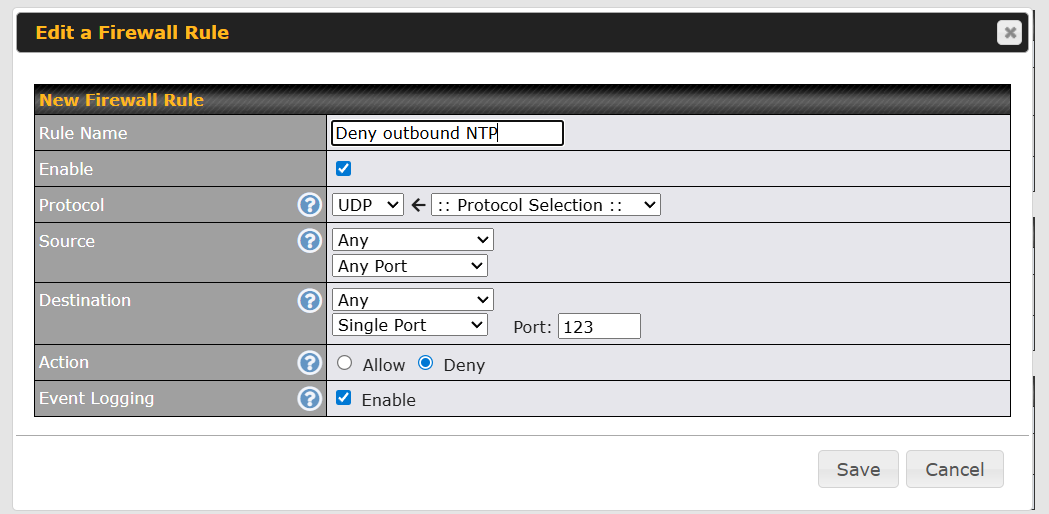
Your firewall rule blocks traffic before any forwarding rule applies
I’m trying to save my expensive cellular $$$ and I thought low hanging fruit would be having the Peplink handle the NTP tasks.
Here’s what I have done:
-
Configure Time to us GPS only
-
Turn on NTP server
-
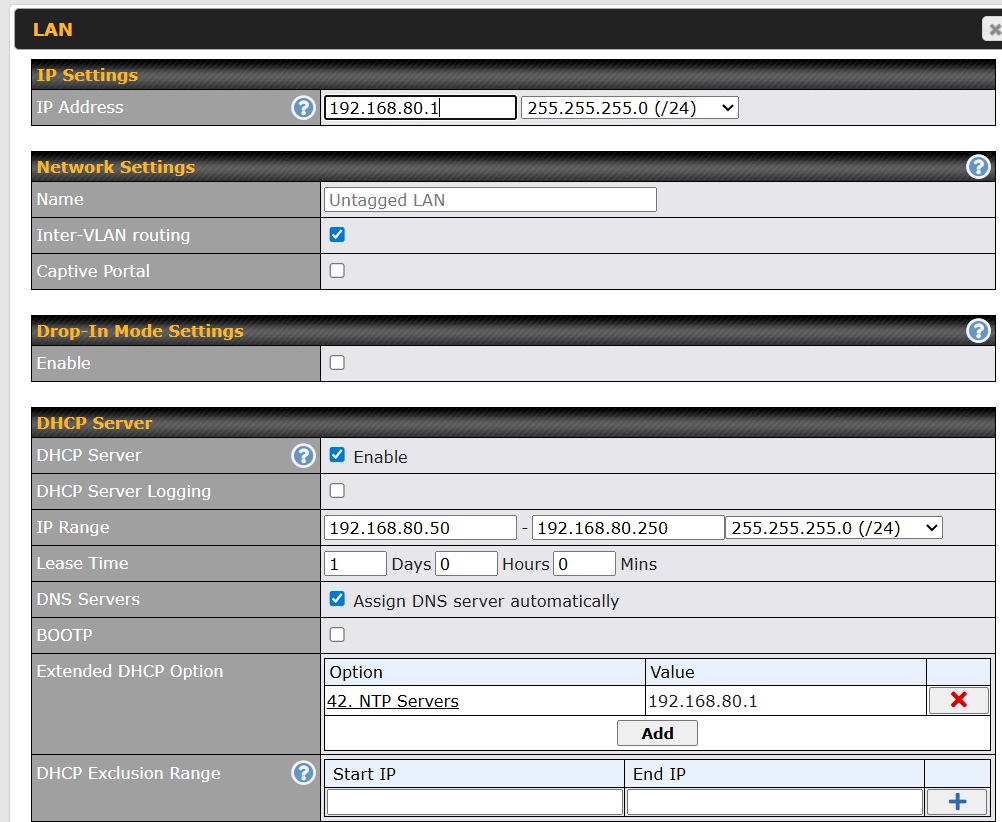
On my untagged LAN, I have set extended DHCP options for NTP
-
I have created an outbound firewall rule to block NTP traffic
-
And finally, I have added the NTP Service Forwarding
Sorry to bring AI into this, but I’m an utter newbie struggling to get my router set up in my camper van, but chatGPT is very patient with me although wrong about 50% of the time. Hence, my asking for clarification.
So did you do anything to test and see if this is working, or just asked an AI that doesn’t really know the answer? 
I’m not really sure it knows what it is talking about as you have found the right config options to perform the redirection for “arbitrary UDP services”.
The bit about firewall rules might be correct though… see my comment further down.
BR1 Pro 5G is not exactly a low end device.
How expensive is your cellular data, NTP packets are tiny, like really tiny.
I just captured an NTP exchange on a Mac to check this, including checking against 4 time servers out on the internet the entire exchange was less than 1 Byte, do you have some badly behaved device spamming millions of requests a day to make this a thing to even consider?
This will only impact clients that actually ask for or respect the server you send them, some things may use whatever you feed them from DHCP and also continue to use whatever NTP server their OS thinks might be best.
Which rule list did you add this to, they relate to where packets are going from and to in different ways, do you see anything hitting the logging in the Events Log for denied traffic?
I’m not entirely sure to be honest where in the chain the service forwarder comes into play, either pre or post firewall rules… might need someone else to clarify that.
Either way your config apart from the firewall rule looks to be correct, though I’d again suggest there might be more significant things using up data in the background that would be better to try and clamp down on if you’re worried about burning cellular data - do you have InControl2 enabled for this device for example, that alone will use more data a day calling home by default I’d expect than a bunch of devices on your LAN making NTP requests.