Hi - Just purchased a 5G router (InHand) with the intent of providing IP passthrough to my Peplink Max Transit Pro (CAT-18, non-5G).
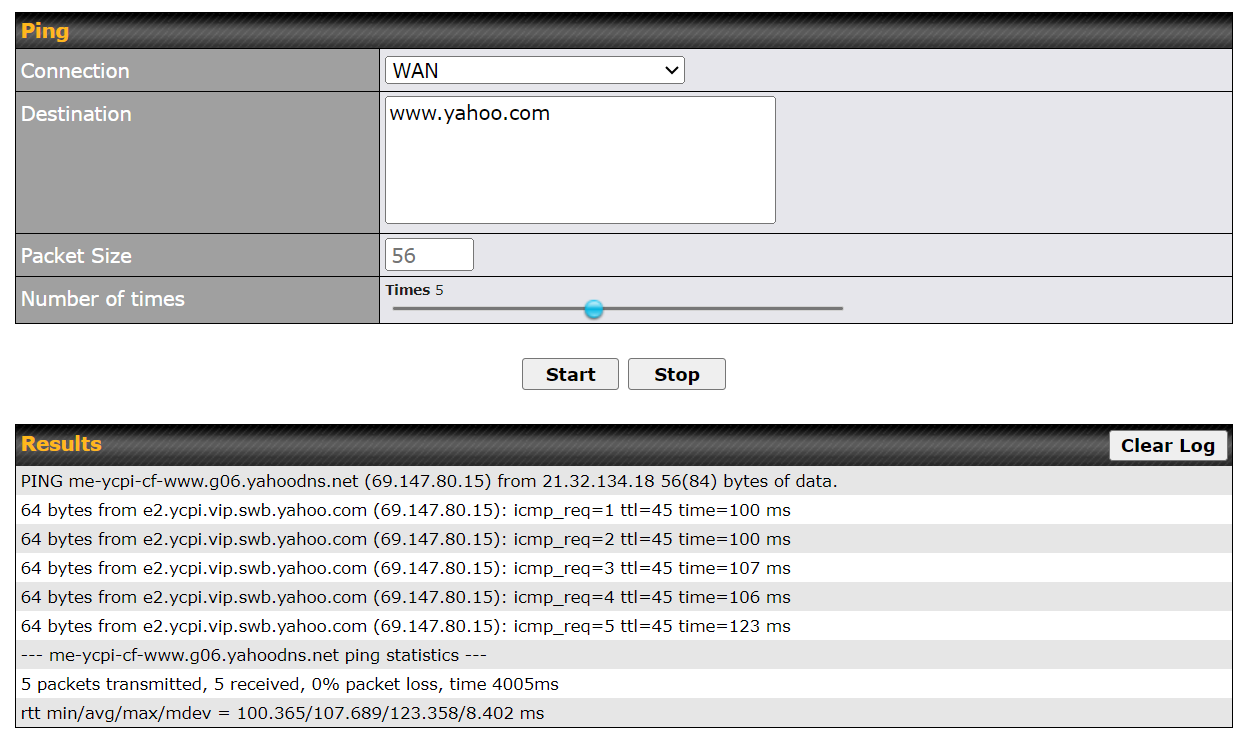
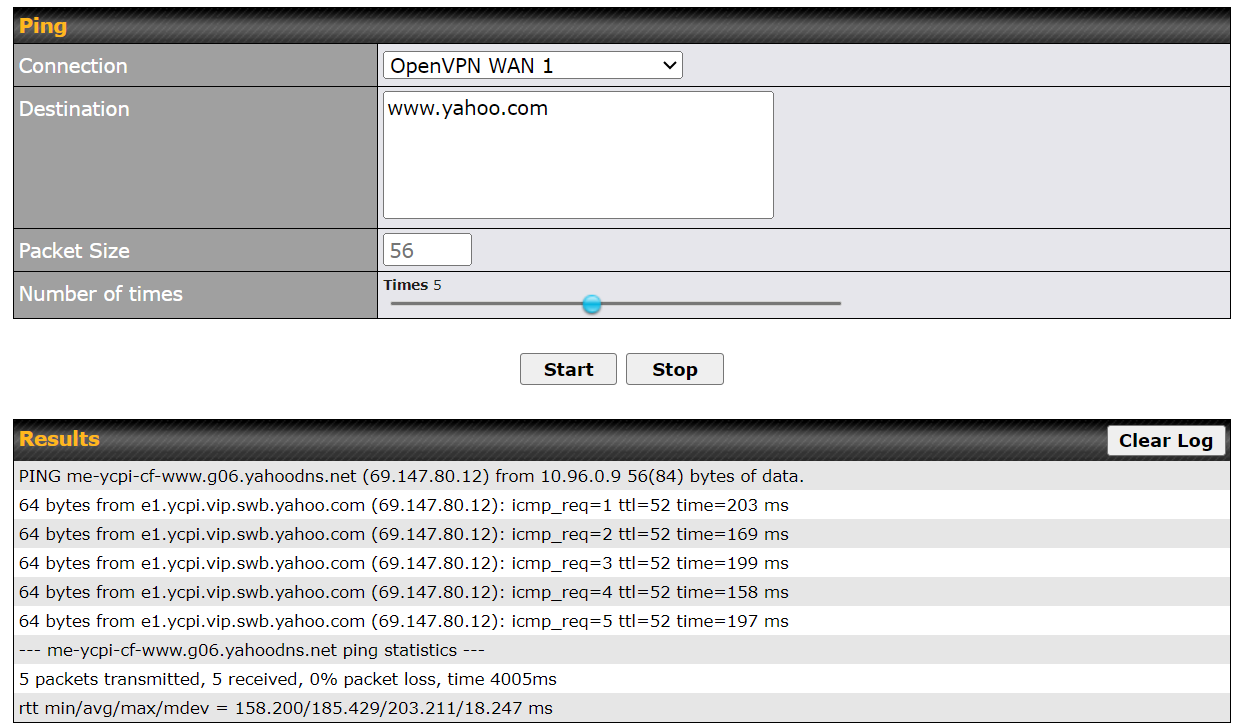
I’m sure I’m doing everything right, but I can’t reach the Internet from a laptop connected to one of the Peplink networks. Doing the PING test over the WAN looks successful. Interestingly enough, DNS does work over an OVPN client connection on the Peplink. Not sure what I’m missing - so any assistance appreciated!
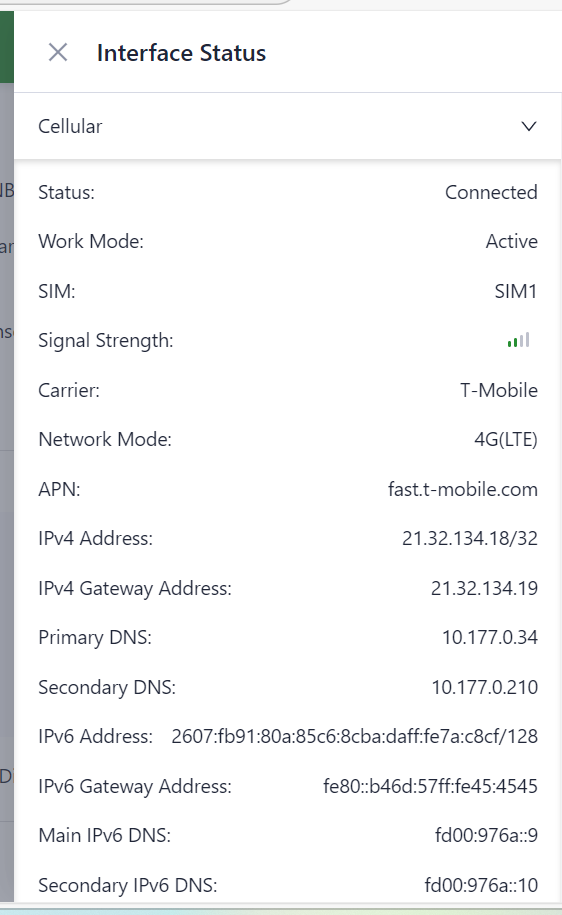
Cell Status on Upstream Inhand Router
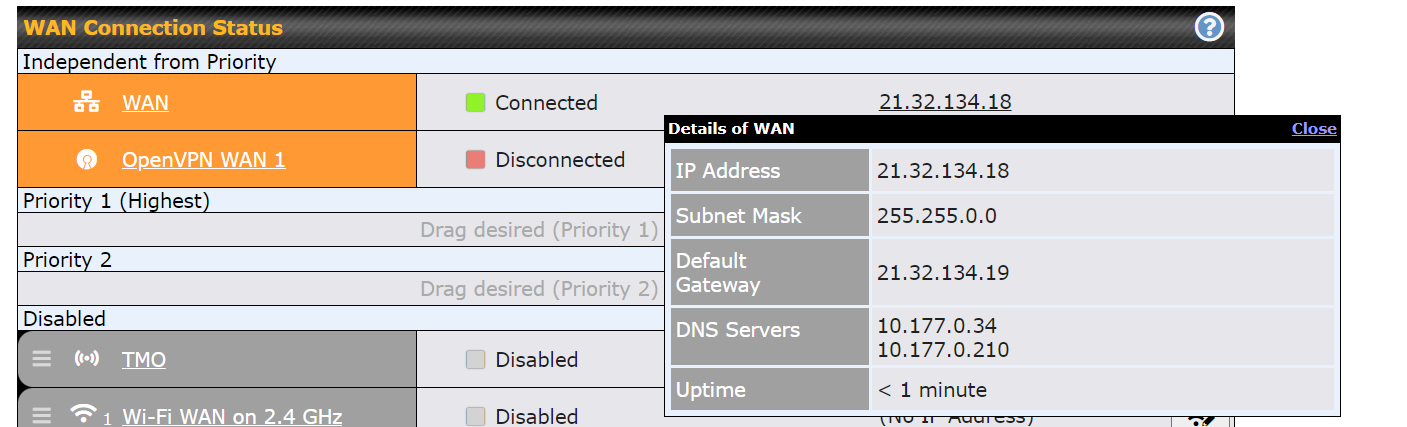
Peplink WAN Connection via Passthrough
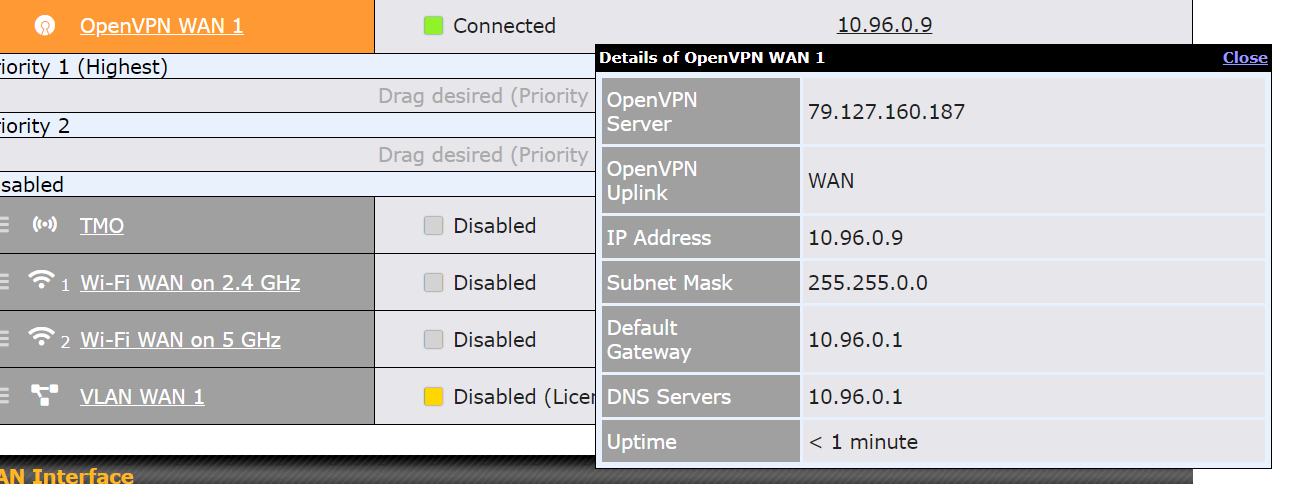
Peplink OVPN Connection via Passthrough
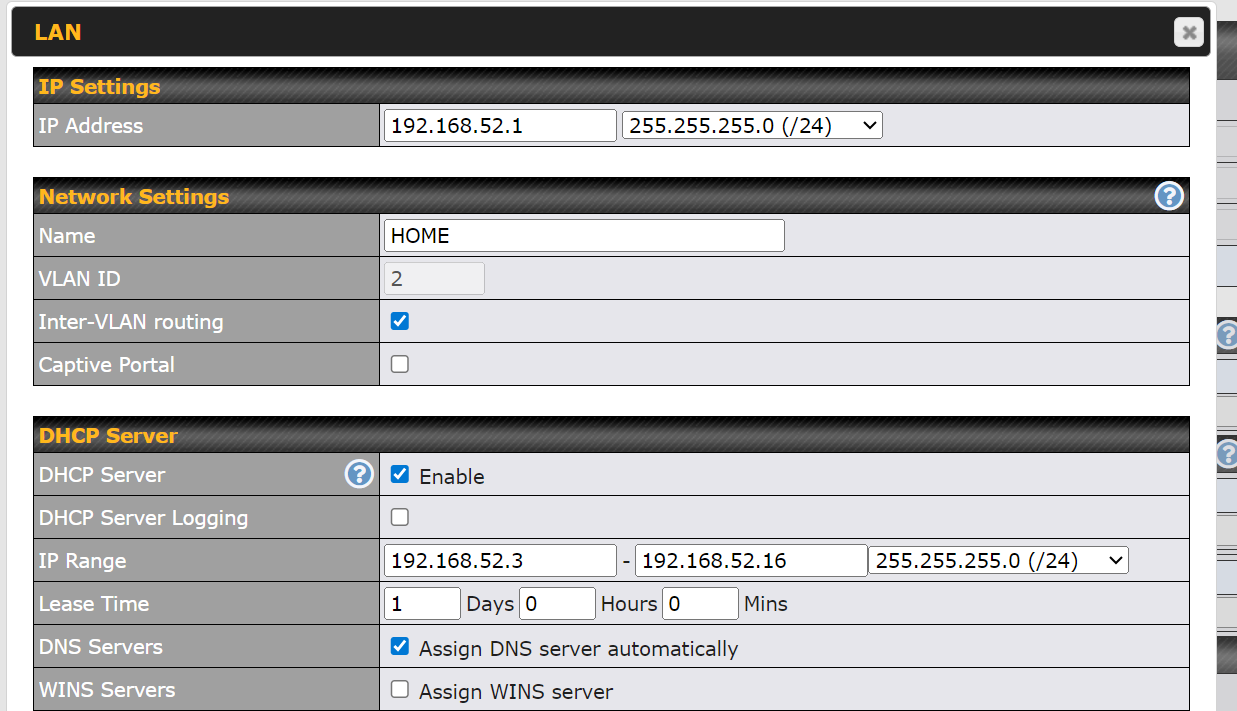
Example Home Network with DNS Auto Assignment
Successful PING from tool over WAN and OVPN
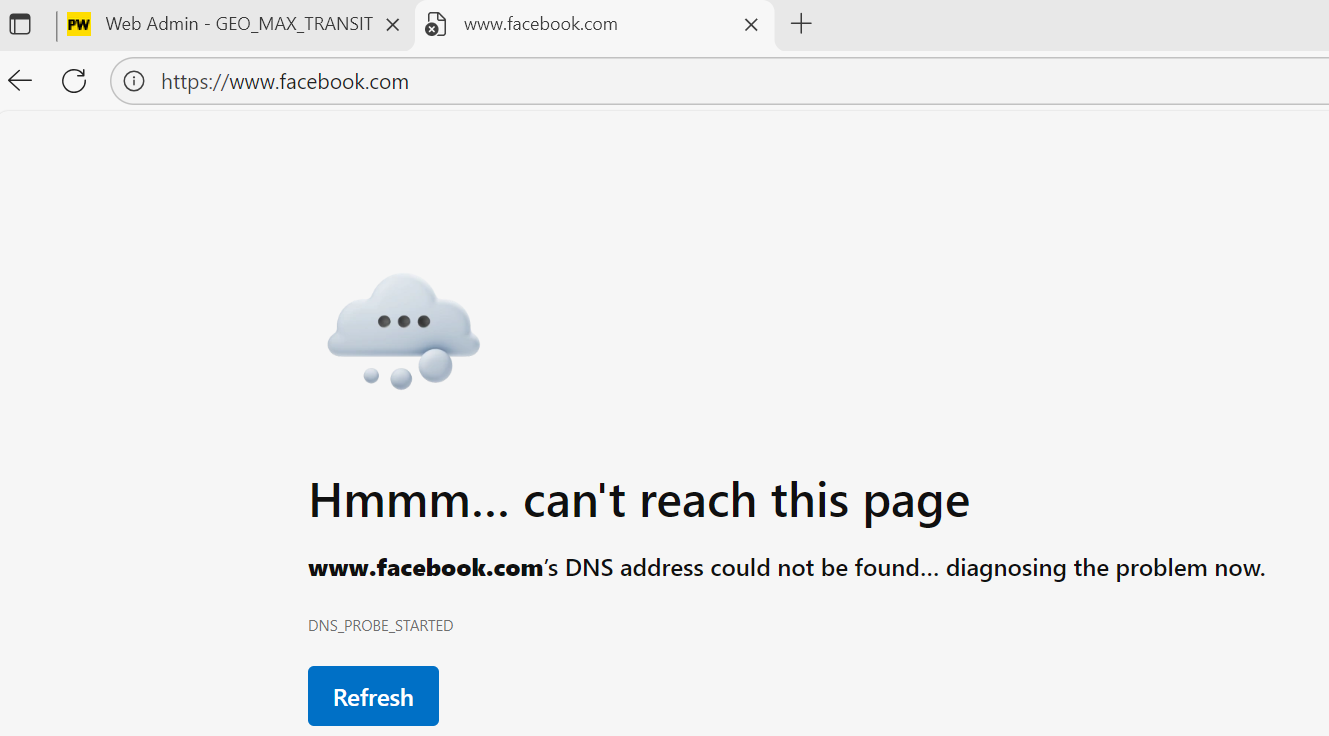
Facebook Lookup Fail while connected to HOME Wifi LAN
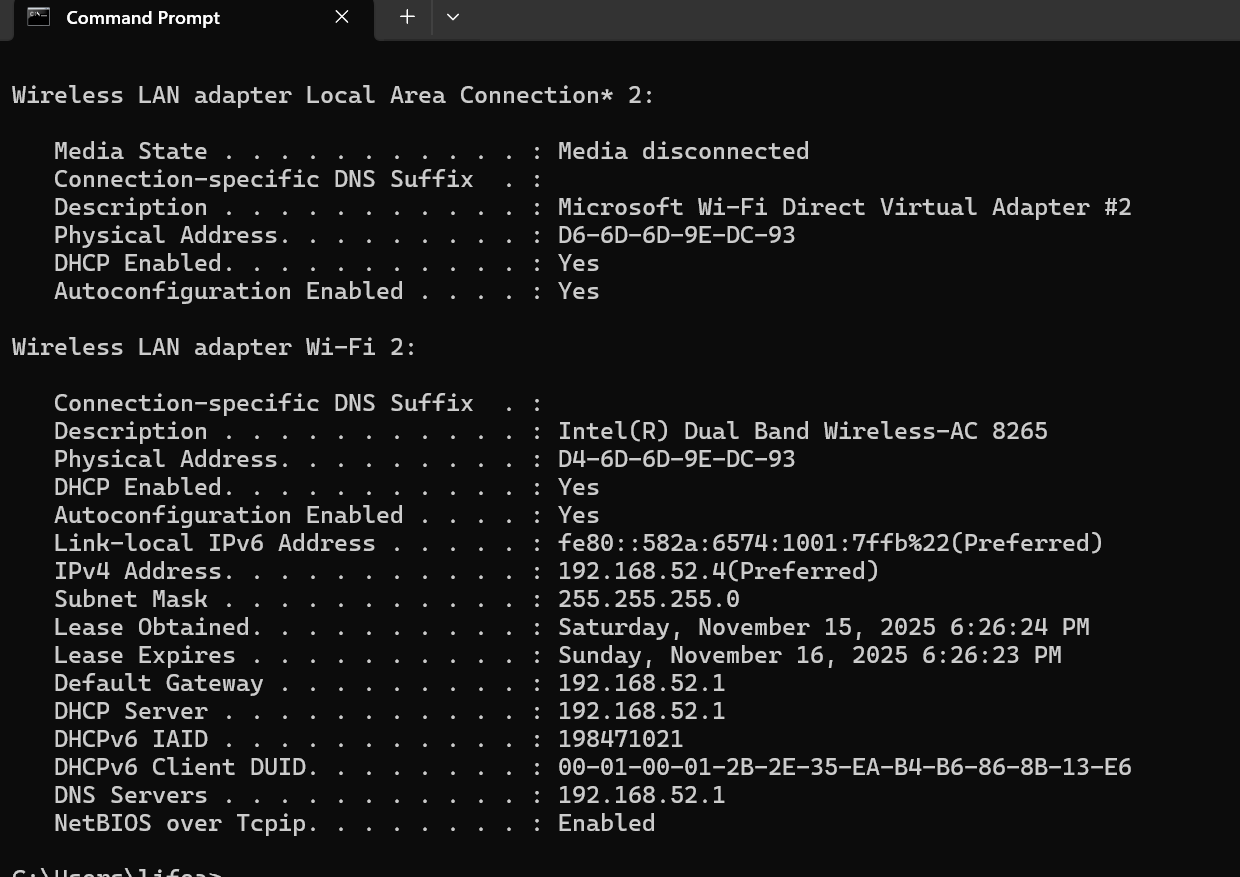
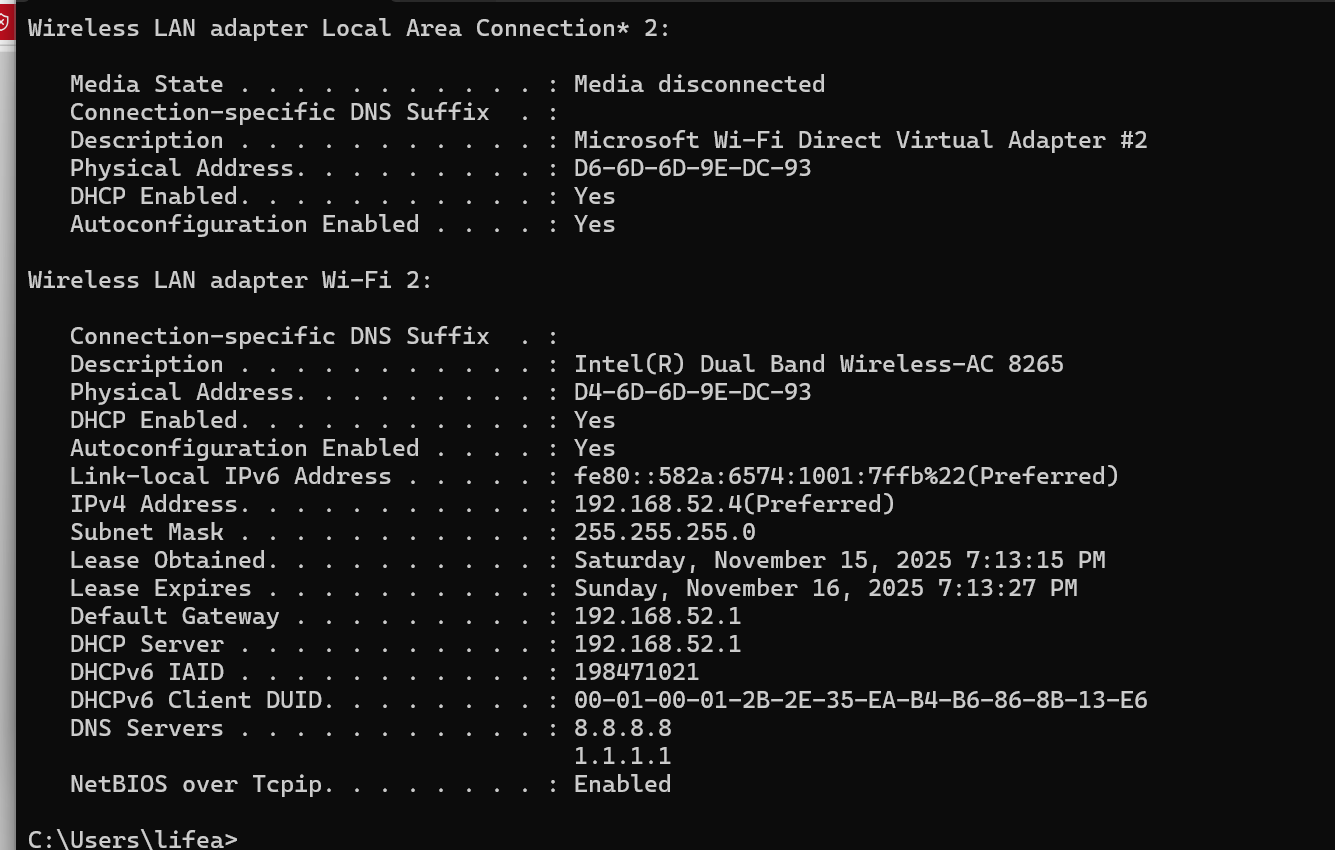
IP Config of laptop connected to HOME Wifi LAN (after dns flush/release/renew)
Hi, @georgeeo
Weird…
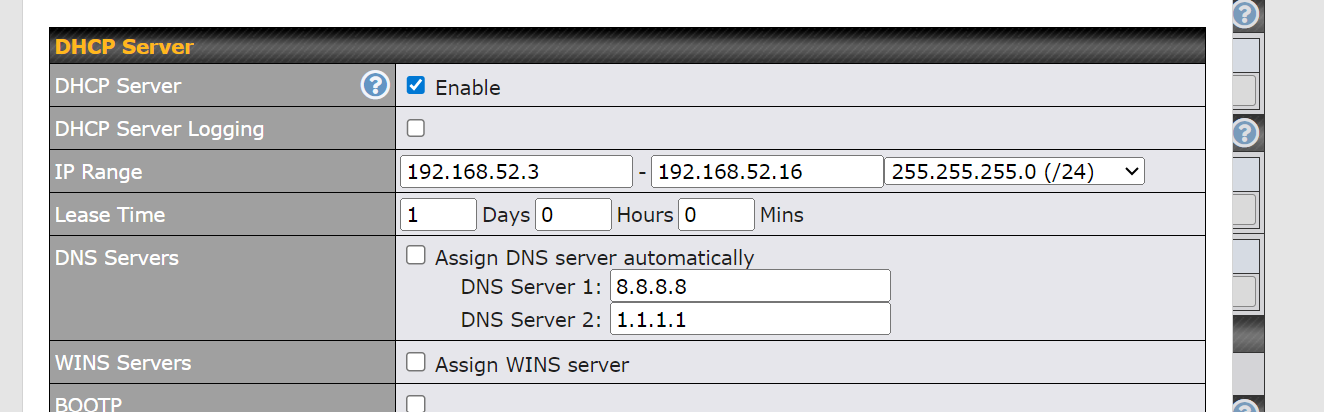
but… try to configure your peplink, at network dhcp setting to provide google dns servers.
Sample

disconnect your pc and connect it, again… do a ipconfig to check the new dns server.
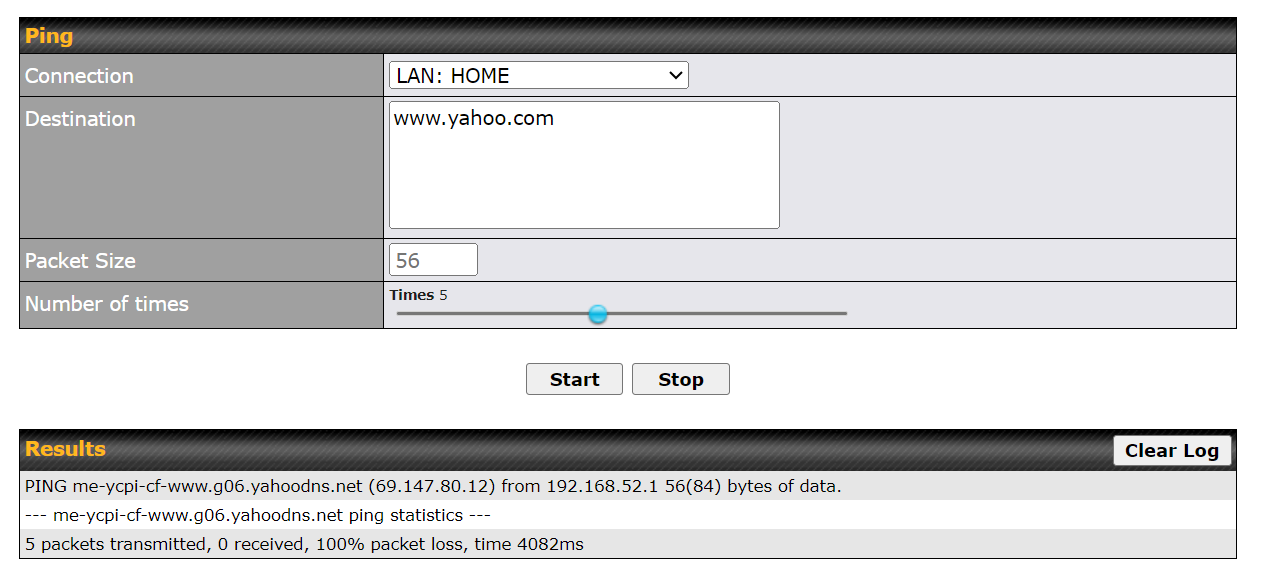
(follow on - PING fails over LAN)
OK - did what you said (assigned 8.8.8.8 and 1.1.1.1 to HOME wifi network).
IPConfig flush / release /renew shows only 8.8.8.8 and 1.1.1.1 as laptop DNS.
Ping test over HOME Wifi LAN still fails.
I would wonder if the 5G router likes cascaded routers.
I have come across devices which don’t pass traffic if the TTL value passed to it is decremented, ie the packet passed through an intermediate router on the way.
You don’t seem to have a DNS problem, but a transit problem.
Is the WAN set to use NAT? That might work. If you can set the TTL of your connection to it’s usual value +1 (like 65, or 129), that would be interesting. It looks like you’re using Window, I don’t know how you’re do that.
Or can the 5G router be set to NAT instead of pass through?
WAN is set to NAT (was originally).
Set TTL to 127 on Windows adapter (netsh int ipv4 set global defaultcurhoplimit=XX - using elevated prompt, per AI  ). Didn’t work.
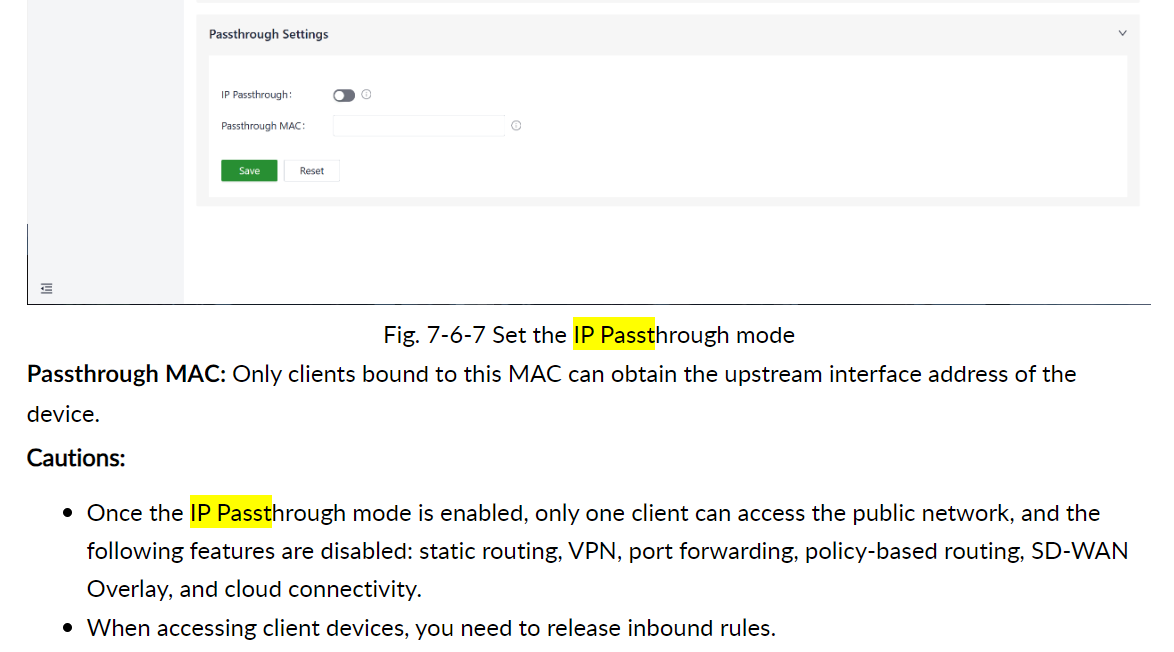
Don’t see any reference to NAT in router user guide, except under VPN / L2TP Client.
And this is all it says/shows about IP passthrough on the 5G Router:
Wow. This was totally my bad, and I feel stupid. Previously, I had the SIM installed in the Peplink, and I had weighted balance set up to forward traffic out of a disabled WAN (the cellular WAN previously set up on the Peplink).
Carry on! Too damn much stuff to remember …
But I appreciate everyone chiming in.
2 Likes