So as the title says, i was doing some work on the vlans on Incontrol, now the default vlan on the router set itself to 4094 and i cant change or return it back to 1, any idea how to do this? I’ve reverted the configurations and nothing seems to fix it as soon as it connects to Incontrol it resets to 4094
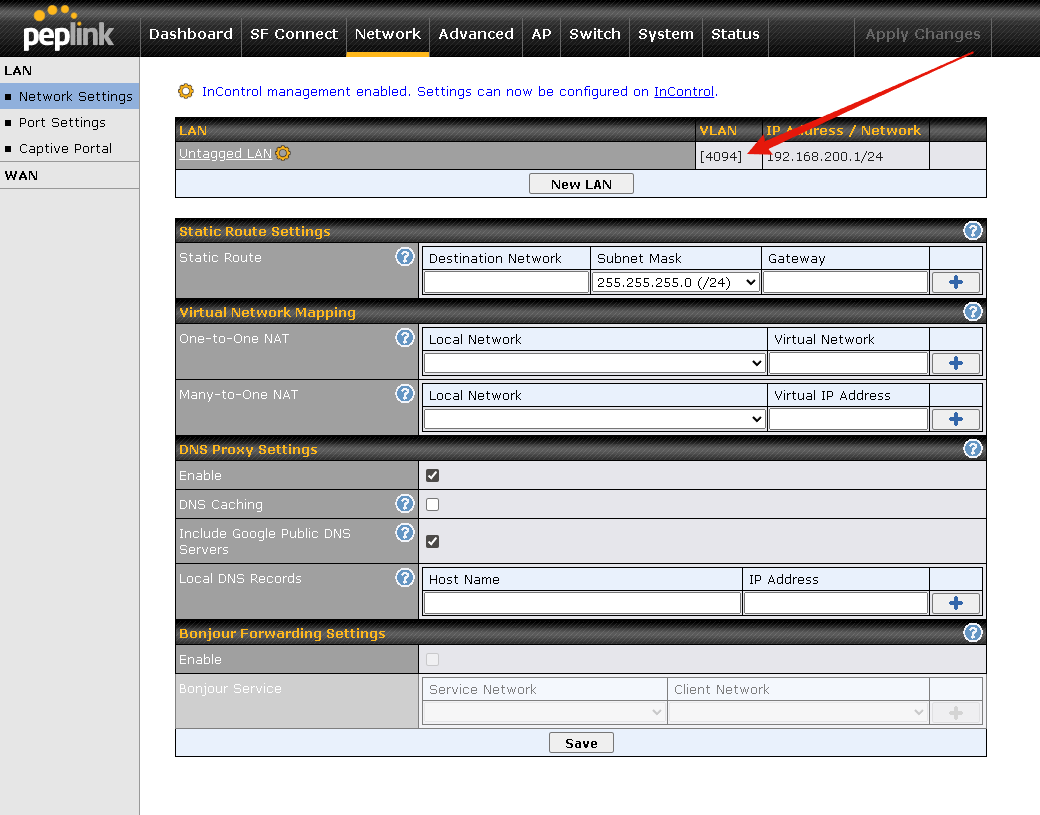

Turns out if you have SSIDs tied to a vlan that gets wiped and then you change it to vlan 1 it “locks” the vlan so the router cant use it, and bugs out, you have to either remove all SSIDs from incontrol or change them to another vlan or disable them so the router can recover vlan 1, its wierd but this is how i solved it, in case others run into the same issue, if you are going to use SSIDs and vlans you need to remove the vlan tagging checkbox from the vlan settings area, or this happens.
1 Like