Hello,
i have setup a Wifi Solution using Captiva Portal out of InControl on a specific VLAN.
The Captive Portal works perfect.
Is ist possible to allow a client (MAC Based) to directly connect to the network without the need to authencticate to the captive portal ?
In particular, i want to connect a beamer to the same network as the guest clients 
Many Thanks
Thomas
2 Likes
yes, that would be useful… although I want PPSK support, which would be even better
Yes. Add its MAC address to the allowed clients list and it will bypass captive portal.
2 Likes
Hi all, I let myself diged out this
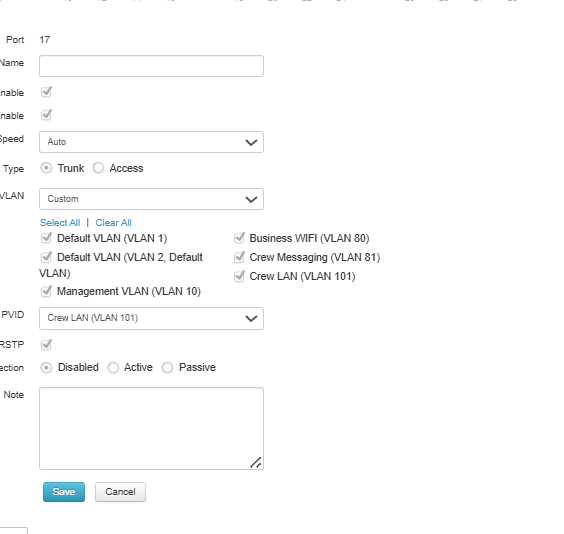
I’m encountering a problem with device connectivity in InControl2 related to VLAN and captive portal configuration.
Setup details:
-
The device’s (MAC address is on the allowed list)
-
The (default VLAN) on the switch is set to a different VLAN that uses a captive portal (in my case, VLAN 101).
-
The device successfully receives an IP address from the correct VLAN, and the AP as well as all SSIDs work as expected.
Issue:
Despite proper network operation, the device shows as offline in InControl2!!, and I’m unable to access it via InTouch.
Objective:
I need this VLAN setup to publish an application, but when the default VLAN on the switch differs from the one configured on the network, the device becomes unreachable from the end-user side.
Has anyone experienced similar behavior or found a workaround for this situation?
Any suggestions or insights would be greatly appreciated.
Thanks in advance,