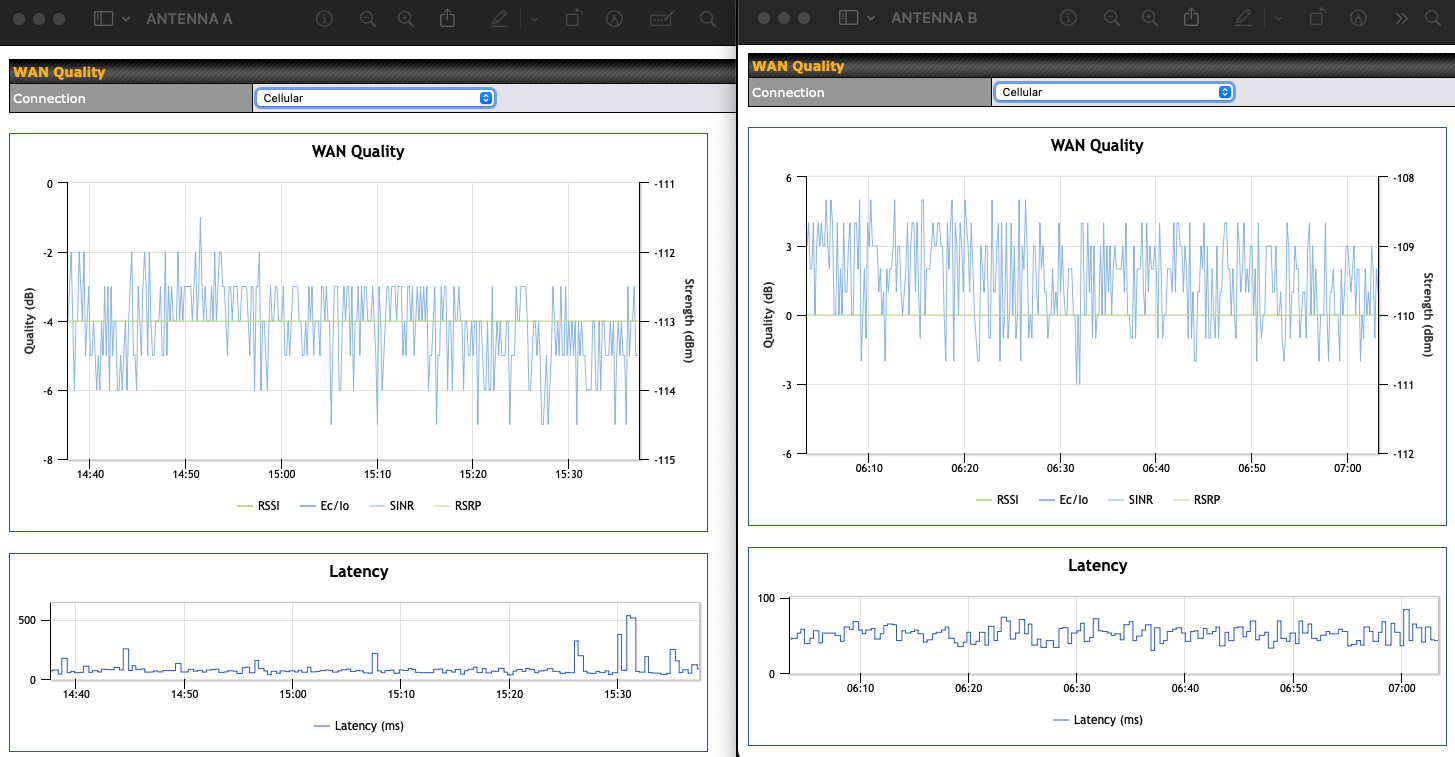
I am confused on these graphs on which antenna is better. When connected to antenna B my dashboard shows " Signal issue detected on “Cellular”. Potential weak signal on the antenna(s). More information can be found here" but not on antenna A even though the graph to me looks like B is slightly better?
There is not enough info to compare. you’d need to know which frequencies you’re connected to as well really. if you click on the IP address given to the cellular module on the dashboard you’ll see the bands and their individual signal metrics:

1 Like
Thanks Martin! I pulled a screenshot of the band I’m currently seeing with antenna B, I’ll go swap back to antenna A shortly and grab that screenshot.
I see currently the “band” field but I don’t have “secondary band (SSC1)” like your screenshot shows.
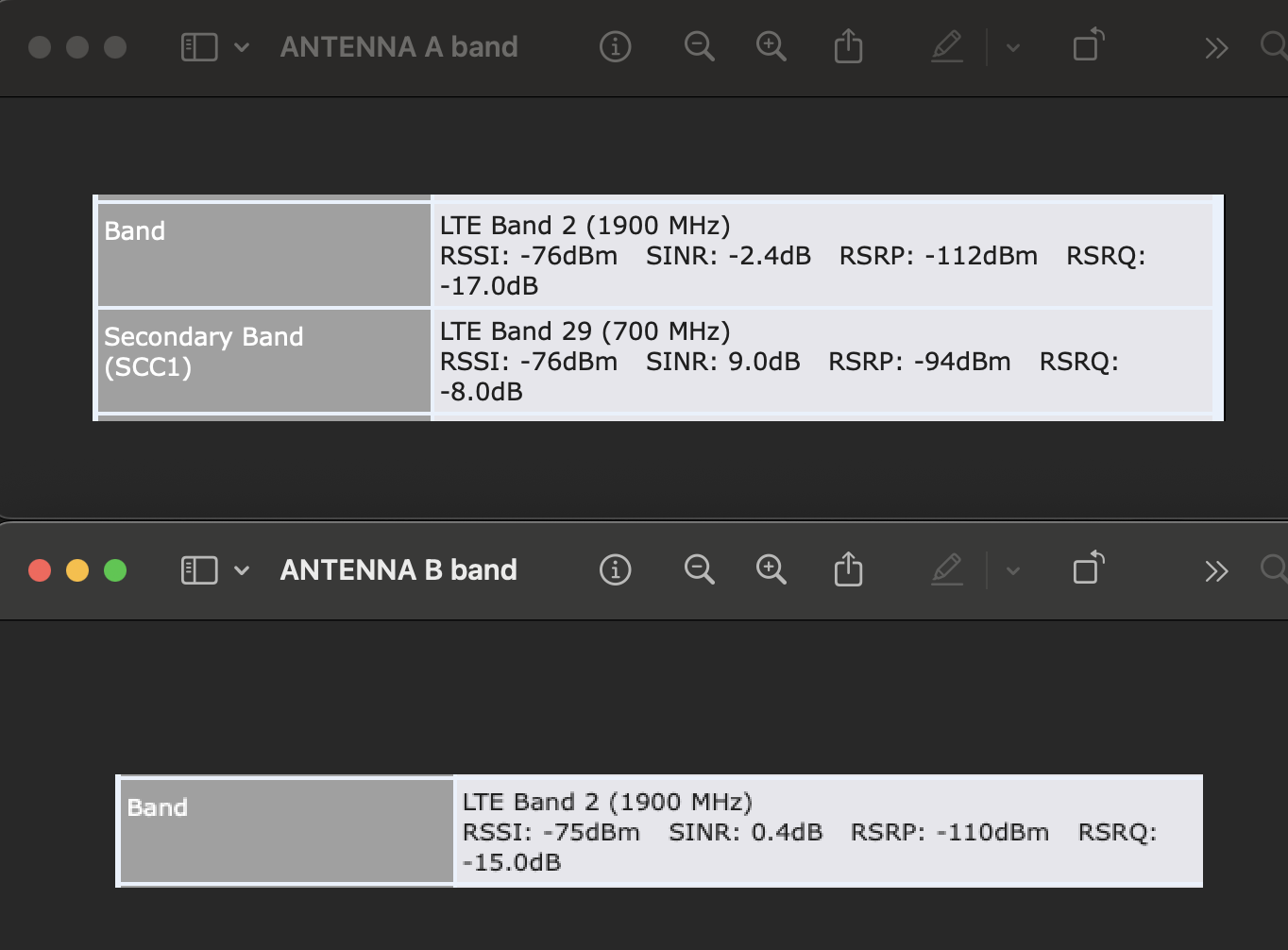
I’ve never really paid attention to this information but I’m seeing it flip around to different bands a lot, like every few minutes so I’m not sure if the bands I captured for each antenna is accurate enough to validate which one to use.
- Signal Strength (RSRP): B is ~2 dB stronger → small but real.
- Signal Quality (RSRQ): B is ~2 dB better.
- Interference/Noise (SINR): B is much better (0.4 dB vs -2.4 dB).
So Antenna B is clearly the better performer at 1900 MHz. Neither antenna can solve your LTE conditions, but B is at least pulling the SINR into positive territory.
For me the most interesting reading is the RSRP which at 110dBm on both suggests you are in an incredibly crowded environment. Where is this? in major city?
2 Likes
Makes me think of this:
1 Like
Thanks Martin!  Yes currently my RV is at home in Kansas City and AT&T is very congested here so that makes sense. I’m super confused if B is better (it should be its roof mounted vs inside) why was my device giving me a warning about “signal issues detected on cellular” that didn’t go away all day until I rebooted (I actually turned off the 12v batteries while doing another project). I’d never see that warning before even in very weak signal areas like where we park our RV when not in use.
Hey there!
Just adding some more thoughts along with Martin.
Well worth trying to lock out certain bands - often you’d see some bands be much more congested than others despite signal being decent.
Have you played around with turning of certain bands under the Cellular?
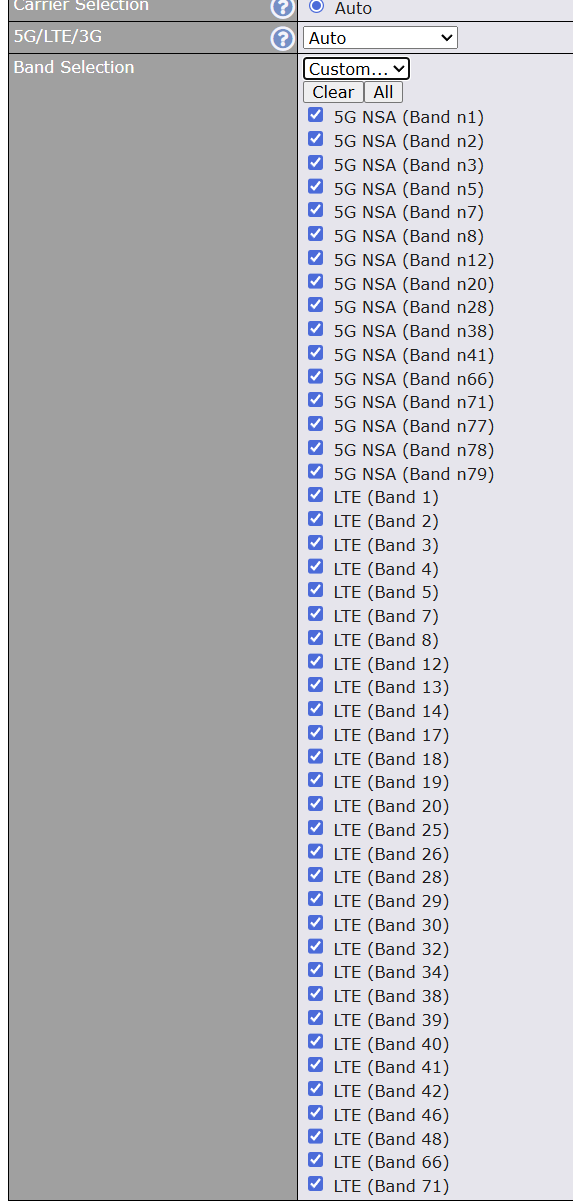
Give an example - down under (NZ / Australia) we often turn off band 1, 3 or 7 - or all and run only on band 28 due to congestion in larger cities. You should investigate what bands you work off in the area, and play around.
2 Likes
I’ve never looked into it much, my background is in networking so I left the cellular alone and left auto anywhere I could. Since we travel around the entire US would band limiting for LTE (cellular is really only used when Starlink is off on travel days or when the RV is stored on our families land) be worth doing with the fact we move around?
Always worth it to get best out of the situation - I am not super familiar with how all the US carriers do stuff, so worth reaching out to your local Peplink rep and see what they say.
1 Like