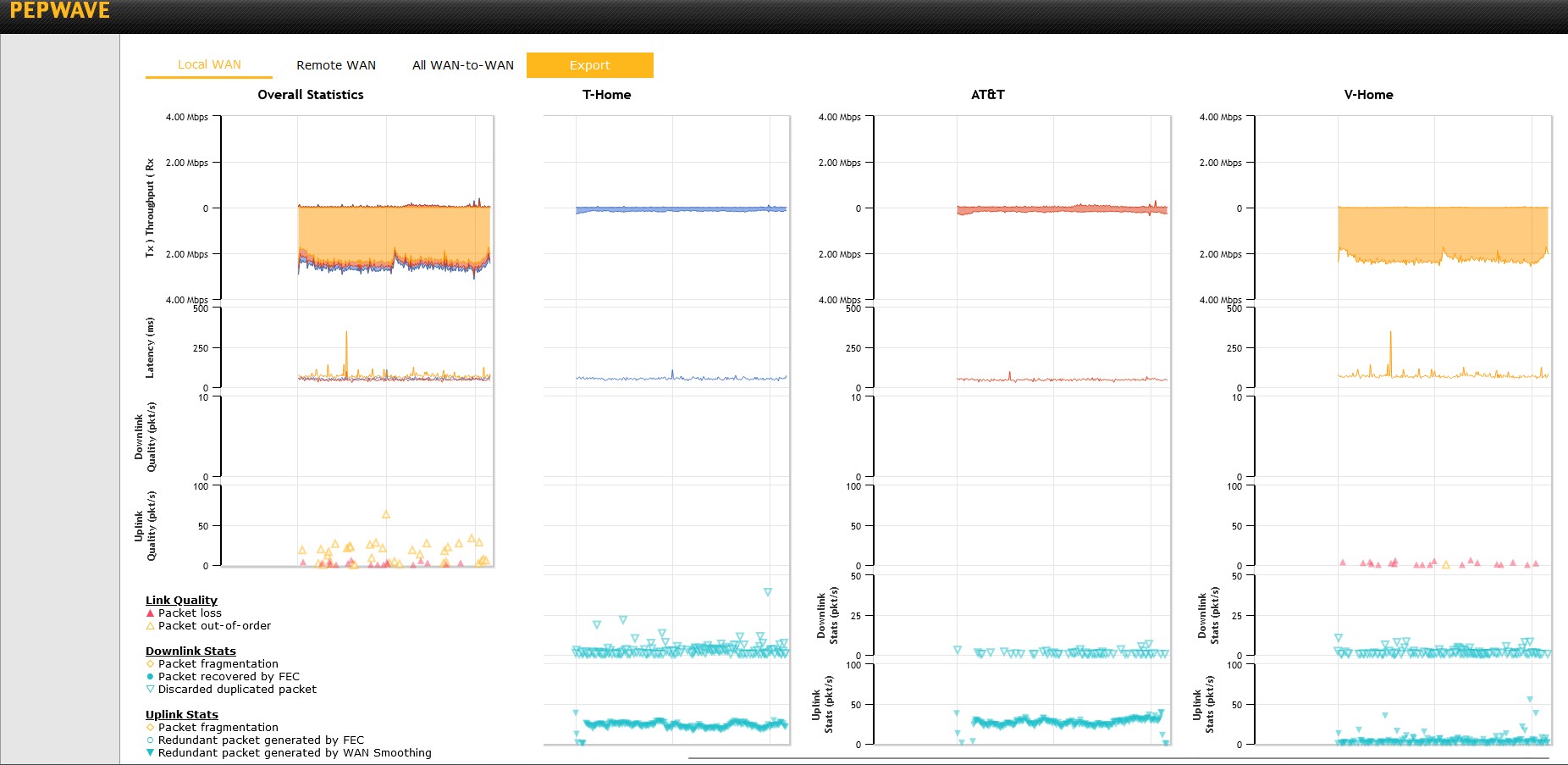
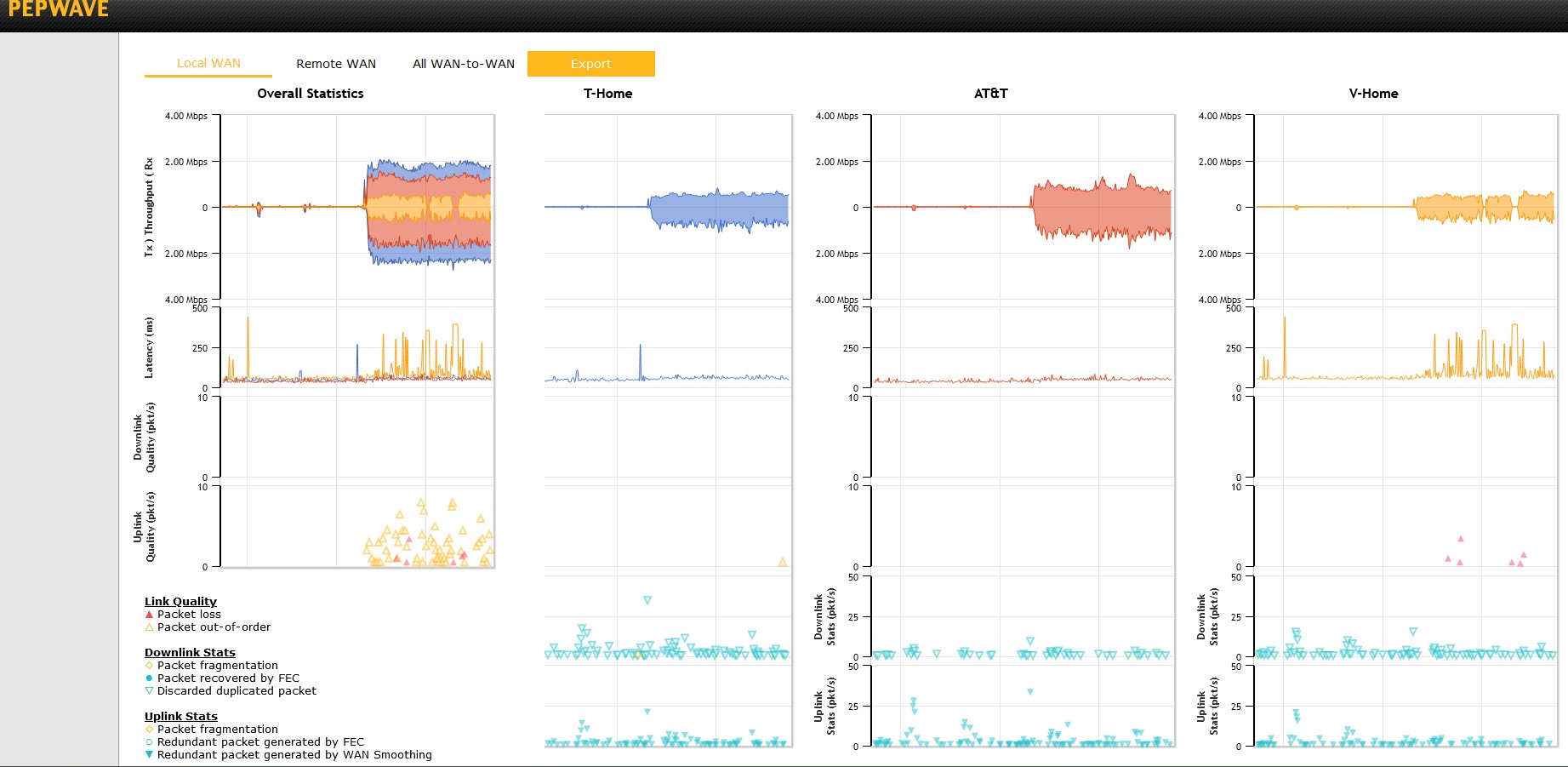
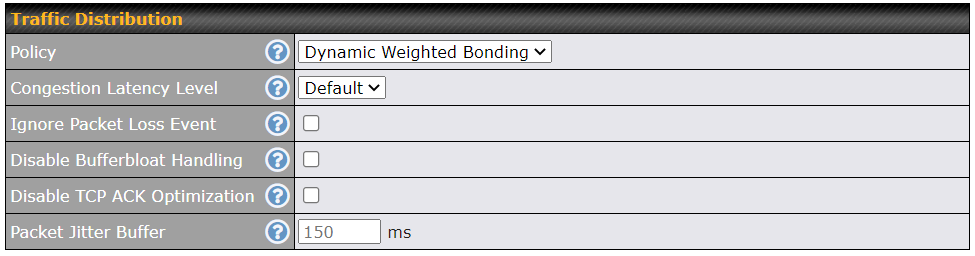
I have 3 cellular connections (AT&T, T-Mobile, Verizon) with a SpeedFusion tunnel used primarily for Microsoft Teams Video calls. When I try to use the new DWB algorithm instead of Bonding it seems to prefer a single connection rather than balancing across links. This tends to exacerbate the loss or latency of that single link, rather than shifting the load when needed. Here are charts documenting the behavior.
Note the difference in uplink quality scale… Bonding is using the 0-10 scale and DWB is using the 0-100 scale. All of these loses are minor and don’t affect the end users video calls, but I’m trying to figure out why DWB isn’t giving me a better result.
Tagging @Steve so he gets this feedback into the Alogrithm’s behavior.
Hi @C_Metz, technically it’s not DWB prefer a single connection, it’s because the WAN never congest, so additional WANs being kept in monitoring mode, this is to avoid newly added WANs degrade overall quality, once you have some high bandwidth application running, it will give DWB algorithm a chance to detect WAN congestion and the bandwidth allocation to each WAN will fit more to their own capacity.
Looks like the existing design can be a problem in your scenario, let me see how to solve this, I’ll keep you posted.
However, regarding the out-of-order packets, this looks strange to me, is it possible to create a ticket and enable Remote Assistance so we can have a look closely?
The user controls the traffic, so I can only make tunnel changes at specific times when there are no calls scheduled. When they use Audio the connection uses 20-60Kbps and when they use Video it uses 2.2-2.6Mbps… so on the DWB screenshot the person was sending video, but only receiving Audio, versus when I grabbed the Bonded traffic later, it was video in both directions. I’m having to deal with these pesky users not being consistent in deciding whether to turn on their cameras in conference calls I’ll try and make sure to get video in both directions next time so we are comparing apples to apples. Thanks!
I have TWO 40M links and have had the SF monitoring screen up while running various speed tests… and yes, I have noticed BIG variances in the download speeds of the links. I would guesstimate that I mostly see a 1:4 ish ratio. eg: 7m on one link and 30+M on the other.
I have also ran a few tests on HD2 Dome PRO E and noticed that 8.3 firmware increases download speed significantly (3,7x).
The only downside of the new firmware is that the upload rates have dropped by ca. 30%. I used 3 WANs: 2x LTE & Wi-Fi WAN to simulate our typical use case scenario.


 I’ll try and make sure to get video in both directions next time so we are comparing apples to apples. Thanks!