Hello
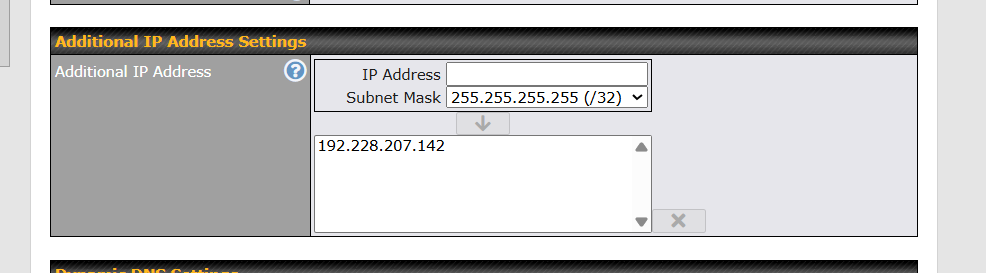
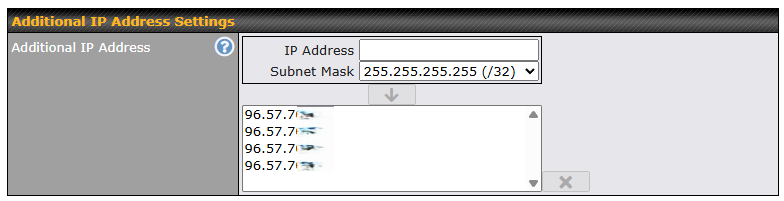
I have 5 public IP’s on WAN 1
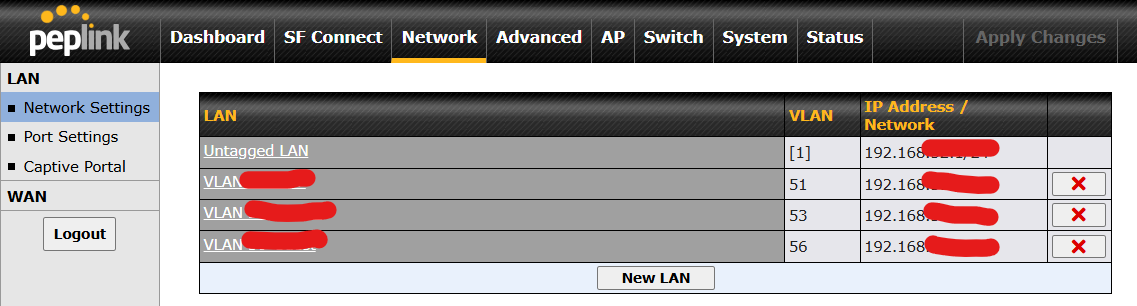
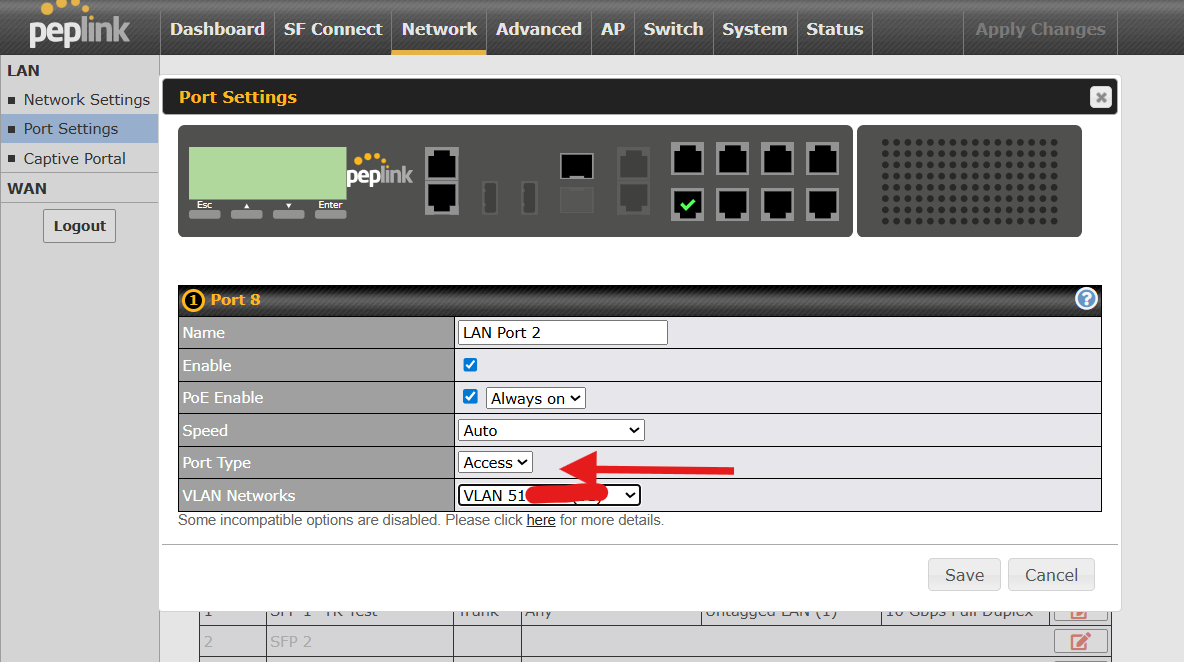
I have a separate isolated VLAN running DHCP created and assigned to LAN port 2
I have an NVR on LAN port 2 with a local DHCP IP reservation for its WAN MAC
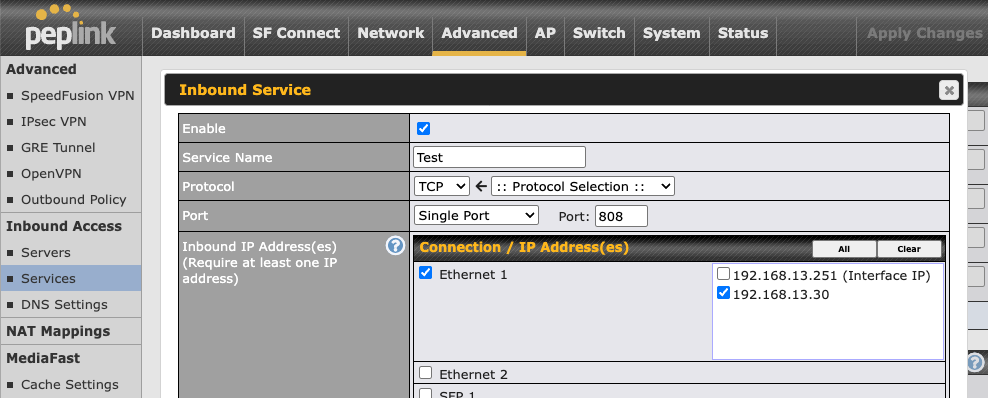
Can I assign one of the public IP’s to LAN port 2 so that all traffic in and out is on that specific public IP? I will also do some specific port forwards for remote viewing on the camera app
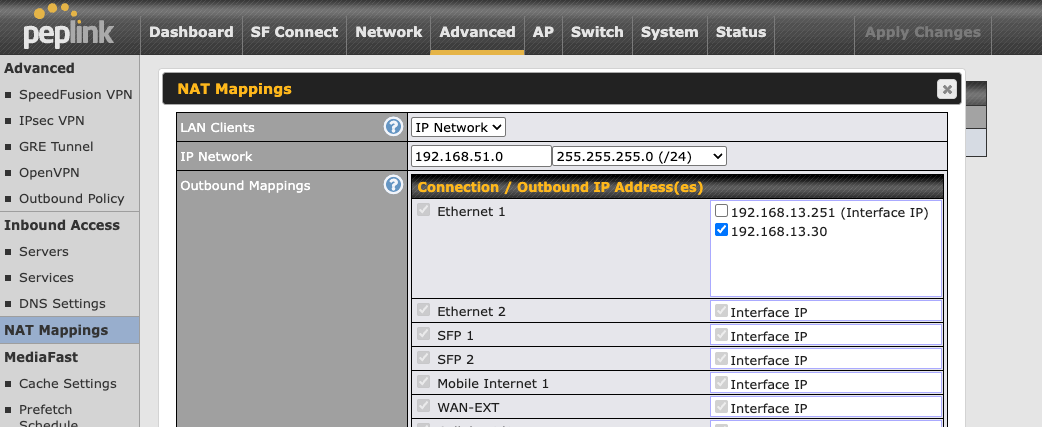
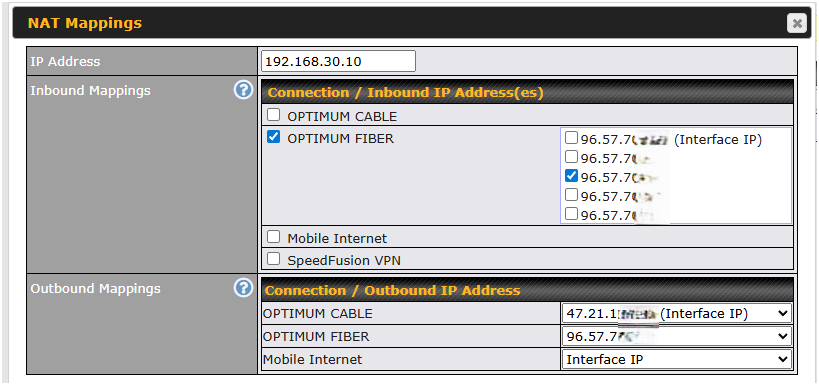
Yes, by using NAT Mapping. Just you will assign WAN IP not to a LAN port but to specific LAN/VLAN IP Network. As example VLAN subnet is mapped to WAN second IP address:
Because this is new to me I have a few additional questions
If I do a 1:1 NAT MAPPING to the specific LAN/VLAN am I correct that all traffic from the NVR will be sent out the selected WAN IP and all outside traffic to that IP will go to the NVR?
With the 1:1 NAT MAPPING am I correct that I will still need port forwarding to actually reach the NVR from outside?
If I do a NAT MAPPING to the whole subnet am I correct that all traffic from any device behind that specific LAN/VLAN will be sent out the selected WAN IP and all outside traffic will reach the devices as long as I have the correct port forwards to the device LAN IP’s?
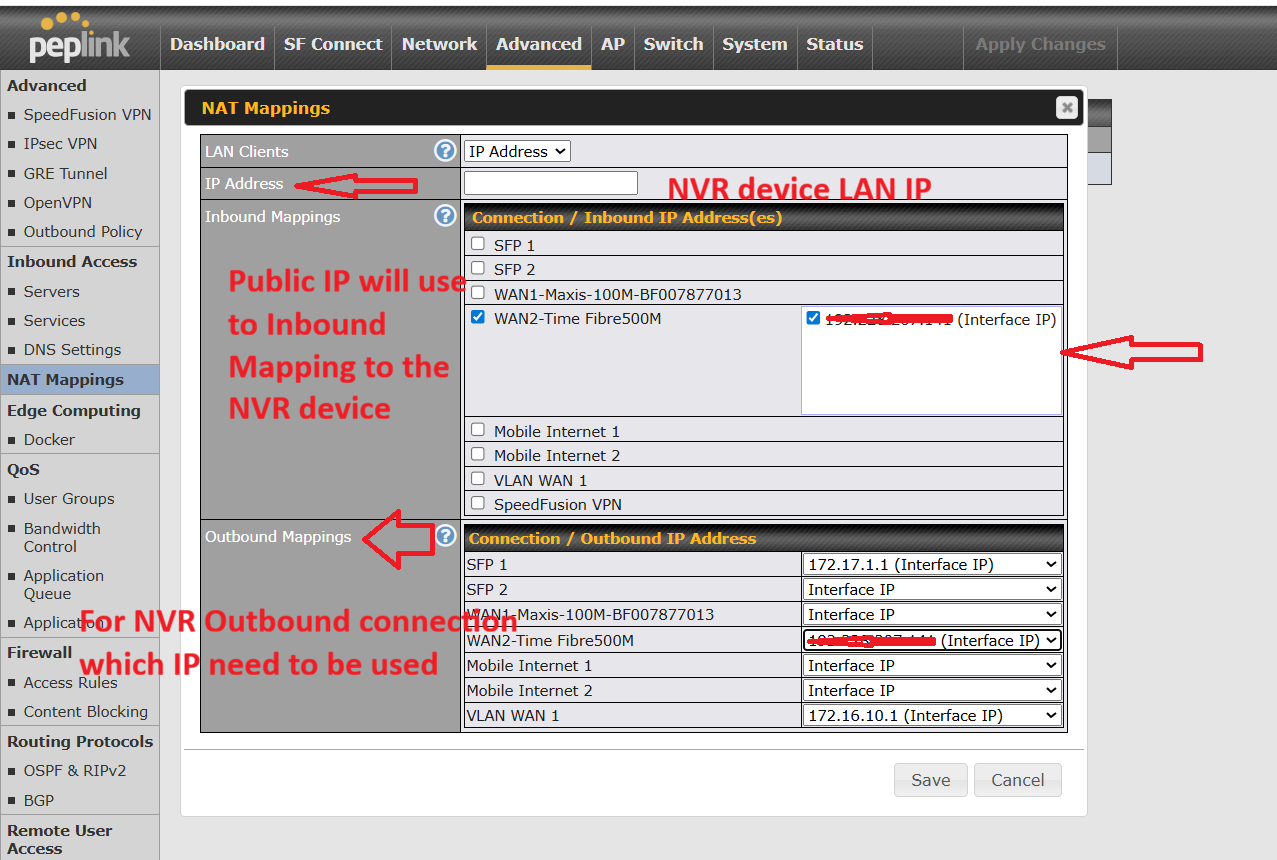
1 to 1 NAT and Porr forwarding are two different NAT method & you need to choose 1 method only.
For 1 to 1 NAT refer to 1 Public IP mapped all ports to 1 NVR device & for outbound you can choose which IP to use.
For port forwarding, usually it will be use for limited public IP and you need to share the same public IP for the multiples NVR devices. You need to make sure each NVR will have different ports mapped.
Same as 1 to 1 NAT, you can choose which IP to use for the outbound and it’s depend the application requirement whether inbound & outbound need to run using the same IP.
If I understand you correctly, this question refer to the question 1 for the additional IPs for the WAN settings. If you refer to /24 network, you need to make sure you have enough /24 public IP NATed. As explained in item 1 ,2 ,3 , 1 to 1 NAT & Port forwarding required you to configured the outbound need to use what IP address depend the application requirement. Some application can have inbound & outbound connections using different IP addresses.
The second part of the question I have been confusing you all, sorry about that. Let me try asking a simpler way because it has nothing to do with the 1:1 NAT part.
I want to have ALL devices behind a Peplink LAN port(switch connected to it) go out a specific public IP
I want to create another VLAN and assign that to another port on the Peplink for this
@Saulius_Saltmeris @sitloongs Yes that’s exactly what I was asking THANKS… last question I only use SMART or MANAGED switches capable of VLAN configs. How does that change things?
Also the NVR is working perfectly for the customer THANKS VERY MUCH