Hello Everyone,
I have a B One running firmware 8.5.4 that is only connected to 1 WAN. Is it possible for me to use my unused WAN 2 port as an additional LAN?
Hello Everyone,
I have a B One running firmware 8.5.4 that is only connected to 1 WAN. Is it possible for me to use my unused WAN 2 port as an additional LAN?
Hi, @Jordan_Phillips
Yes… should be…
Go to: Dashboard > Network > Port Settings
Look at
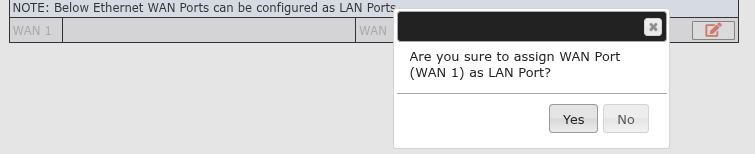
" NOTE: Below Ethernet WAN Ports can be configured as LAN Ports. "
Okay?
Hi @MarceloBarros,
I thank you for your assistance.
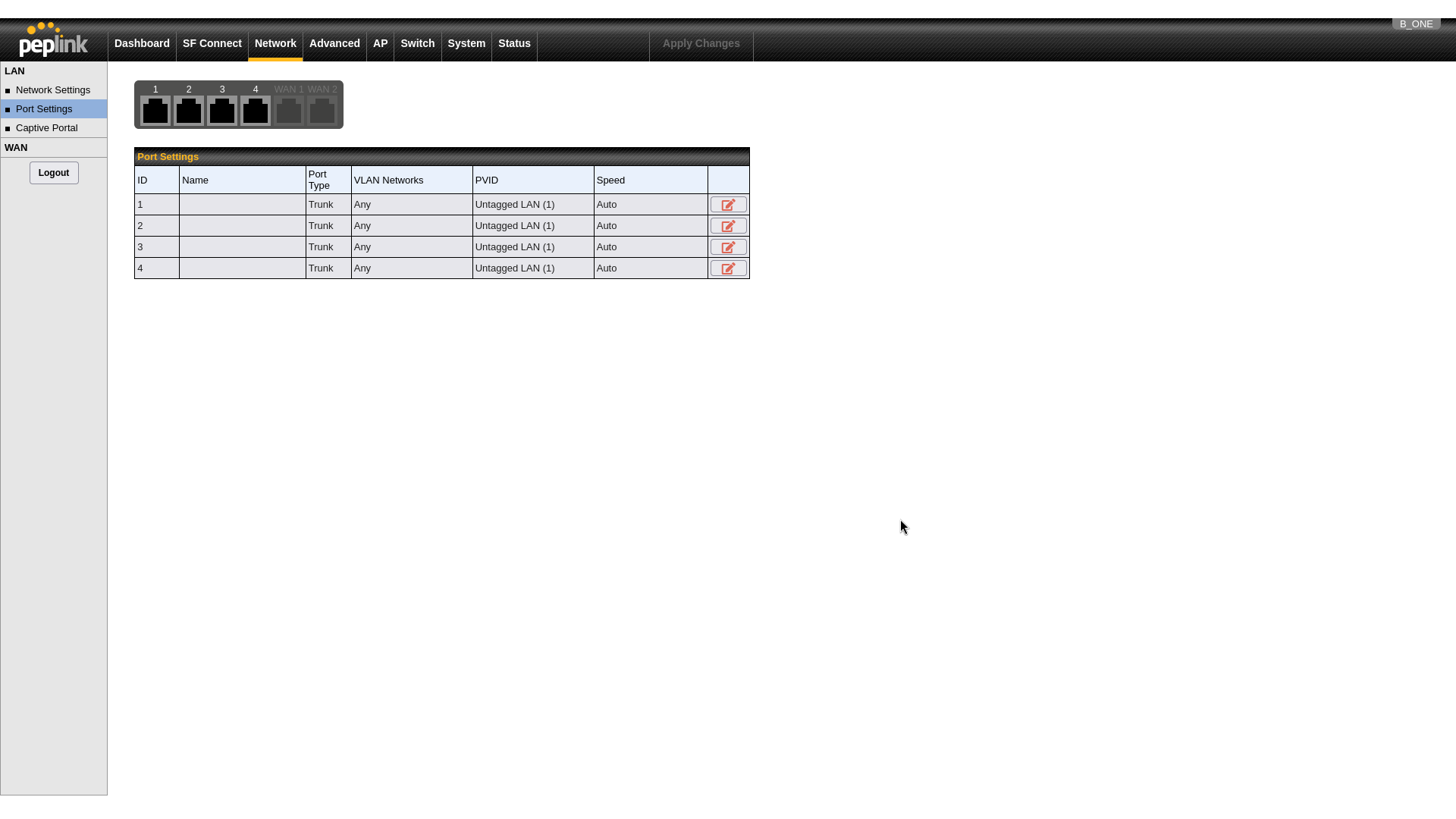
I re-checked my port settings and I don’t have a section for configuring any WAN ports as LANs. Both WAN ports are active; however, they are greyed out and cannot be modified from Port Settings.
Hi…
I can test for you, tomorrow. I don’t have a B-ONE with me, at this moment.
But…
Can you see the enable option WAN become LAN?
Do you have a red pen? At the right side?
Hello @MarceloBarros,
I have posted a screenshot of my LAN page, below. The option to change any WAN port to a LAN one seems to be missing, unfortuantely. Is there any other way that I could enable this feature?
oh, lord…
Tomorrow, I can check at my b-one.
Sorry about my mistake…
I also have a new B One and would like to change my WAN 2 port to a LAN port.
I miss having 8 available LAN ports on my old Balance One.
No problem @MarceloBarros, please keep me posted.
Going off of memory of the chipset layout, the 2 WAN ports share a 1GBit interface to the SOC, if you use a WAN port as LAN it would cut in to the WAN throughput. I am not at home right now but I am pretty sure I benched the WAN to LAN wired throughput at 1GBit too.
I assume that is why they rate the router at 1GBit throughput when it can hit 1.4+ if the USB and cell modem is involved. The LAN connections share a 2.5Gbit link to the SOC.
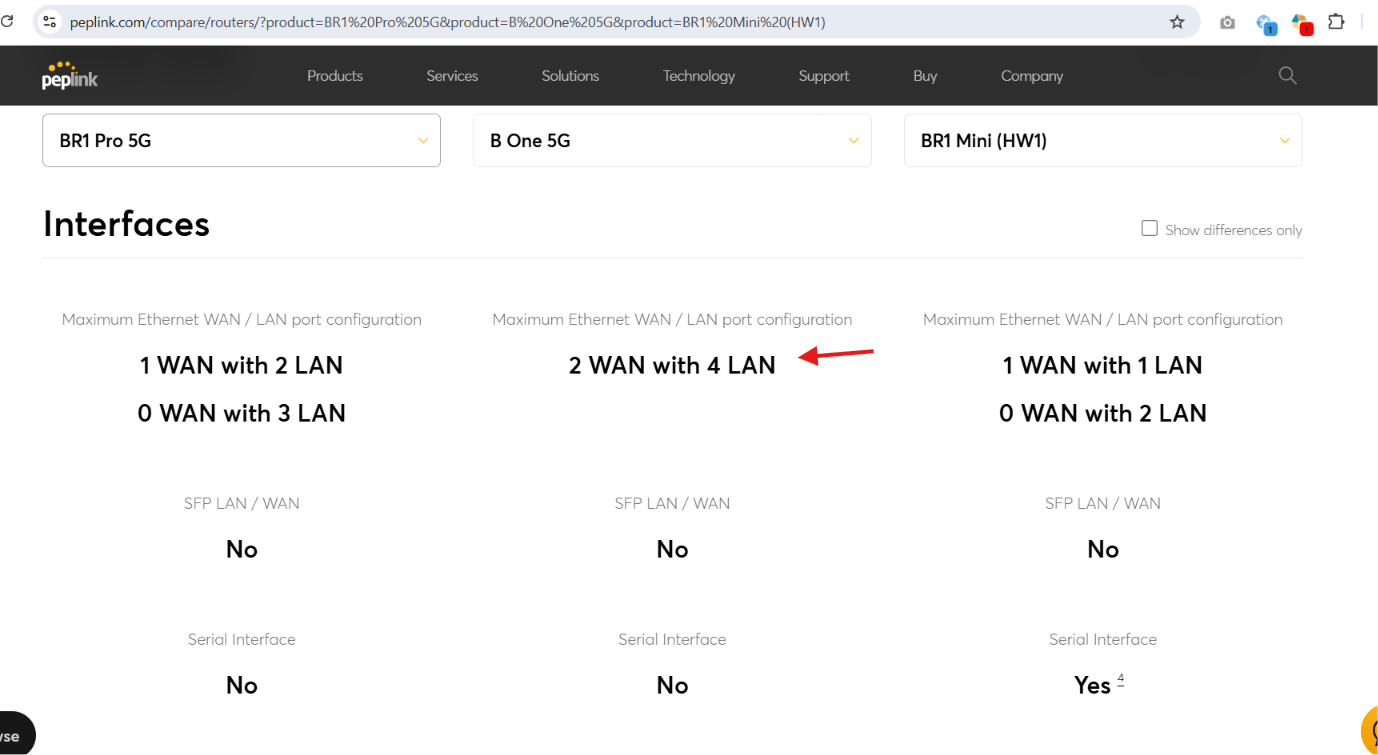
I believe that the WAN as LAN isn’t available on this unit and specifically says so on the product comparison. That said, I don’t have one out of production to actually test with.
wan1 is direct 1gb from SOC, wan2 is USB3 Ethernet internally.
Hello, @Jordan_Phillips
" WORKAROUND "
I have an idea…
Using the L3 rules…
Let me test at my lab.
Do you have a printer or server that can be a fixed IP?
Working…
I will send a step-by-step instructions for you.
Yes… Using L3 Rules… I can use the WAN2 as a “LAN”.
But… maybe it is not what you looking for…
This what I did.
Broke my network 192.168.40.0/25 in two networks
192.168.40.0/26 and 192.168.40.64/26
LAN (default) 192.168.40.1/26 (dhcp 192.168.40.10 > 192.168.40.25)
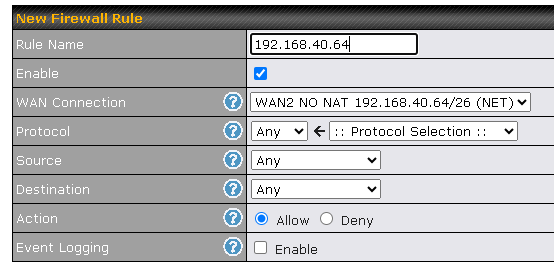
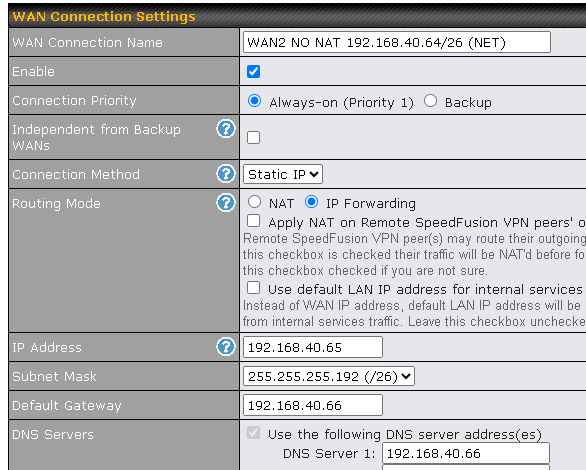
WAN2 192.168.40.65/26 gw 192.168.40.66 (another computer with fix ip)
firewall inbound
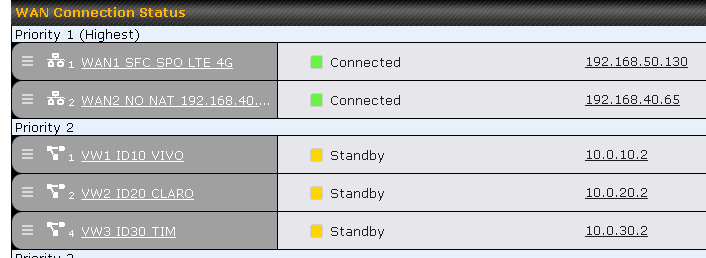
My dashboard
Priority one
WAN1 (ISP PROVIDER)
WAN2 (my second lan network)
Priority two
MY MOBILE NETWORKS
The b-one that I have, don’t have LTE 4G/5G so…
Using an external LTE ROUTER and VWAN, I use one interface with 3 VWANs.
(VIVO, CLARO and TIM)
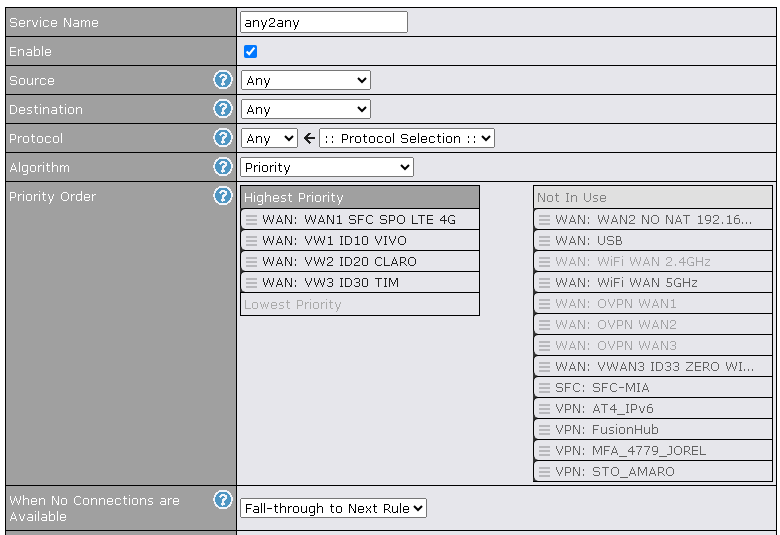
OUTBOUND POLICY
WAN2 settings
Hello @sitloongs,
Thanks for pointing this out. So, unfortunately, it seems that the B One does not permit changing WAN ports to LANs, which lines up with my observations.
Would it be possible for the router to support this in the future? @kovlin and @bryn.loftus have made some interesting points regarding the hardware and I believe that an official word on this would be useful to everyone.
Thanks again!