Hello,
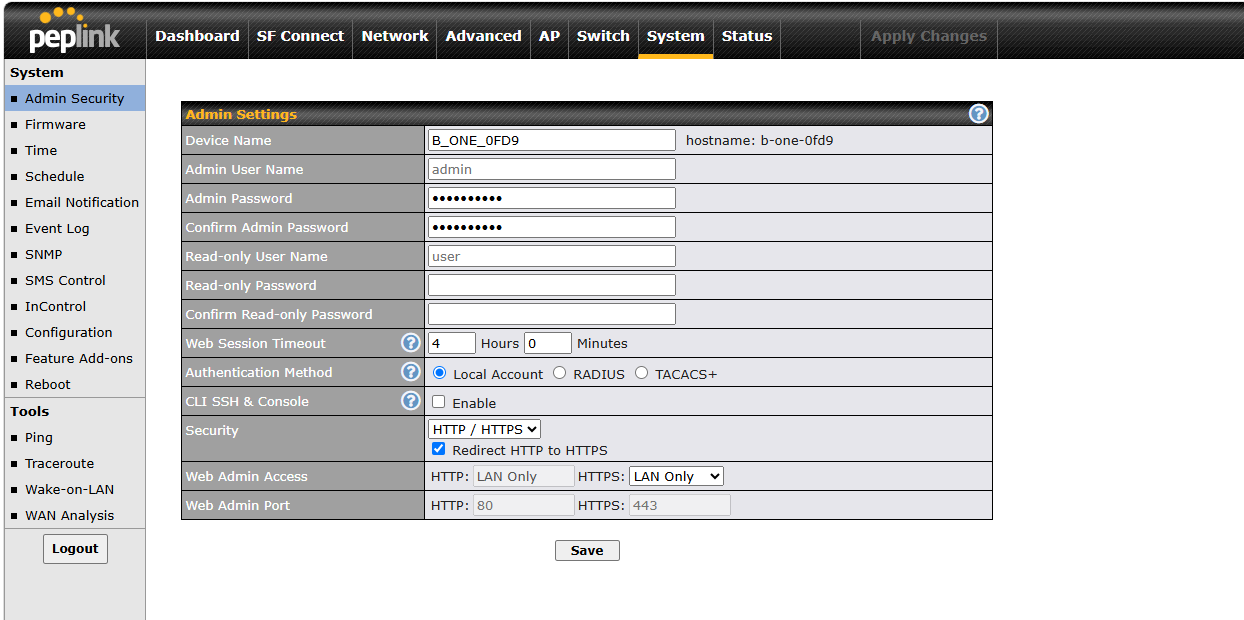
Across our B One deployments, including 5G and Plus models, we observe Web Admin Access is set to LAN/WAN (In the GUI: System > Admin Security > Web Admin Access). We are trying to determine if this is the factory default setting for this model line. Thoughts?
It is, yes, it’s weird.
You can use bulk config to remedy this, or you can remedy it via IC2 policies.
Thanks for validating our finding.
Hopeful this post makes others aware of the setting. If a deployment uses a public static IP and Web Admin Access is set to LAN/WAN out of the box, the device login page is immediately exposed to the open internet.
To the Peplink team: please reconsider this default. It adds no value enabled out of the box, breaks with the precedent set by other model lines, and introduces unnecessary security risk.
2 Likes
100% agree.
We have an internal runbook, some of which is published here, that we follow when setting up new environments for customers. While it’s not foolproof, having a checklist means we haven’t left it enabled in quite awhile.
2 Likes
@james.cancel ,
I did a quick check using my B One 5G running firmware 8.6.0. I can confirm that the default WebAdmin Access setting is set to “LAN Only.”
Which firmware version are you currently using on your device? I can cross-check the same firmware version on my side as well.
1 Like
I just cross-checked the default configuration on a B One device running firmware 8.5.4. By default, WebAdmin access is set to LAN Only .
2 Likes
Thanks for checking. I believe you, but I had a different experience on many, many devices. I’ll check with my VARs to make sure they are not changing this during staging.
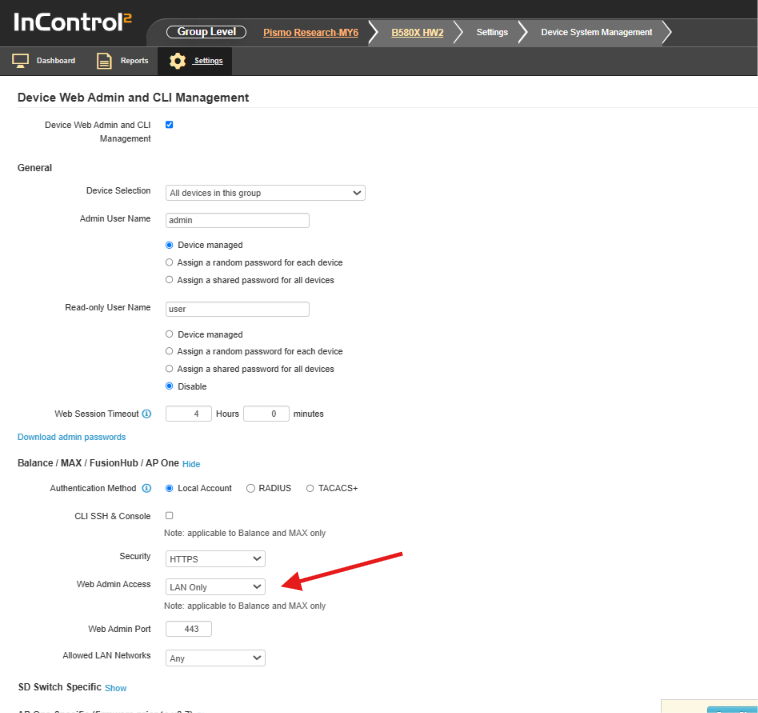
Sit Loong, this is NOT the case in IC2. If Device System Management is enabled in IC2, it will set it to LAN/WAN by default (bad).
1 Like
@ChristopherSpitler & @james.cancel ,
Thank you for pointing this out. I will discuss this with the Engineering team to see if we can align the default behavior, so that if the user does not change this setting, Device Web Admin and CLI Management via InControl 2 will remain disabled instead of requiring the user to disable it manually.
For the time being, please make sure “LAN Only” access is selected when enabling Device Web Admin and CLI Management via InControl 2.
1 Like