I am setting up a B One router along with an AX Lite AP with Ethernet backhaul. I am trying to get decent wifi coverage both indoors and outdoors, living in a home with steel siding. The AP is installed high in the center of my main floor to hopefully provide enough coverage indoors. For outside, I am going to install an outside omnidirectional Peplink antenna with a coax extension from the B One router itself, replacing the provided whip antennas. This should also cover the walkout basement lower-level indoors due to the windows we have there.
I may have to add one or two more outside APs to get the needed coverage, which would probably be the rugged Peplink wifi5 models, but may have to mesh one of them.
Can anyone point me to some good resources or tips for how to set up the AP and router to do fast roaming and get the best combined coverage?
Do I need the router and the AP to be on separate channels in the same band?
Sure could use some help with this… I currently have my first attempt at this in place but I don’t think it is working. Let me know what else you need to know…
Do you think the How-To Handbook would be helpful?
I’m not sure how far you’ve progressed with the setup, but below are a few guides from the How-To Handbook that you may find useful:
How to Set Up Wireless Best Practices
How to Add a Secondary Access Point
Configuring Wireless Mesh on Peplink Access Points
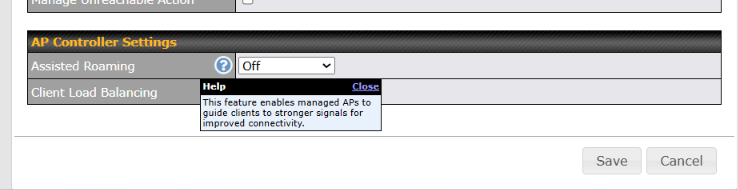
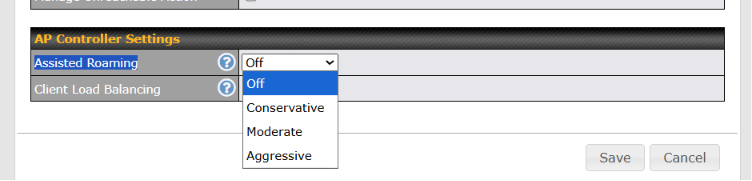
Once all of your APs are managed by the B One AP Controller, you can consider enabling Assisted Roaming under the AP Controller settings. This feature allows the managed APs to guide clients toward an AP with a stronger signal, which can help improve the roaming experience for devices that tend to remain connected to a weaker AP.
As a general recommendation, if possible, use an Ethernet backhaul instead of a wireless mesh backhaul for the best performance and stability. Also, configure nearby APs operating on the same band to use different, non-overlapping channels to minimize interference.