Hi
I can see that it is possible to manually pick a firmware and schedule that update.
I was wondering if it is possible to schedule the newest firmware automatically so that I do not have to manually select the newest firmware in the drop-down menu?
Basically so that the system would automatically, once a month by it self pick the newest firmware and install it?
You can definitely set a schedule. This is on the Firmware Policy page at the Org/Group/Device level:
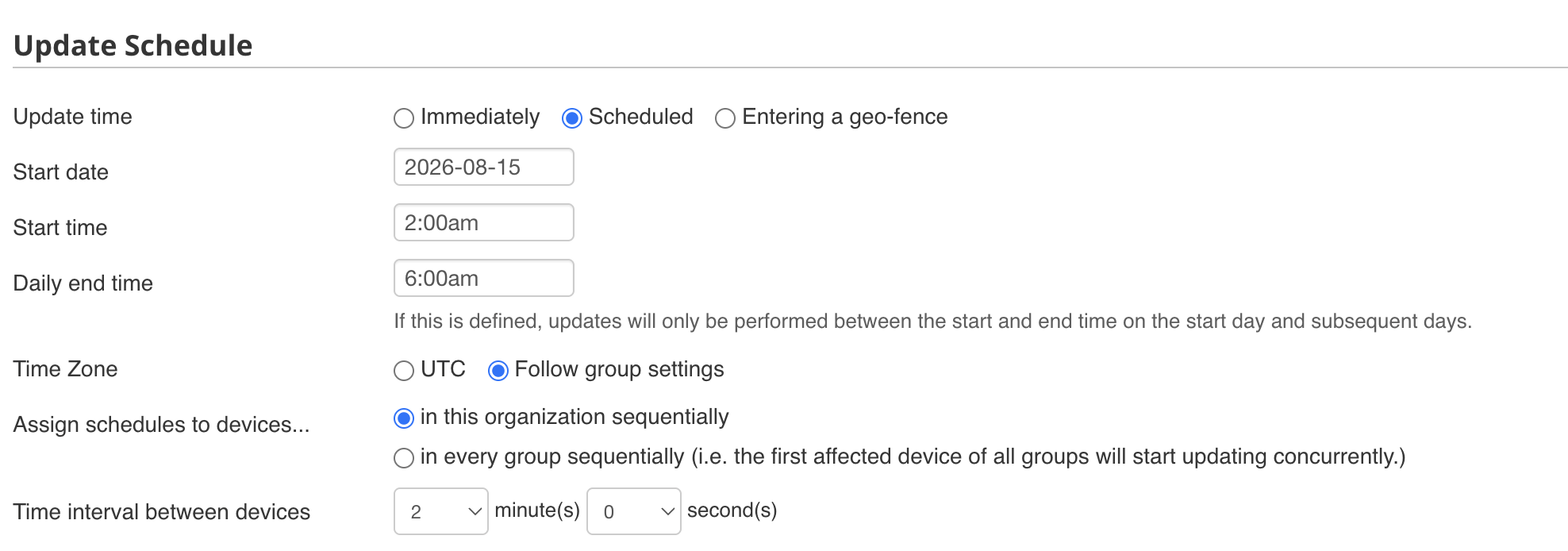
You DO need to select the release you want to use. It’s not great practice to just update to the newest version thus the feature does not exist.
1 Like
Thank you.
Have a nice day.
Totally agree here with this, just need one oddball bug or corner case that makes it past the beta testing / rc phase and you may have a very bad day.
However, one thing I would perhaps like to see Peplink consider here as a feature enhancement would be the opportunity to enable automatic security patching, i.e. minor versions only, perhaps with some “cooling off” period from release - we have this kind of automated patching available from other vendors for firewalls where we can stick within our major version of code, but get automatic patching done also with some backoff from when they release the firmware to seing it rolled out automatically (24-48 hours is usually enough for any real horror shows to be caught IME).
1 Like