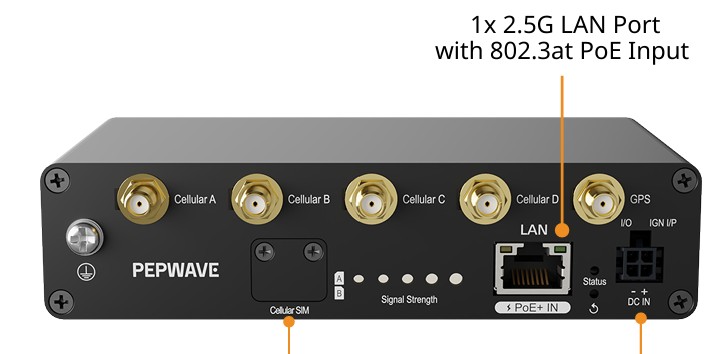
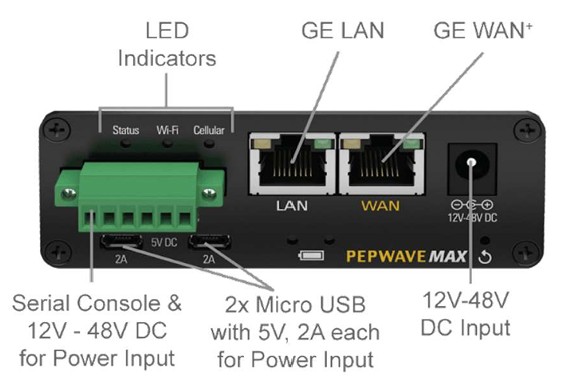
I understand that to connect the 5G Adapter to the MAX Transit I need to run a CAT5e cable from the RJ45 WAN port on the MAX Transit to the RJ45 LAN Port on the 5G Adapter. Please confirm this is a normal straight-though jumper cable or is it a cross-over jumper cable.
Hi, @etroup
The wan interface of tst-duo-pro is mdi/mdix by default… so… you don´t need to worry about it.

2 Likes
Just received a 5G Adapter. I came with no instructions related to what I understand its primary purpose is: to add 5G network connectivity to Max Transit Router with 4G/LTE support.
I do not understand how to configure the 5G Adaptor as a WAN addon to the Max Transit (CAT18). I looked at the quick start guide and it is not helpful beyond changing the Logon ID and Password.
If I connect the LAN port of the 5G Adaptor to the WAN port of the MAX Transit, how do I manage the combined setup. Both devices have a default address of 192.168.50.1. I am supposed to use what looks like a VLAN tag 192.168.50.1/24?
For instance, how would I update the Firmware of both devices. Do I have to disconnect them first and do them separately?
Can I take the two SIM cards out of the MAX Transit and install them in the 5G Adapter to gain 5G network access?
An update. I was getting a “WAN Failed DNS Test” on the MAX Transit Screen.
I decided to try changing the 5G Adapter LAN Address to 192.168.50.2.
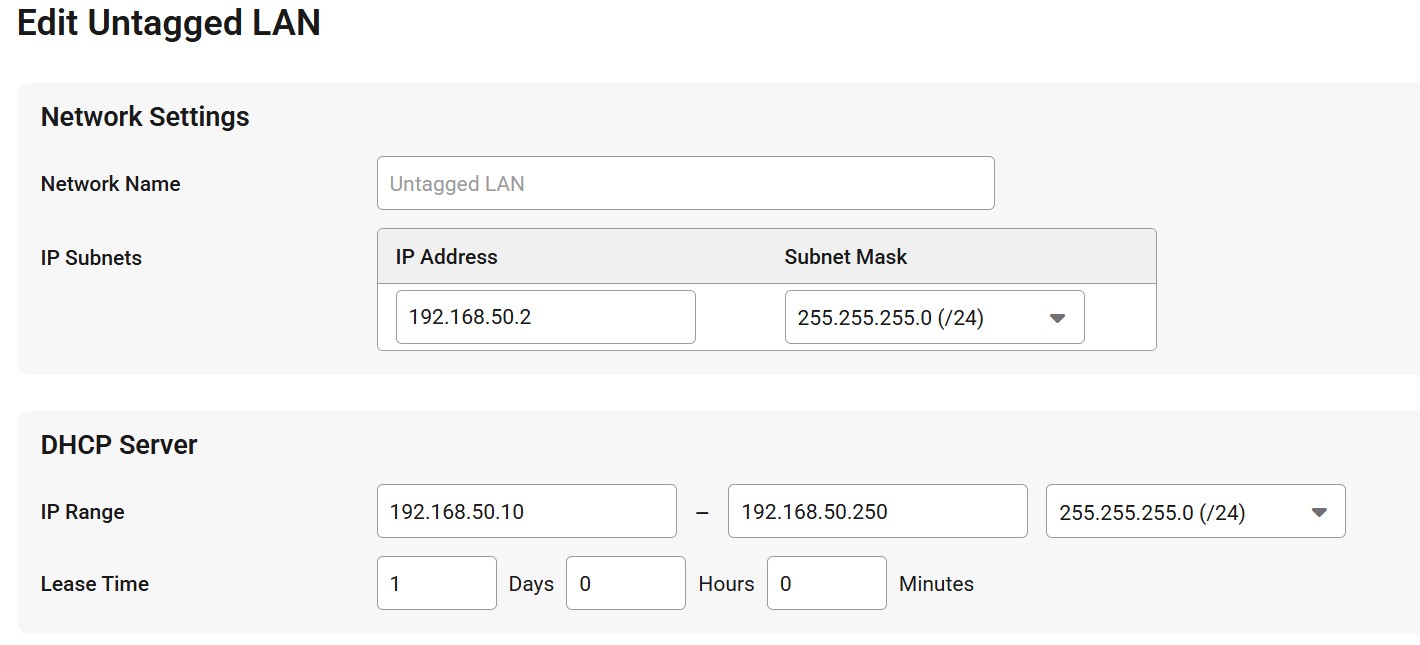
This seemed to resolve things. The embedded SIM card connected to T-Mobile and the 5G Adapter started working as a WAN connection to the internet.
However, I still cannot log on to the 5G Adapter management portal which I think at 192.268.50.2 from the LAN when connected to the MAX Transit Access Point. It fails to respond.
Wondering what the optimal settings are…
hi… choose one device and go at lan… please… change the ip address from 192.168.50.1/24 to another network… any network… like 192.168.5.1/24… but…both devices, cannot have the same network address.
Do you have access to your account at incontrol2?
You can create your account there and register the serial number of your devices.
The MAX Transit address is 192.168.50.1
The 5G Adapter address is 192.168.50.2
These two seem compatible with each other. However, I cannot reach 192.168.50.2 to logon to the 5G Adapter when connected to the MAX Transit Router even though the MAX Transit sees the 5G Adapter connection to the Cingular WAN Network and can reach any web site.
The previously suggested address of 192.168.5.1 comes back as an invalid address. Would not think that 192.168.50.1 and 192.168.5.1 could exist on the same LAN segment anyway.
The physical size of the SIM cards in the 5G Adapter are smaller than the SIM cards in the MAX Transit and are not interchangeable.
The remaining question is how to get to the 5G Adapter management portal while it is connected to the MAX Transit so that I can manage cellular connectivity.
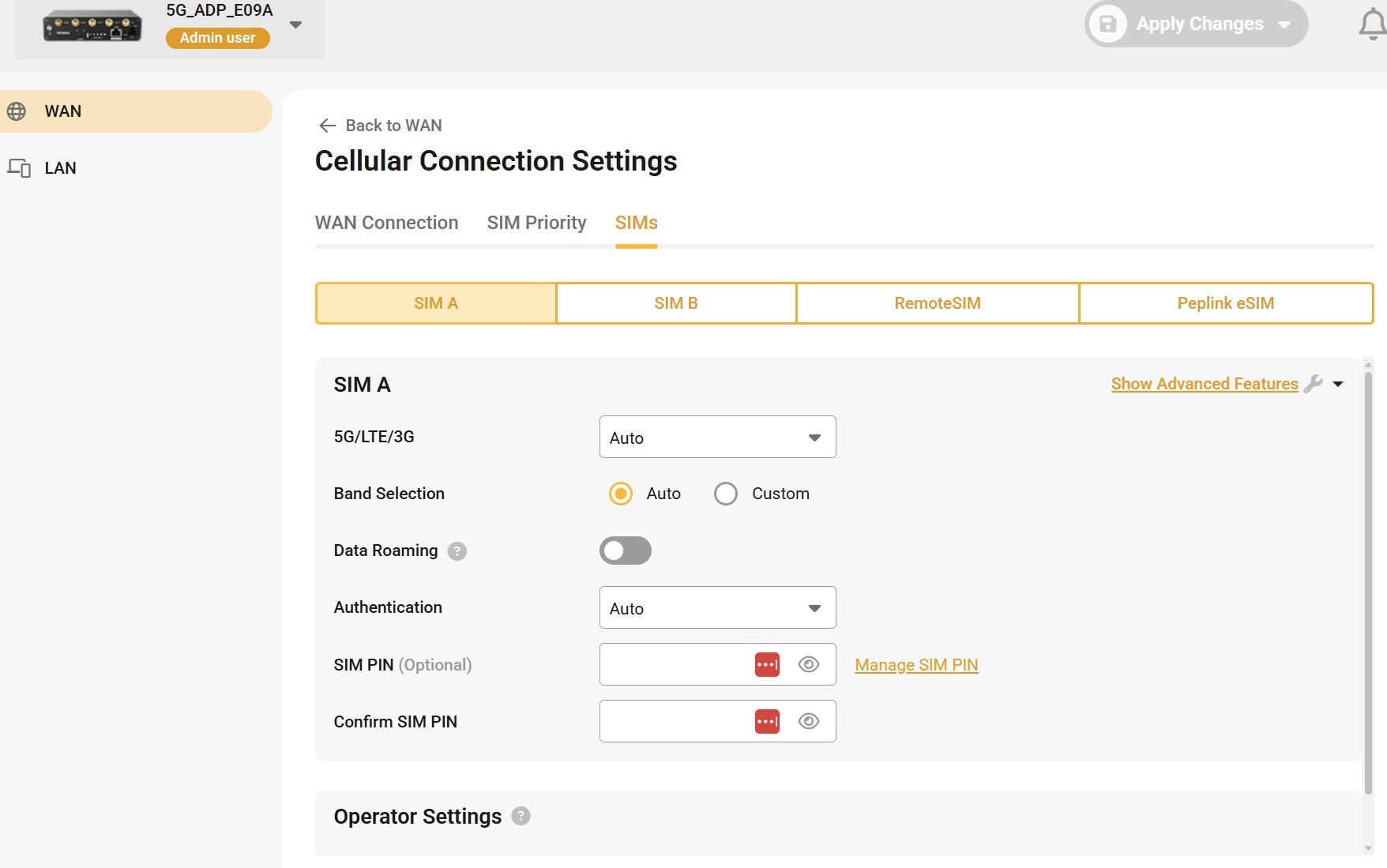
I have figured out how to reach the 5G Adaptor Management Screens.
Turns out you cannot just use the browser to go to 192.168.50.2.
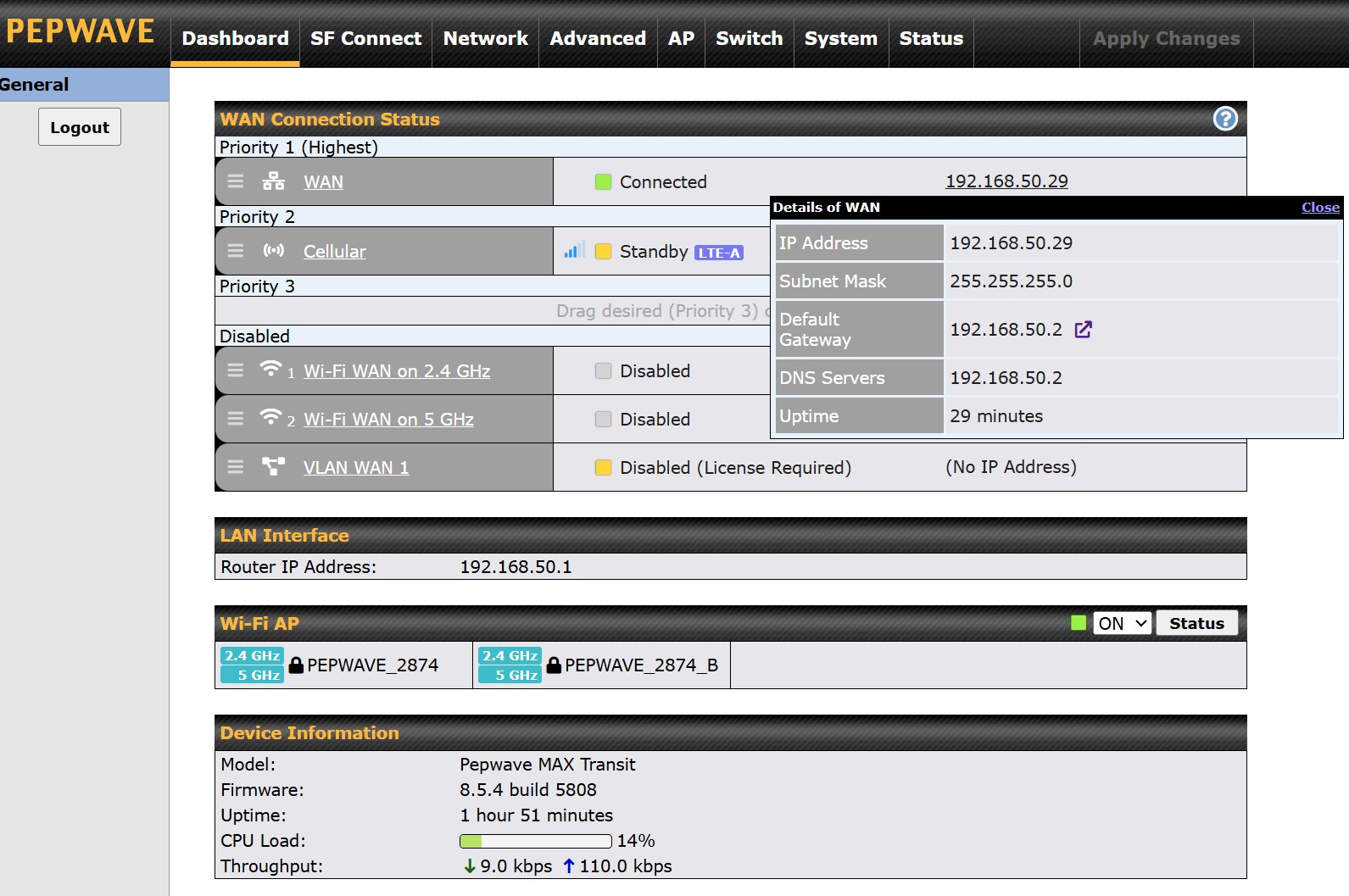
You must go to the screen below and bring up the popup window and then click on the
Default Gateway 192.168.50.2 address GOTO icon to the right.
The 5G Adaptor Management portal pops up.
can the adapter show as a wan connection or work as synergy device?
1 Like
I have the same question, can the 5G adapter work in synergy mode on a BR2 Pro 5G?
Yes. I made the 5G Adapter appear as a WAN connection on the MAX Transit Dashboard. So now I have two WAN options:
- 5G Adapter with currently two physical SIMs and one eSIM configured.
- Starlink Mini as a optional WAN option.
I just order these options in the priority I want on the MAX Transit Dashboard.
Synergy is not supported but I heard something about it might be supported in the future.
For 5G Adapter being synergized device on Synergy Controller, this will be supported in the future. Currently we are wrapping up the 2.0.3 for 5G Dongle and 5G Adapter. This feature should come in next release and estimate later half of this year. 
1 Like
This is a summary of the steps needed to add the 5G Adapter to the MAX Transit LTE Cellular Router. There were no instructions included with the 5G Adapter.
The main issue was navigating devices’ management interfaces. PepWave could have provided a one-sheet piece of guidance on where to do the things that needed to be done to add the 5G Adapter to a MAX Transit LTE or some other router. The Quick Start Guide was not very helpful. So here is what I discovered via trial and error.
-
Plug the 5G Adapter directly into a laptop via RJ45 straight-through or cross over CAT5/6 jumper. Apparently, the port adjusts automatically.
-
Logon to the management interface (see device label). Change the default address of the 5G adapter from default 192.168.50.1 to another address on the same LAN segment of the router the adapter is going to connect to: I used 192.168.50.2.
-
Disconnect the Laptop. Connect the LAN Port of the 5G Adapter to the WAN port of the MAX Transit LTE with a straight through CAT5 or CAT6 cable.
-
Join the MAX Transit Router Access Point at 192.168.50.1
At this point I found that I could no longer reach the 5G Adapter management interface from a browser. 192.168.50.1 was reachable but 192.168.50.2 would not logon.
- To see the 5G Adapter Management Interface while connected to the MAX Transit AP, I discovered by accident that you have to go to the MAX Transit management page. Dashboard/WAN Connection Status and get the popup window to show. From there you can click on the tiny default gateway icon-pointer to open the 5G Adapter management page.
-
Not much info about 5G SIM cards. I discovered the AT&T and T-Mobile SIM Cards in the MAX Transit need to be one size smaller to fit into the 5G Adapter. One SIM could be snapped out to the smaller size. One SIM needed to be replaced.
-
Not much information about the 1GIG of data preloaded with an eSIM from Mobile Must Haves. It started working on its own.