i need add Menu add IP-RANG in Outbound Policy
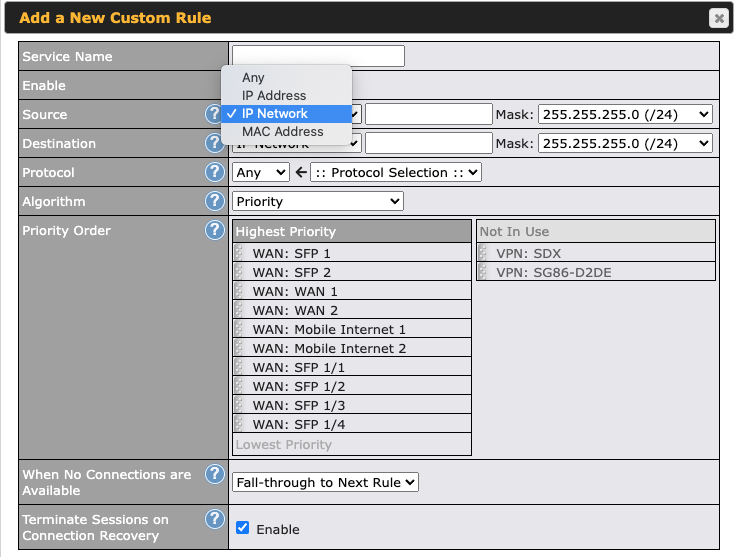
If not have add many Rules
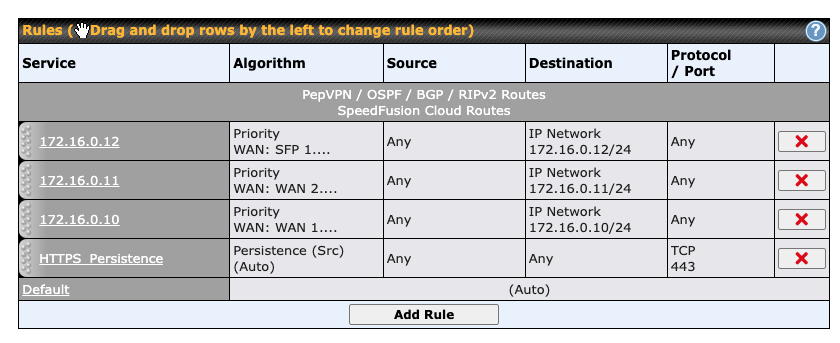
If have many Client List WOW…
i need add Menu add IP-RANG in Outbound Policy
If not have add many Rules
If have many Client List WOW…
You can put subnet ranges in.
So target just two addresses 172.16.0.1-172.16.0.2 with 172.16.0.0/30
Or 14 addresses (.17-.30) with 172.16.0.20/28
What is the business/user requirement that needs ranges? When do you need to add them?
Shouldn’t a normal load balancing algorithm work?
There is- its called “Grouped Networks”. Its in Misc Settings, at the bottom on the left when you are in network configuration.
Create a grouped network, then in outbound policy you’ll get a new option in that list to select grouped network.
