Hi @MarceloBarros -
You are correct - UDP relay helps establish the initial handshake, and the apps indicate a connection (the iPhone and Garmin think they are connected). At the same time, the phone attempts to establish a TCP connection with the display, but that times out because there is no return route from Garmin back to the iPhone’s segment.
That’s why I was hoping there was a way to have either a VLAN-to-VLAN NAT (not routing) or DHCP snooping on one of the Peplink ports. In that case, if NAT is possible, all traffic within the Garmin segment will originate from a NAT’ed IP.
Hi, @vvakser
Have you try to setup a mix of Custom Service Forwarding Setup and UDP Broadcast/Multicast Relay to help those devices to have communication bettwen networks?
I set up a UDP relay, but didn’t see the point in custom service forwarding since there is no way for TCP packets to get back to the originating IP due to an incorrect gateway that Garmin is aware of (the gateway itself).
Outbound:
iphone IP->TCP request->PeplinkIP (routing) ->Garmin VLAN->Garmin MFD IP
Response
Garmin MFD IP-> next hop (Garmin MFD IP)-
I have taken a run at this problem and have made significant progress. Same or similar network setup - A Garmin Marine network on VLAN 1 (untagged) with a LiveScope, Chartplotter and Fusion Radio. VLAN 2 is a tagged VLAN with no physical ports assigned and both VLANs have an SSID attached (so I can go back and forth in testing.
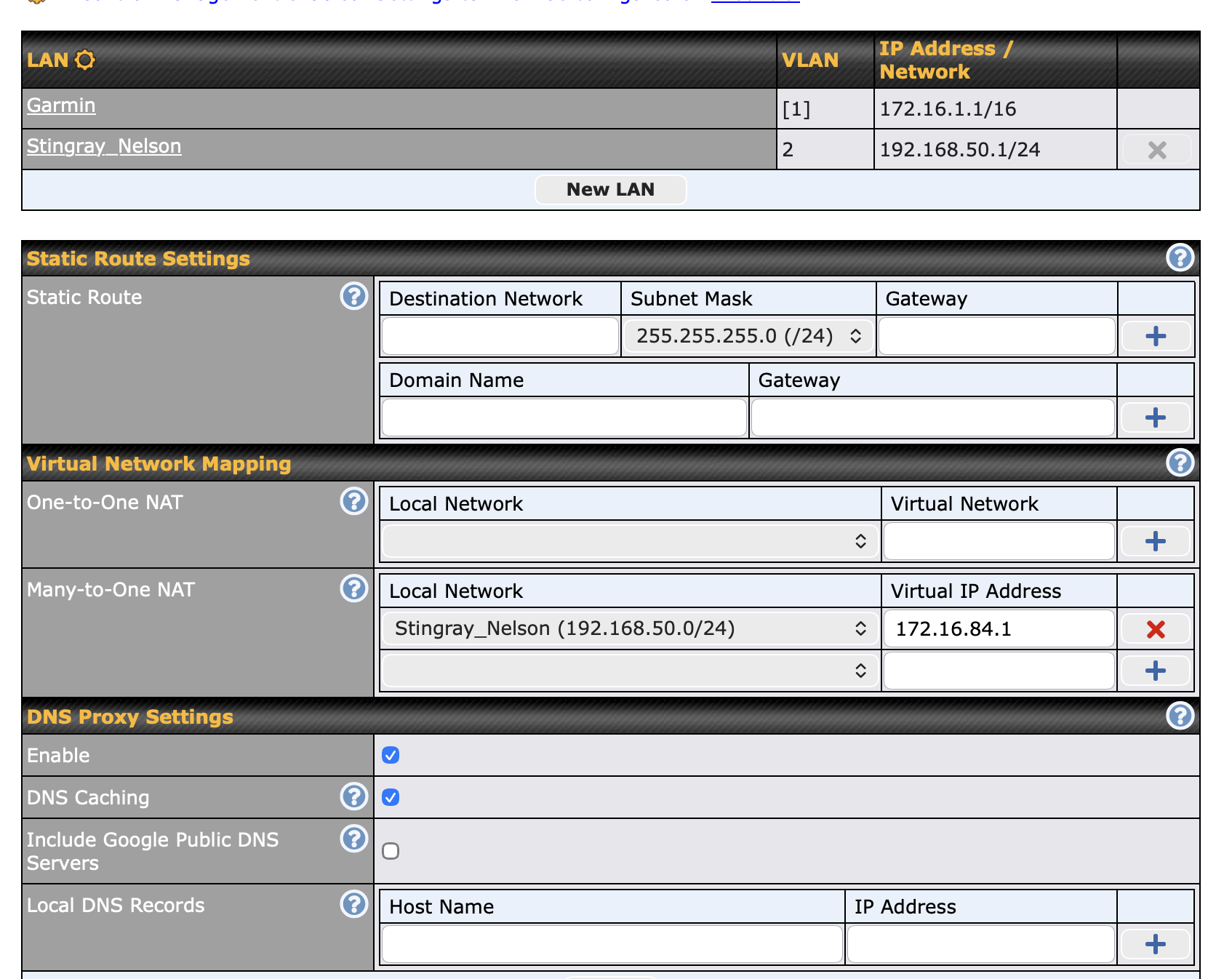
My setup is very similar to the above thread. I have a NAT rule on the network tab to map the whole 192.168.50.0/24 subnet to a single IP on the Garmin network (172.16…) you can see that in the screen shots I took. As soon as I did this, I was able to ping all the devices on the Garmin side just fine.
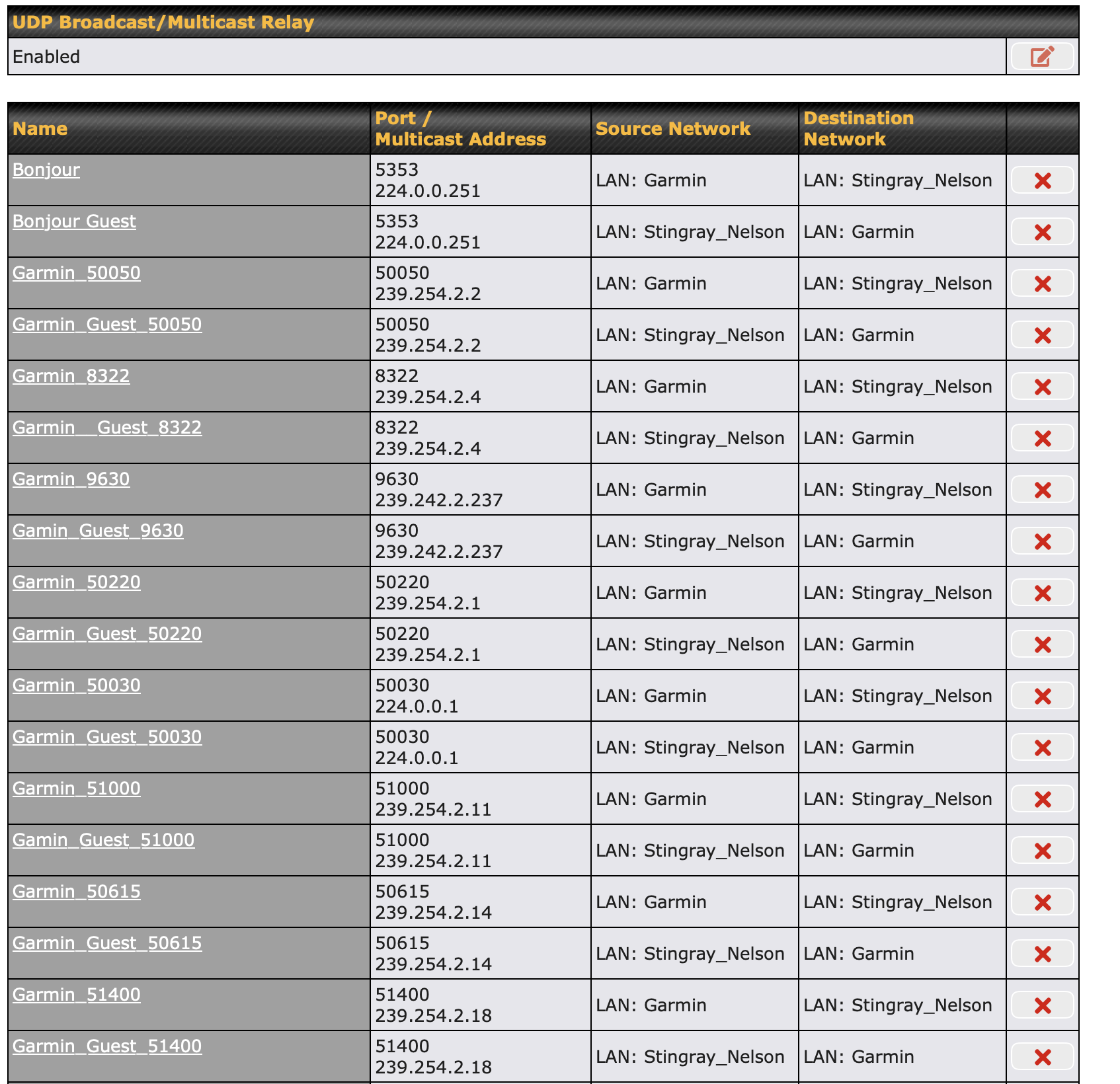
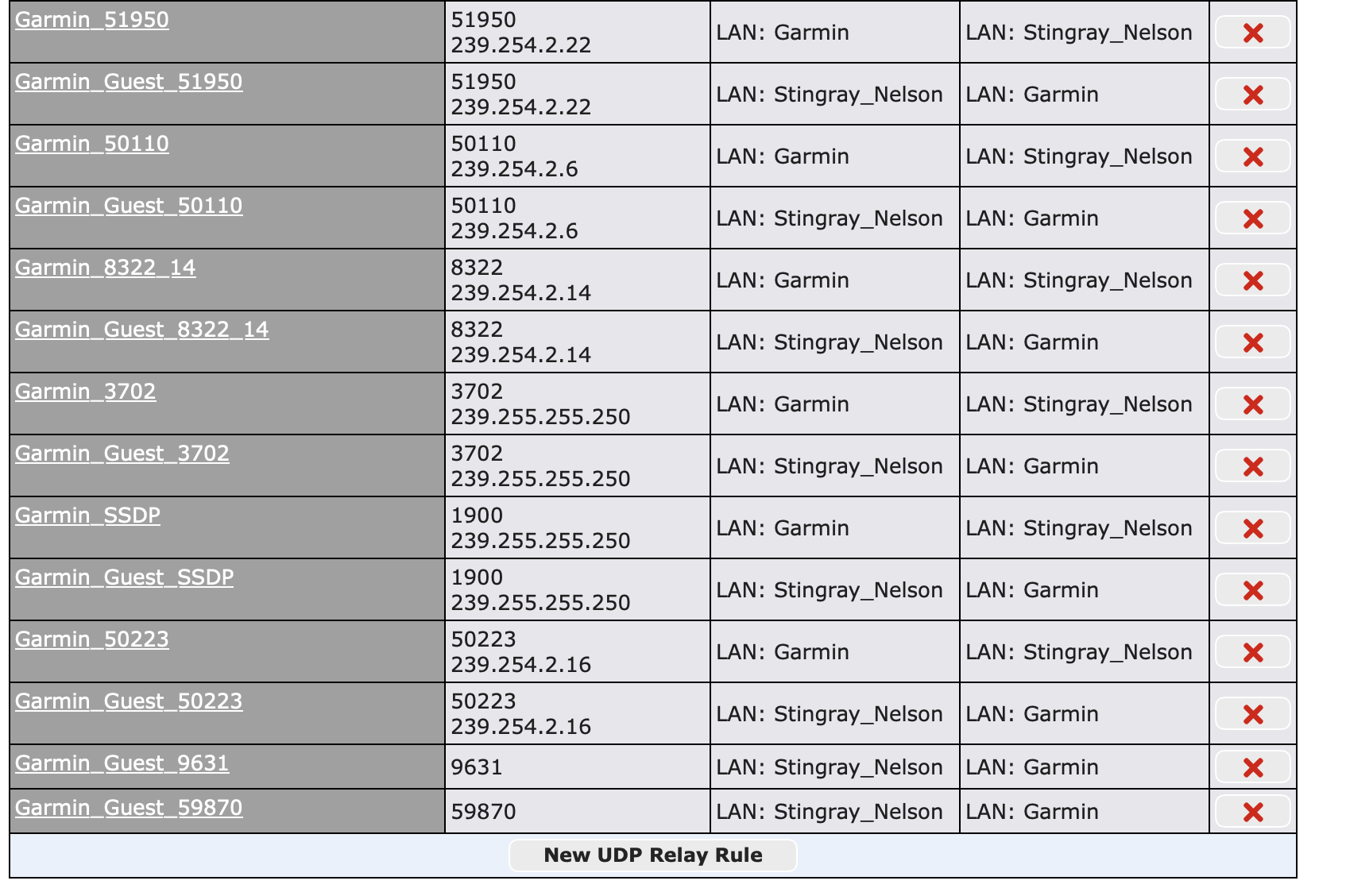
I also spent a bunch of time capturing all the multicast traffic with Wireshark and the Peplink captures. Those were all built into UDP forwarding rules also in the screen shots. I also added a couple broadcast rules as I saw the Fusion Radio app trying to use that for discovery. I have a mDNS (Discovery) app on my Mac and as soon as I added the Bonjour rules, I could see all the devices on both VLANs. It took adding the rest of the rules for ActiveCaptain to work.
The good news is that I have almost fully functional ActiveCaptain working. I can update charts, update firmware and I can see the HELM images from the app. The only thing I cannot seem to get working is the interactive HELM access - it just goes to a blank screen. (This is windmill #1)
Airplay is my second windmill. I can see the Fusion radio on my Mac and iPhone just fine, I can even connect to it just fine. The screen on the Fusion radio even updates with the right meta data and album image. But after 15-30seconds seems to time out and disconnect. I think there is some weirdness with RTSP through the router.
Here is the curveball, if I put my iPhone on the Garmin network, I can use Airplay to stream to it from my Mac on the guest network. That tells me Airplay is “mostly” functional, but the Fusion is doing something extra.
I am open to any thoughts or comments on these two issues. I do have things really close to working just like I would want.